


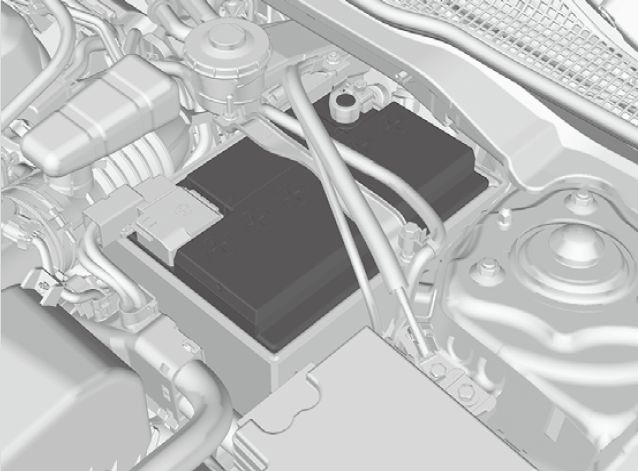
Checking the Battery
- WARNING
-
The battery gives off explosive hydrogen gas during normal operation.
A spark or flame can cause the battery to explode with enough force to kill or seriously hurt you.
When conducting any battery maintenance, wear protective clothing and a face shield, or have a skilled technician do it.
- Detail
-
WARNING: Battery post, terminals, and related accessories contain lead and lead compounds.
Wash your hands after handling.
When you find corrosion, clean the battery terminals by applying a baking powder and water solution. Clean the terminals with a damp towel. Cloth/towel dry the battery. Coat the terminals with grease to help prevent future corrosion.When replacing the battery, the replacement must be of the same specifications.
Consult a dealer for more information.The battery installed in this vehicle is specifically designed for a model with Auto Idle Stop.
Using a battery other than this specified type may shorten the battery life, and prevent Auto Idle Stop from activating. If you need to replace the battery, make sure to select the specified type and size. Ask a dealer for more details.The Vehicle Stability AssistTM (VSA®) system, Vehicle Stability AssistTM (VSA®) OFF*, Adaptive Cruise Control (ACC) with Low Speed Follow*, safety support, and low tire pressure/ TPMS* indicators may come on in amber along with a message in the gauge when you set the power mode to ON after reconnecting the battery.
Drive a short distance at more than 12 mph (20 km/h).
Each indicator should go off. If any do not, have your vehicle checked by a dealer.
-
The condition of the battery is monitored by a sensor located on the negative terminal of the battery. If there is a problem with this sensor, the driver information interface will display a warning message. If this happens, have your vehicle inspected by a dealer.
Check the battery terminals for corrosion monthly.
-
If your vehicle’s battery is disconnected or goes dead:
- The audio system is disabled.
Canadian models
- The immobilizer system needs to be reset.
* Not available on all models