Shows the current mode for ACC with LSF, tachometer, traffic sign recognition system, gear position indicator, or turn-by-turn directions along with the vehicle speed. You can choose which item to be displayed using the HUD button on the steering wheel. They are displayed when the power mode is in ON.
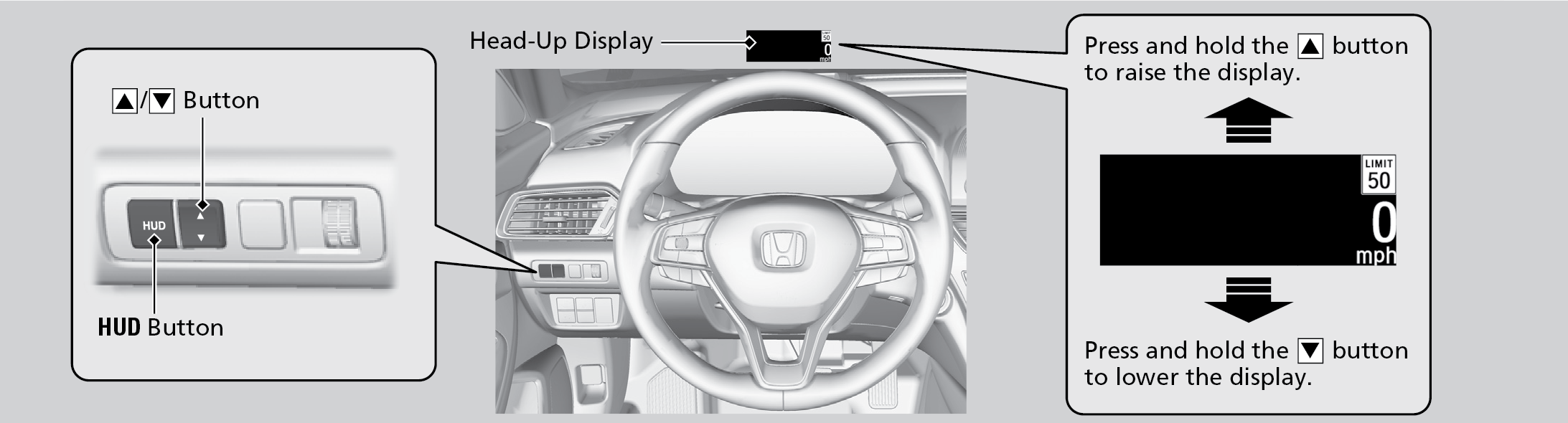
To turn the head-up display on and off: Press the HUD button on the driver side control panel.
The display can be moved up and down to come level with your eyes.
To raise or lower the head-up display: Press and hold the up or down button until the desired position is reached.