You can operate certain functions of the audio system using the steering wheel controls.
Models with Color Audio
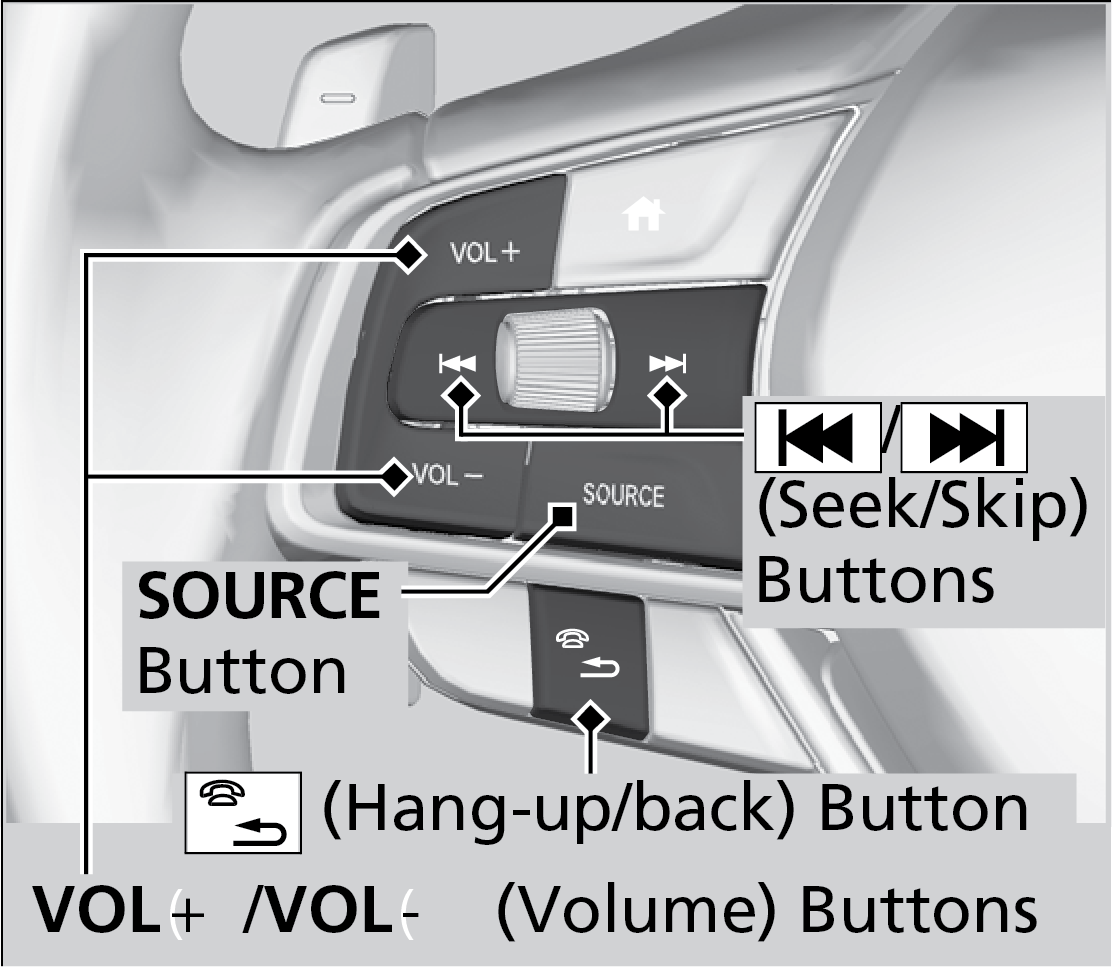
VOL +/VOL - (Volume) Buttons
Press VOL +: To increase the volume.
Press VOL -: To decrease the volume.
< / > (Seek/Skip) Buttons
When listening to the radio
Press >: To select the next preset radio station.
Press <: To select the previous preset station.
Press and hold >: To select the next strong station.
Press and hold <: To select the previous strong station.
When listening to an iPod, USB flash drive or Bluetooth® Audio
Press >: To skip to the next song.
Press <: To go back to the beginning of the current or previous song.
When listening to a USB flash drive, or Bluetooth® Audio
Press and hold >: To skip to the next folder/group.
Press and hold <: To go back to the previous folder/group.
When listening to Pandora®
Press >: To skip to the next track.
Press and hold >: To select the next station.
Press and hold <: To select the previous station.
Models with Display Audio
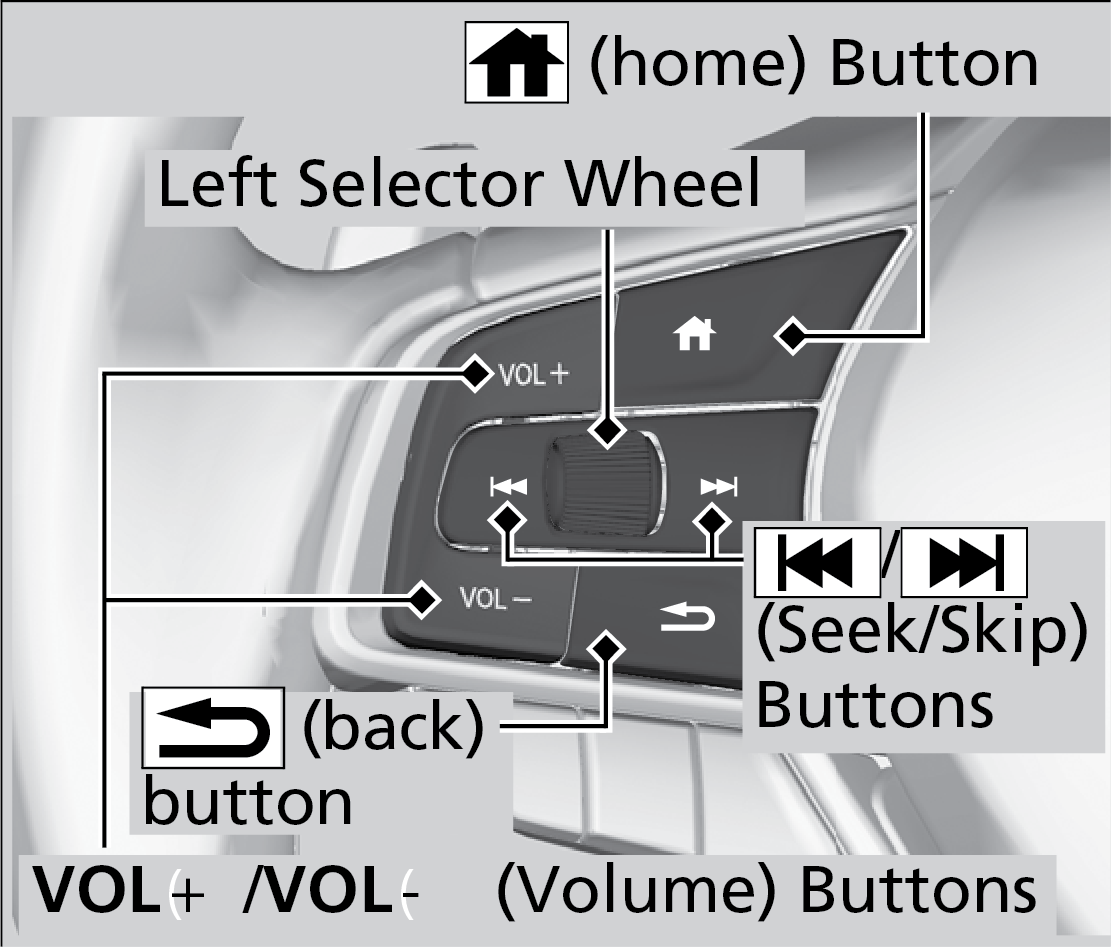
VOL +/ VOL - (Volume) Buttons
Press VOL + : To increase the volume.
Press VOL - : To decrease the volume.
Left Selector Wheel
When selecting the audio mode press the Home button, then roll up or down to select Audio on the driver information interface and then press the left selector wheel.
< / >(Seek/Skip) Buttons
When listening to the radio
Press >: To select the next preset radio station.
Press <: To select the previous preset radio station.
Press and hold >: To select the next strong station.
Press and hold <: To select the previous strong station.
When listening to an iPod, USB flash drive, or Bluetooth® Audio, or Smartphone Connection
Press >: To skip to the next song.
Press <: To go back to the beginning of the current or previous song.
When listening to a USB flash drive
Press and hold >: To skip to the next folder.
Press and hold <: To go back to the previous folder.