- Press the PHONE button.
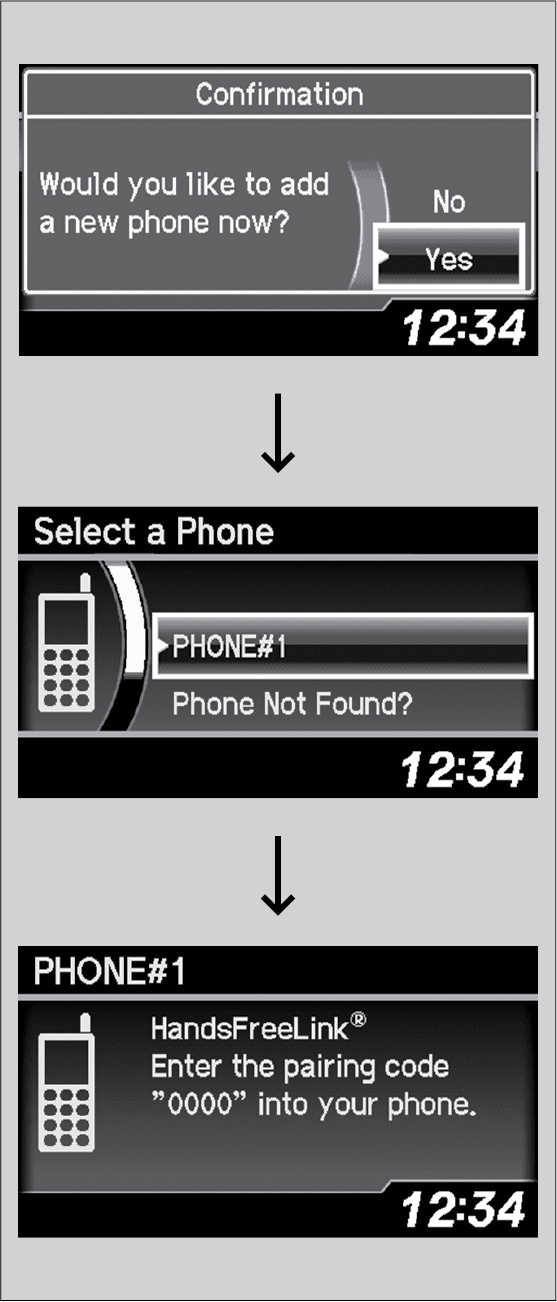
- Select Yes.
- Make sure your phone is in search or discoverable mode, then press the selector knob.
HFL automatically searches for a Bluetooth® device.
- When your phone appears on the list, select it by pressing the selector knob.
If your phone doesn’t appear, select Phone Not Found? and search for Bluetooth® devices using your phone. From your phone, select HandsFreeLink.
- HFL gives you a four-digit pairing code to input on your phone.
When your phone prompts you, input the four-digit pairing code.
- A notification appears on the screen if pairing is successful.