Up to 15 speed dial numbers can be stored per phone.
To store a speed dial number:
- Press the PHONE button.
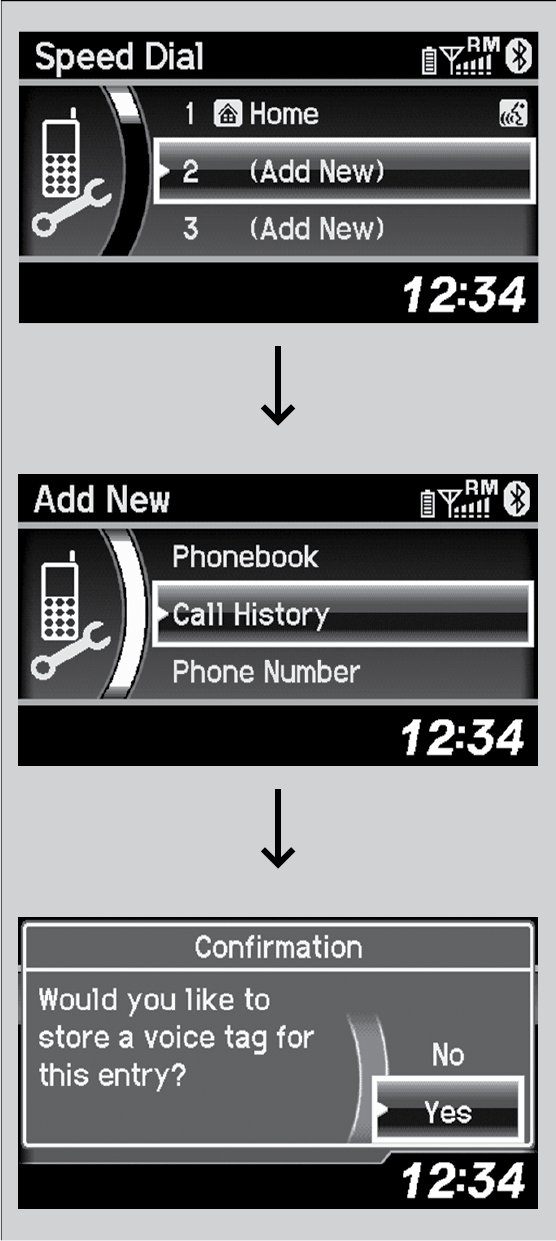
- Select Phone Setup.
Repeat the procedure to select Speed Dial, then Add New.
- Select a place to choose a number from.
By Phonebook:
elect a number from the linked cell phone’s imported phonebook.
By Call History:
Select a number from the call history.
By Phone Number:
Input the number manually.
- When the speed dial is successfully stored, you are asked to create a voice tag for the number. Select Yes or No.
- Using the Talk button, follow the prompts to say the name for the speed dial entry.