Make calls quickly using stored speed dial entries or call history numbers.
Using voice commands
- Press the Talk button.
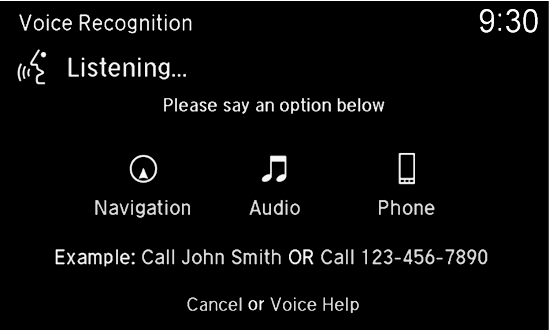
- Say "Call" and the stored voice tag name. For example, “Call John Smith.”
- The system begins to dial.
Using the MID
Press the Pick-Up button on the steering wheel.
- The speed dial list appears in the MID. For Call History, move the left selector wheel to the right.
- Use the left selector wheel to scroll through the list to find the entry you want to call, and select it to call.
Using the menus
- Press PHONE.
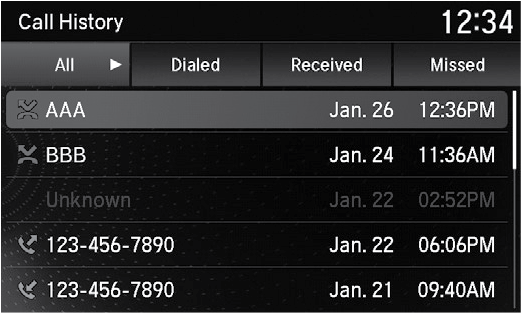
- Select Speed Dial, then use the interface dial to scroll through the list to find the entry you want to call, and select it to call.
For Call History, move the interface dial to the right and scroll through the list (All, Dialed, Received or Missed).