Connect an Apple CarPlay-compatible iPhone to the system. Use the interface dial to make a phone call, listen to music, and more. Visit the Apple CarPlay website for more information.
- Connect the iPhone to the USB port (2.5A) (see USB Port).
- Apple CarPlay requires you to send vehicle information to Acura. Select Enable Once, Always Enable, or Cancel. Your phone may prompt you to allow access for CarPlay to be launched.
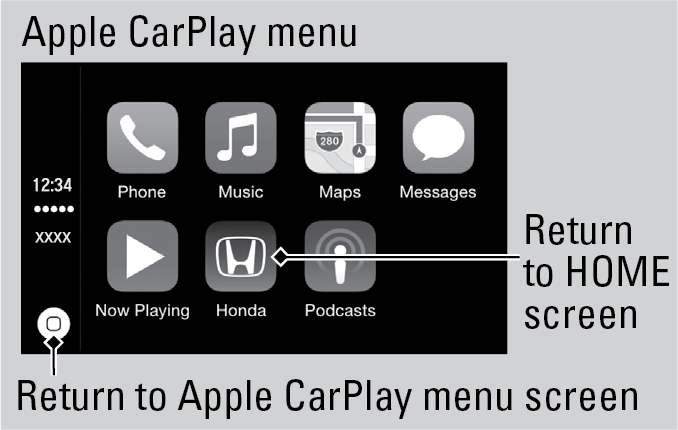
Use these buttons to control Apple CarPlay:
- Smartphone: Enter Apple Carplay.
- Interface dial: Move the dial to select an item. Press the dial to make the selection.
- Back: Return to the previous screen.
Once connected, you can press and hold the Talk button on the steering wheel (see
Steering Wheel Controls) to operate the system using voice commands with Siri Eyes Free. In Apple CarPlay, you have these options:
- Phone: Access your contacts, make phone calls, or listen to voicemail. While connected to Apple CarPlay, calls can only be made through Apple CarPlay, not through Bluetooth HandsFreeLink.
- Music: Play music stored on your iPhone.
- Maps: View a map and operate navigation. You can only use Apple Map or the pre-installed navigation system to set a destination with routing guidance.
- Messages: View and reply to text messages, or have messages read to you aloud by the system.