- From the Settings Menu, press the PHONE button.
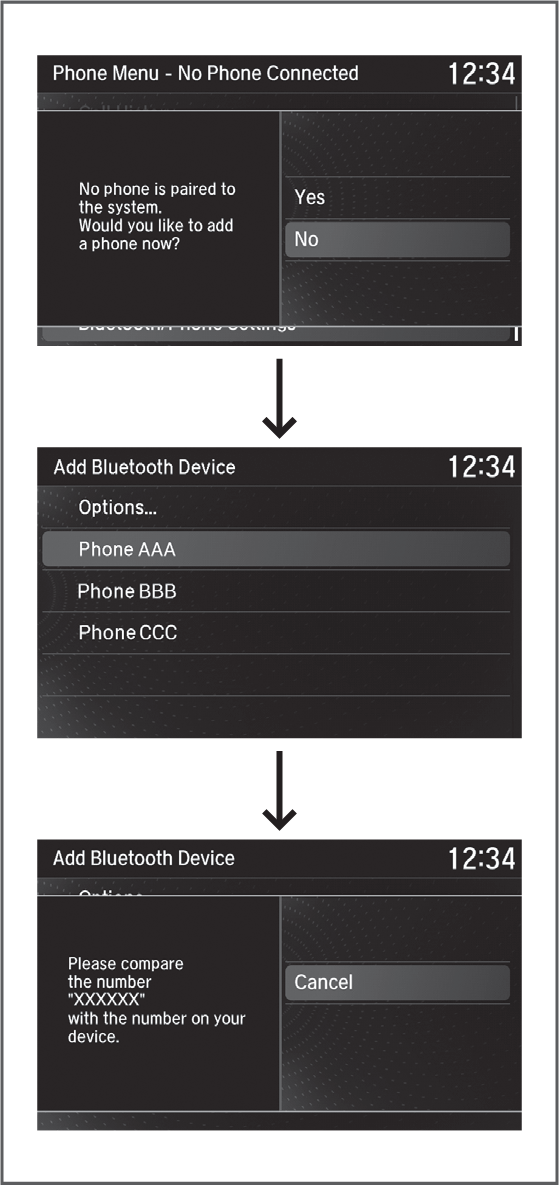
- Select Yes.
- Confirm your phone is discoverable, then select Yes.
- HFL searches for your phone. Select your phone when it appears on the list.
If your phone does not appear:
Select Refresh to search again. If your phone still does not appear, select Options, then Device Not Found? and search for HandsFreeLink from your phone.
- HFL gives you a pairing code. Compare it to the code that appears on your phone. Connect to HFL from your phone.
- A notification appears on the screen if pairing is successful.