Connect a compatible Android phone to the system. Use the touchscreen to make a phone call, listen to music, and more. Visit the Android Auto™ website for more information.
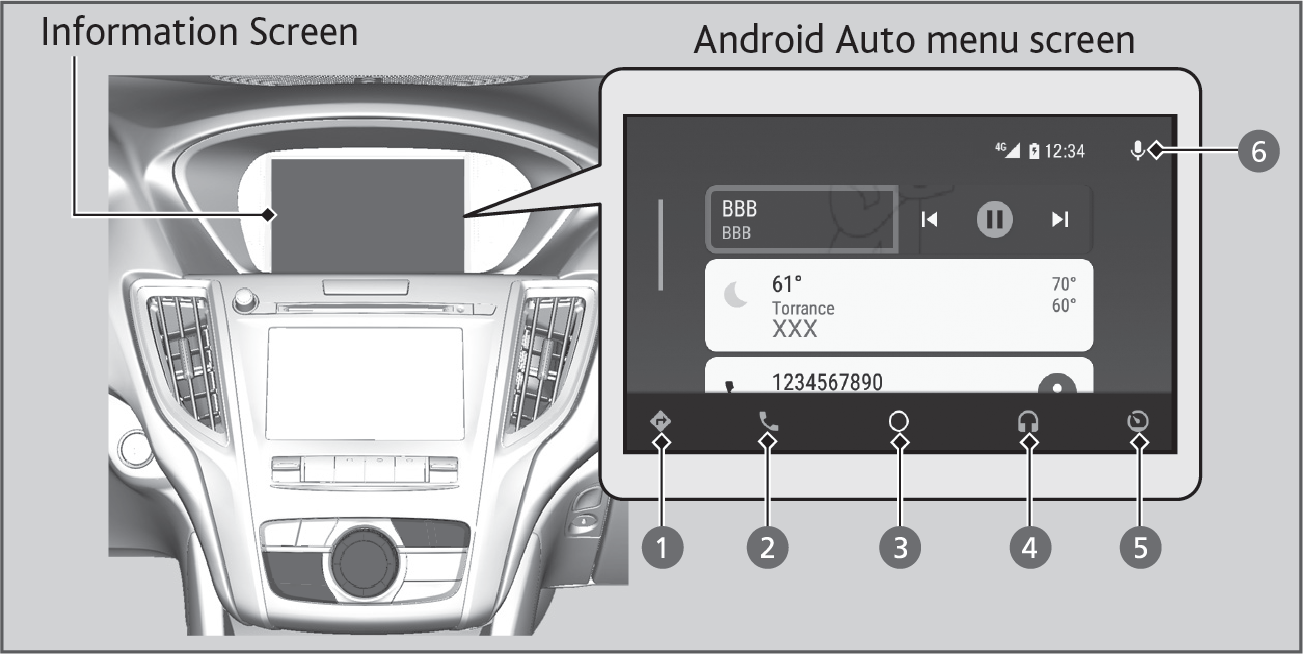
- Maps (Navigation): Display Google Maps and use the navigation function just as you would with your Android phone.
- Phone (Communication): Make and receive phone calls as well as listen to voicemail.
- Google Now (Home Screen): Display useful information organized by Android Auto into simple cards that appear just when they’re needed.
- Music and Audio: Play Google Play Music and music apps that are compatible with Android Auto. To switch between music apps, press this icon.
- Go back to the previous screen of this audio system.
- Voice: Operate Android Auto with your voice.
T
To prevent any potential issues, be sure of use a USB cable certified by USB-IF to be compliant with USB 2.0 Standard for
Android Auto™.