Use the interface dial to select and adjust various sound settings.
- Select Audio Menu, then select Sound Settings.
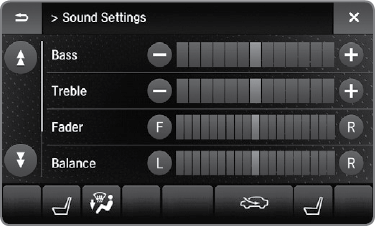
- Select the Bass, Treble, Fader, Balance, Subwoofer or SVC (Speed-sensitive Volume Compensation).
- Use +, - or other icons to adjust the setting.