
About Rear View Camera
The audio/information screen can display your vehicle’s rear view. The display automatically changes to the rear view when the transmission is put into R.
- Visually confirm that it is safe to drive before backing up. Certain conditions (such as weather, lighting, and high temperatures) may also restrict the rear view. Do not rely on the rearview display which does not give you all information about conditions at the back of your vehicle.
- If the rear camera lens is covered with dirt or moisture, activate the rearview camera washer* or use a soft, moist cloth to keep the lens clean and free of debris.
- The camera view is restricted. You cannot see the corner ends of the bumper or what is underneath the bumper. Its unique lens also makes objects appear closer or farther than they actually are.

If the vehicle’s rear view is not displayed on the audio/information screen while the shift position is in R, there may be a problem with the system. Have your vehicle checked by a dealer immediately.
Switching Camera Modes
You can view three different camera modes on the screen. Select the appropriate icon to switch the mode.
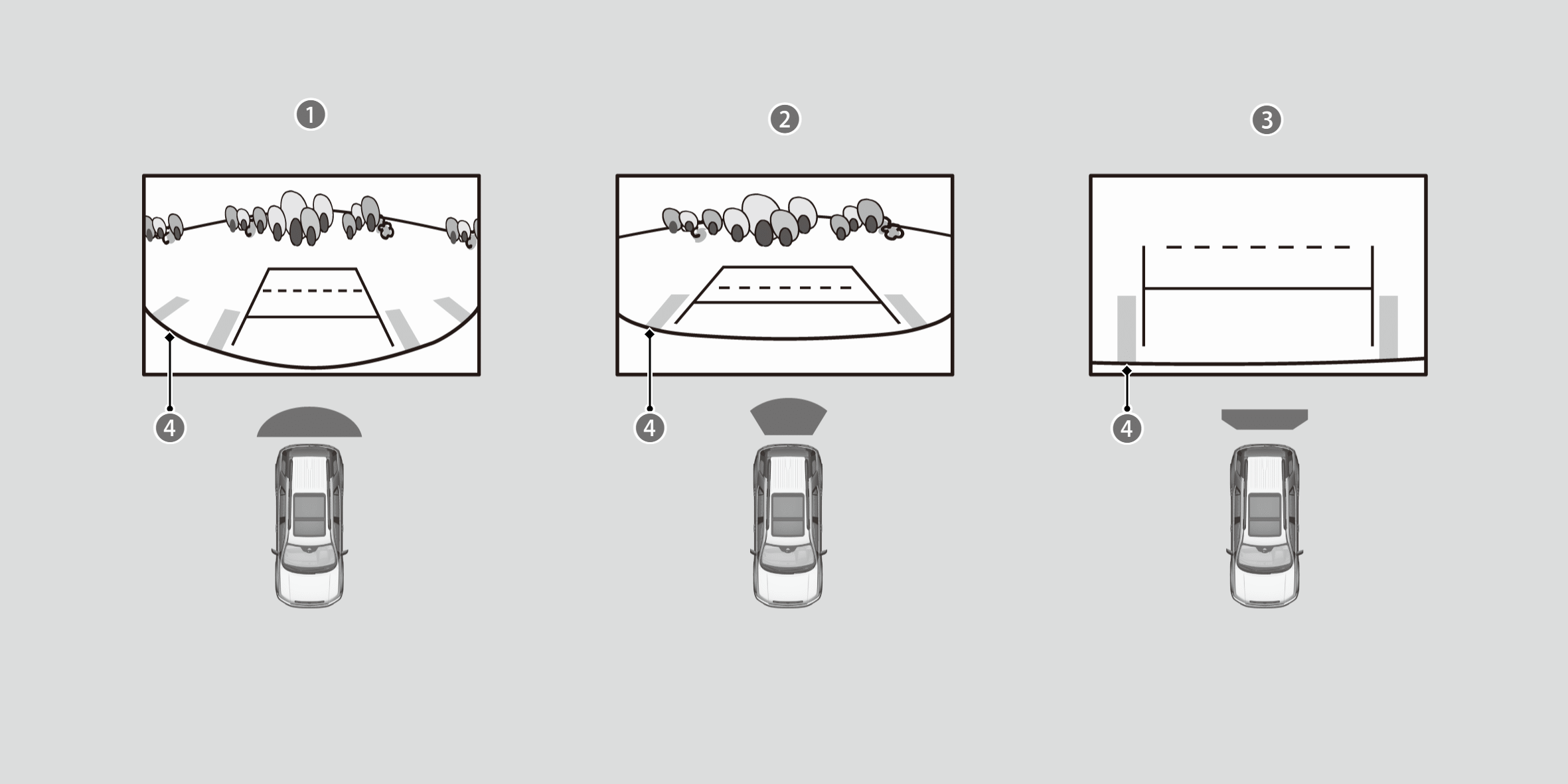

 Wide view mode
 Normal view mode
 Top down view mode
Bumper
- If you were last using Wide view mode or Normal view mode, the same view mode will be activated the next time you put the transmission into R.
- If you were using Top down view mode before you turned off the engine, Wide view mode will be activated the next time you set the power mode to ON and put the transmission into R.
- If you were using Top down view mode and 10 seconds elapsed after you took the transmission out of R, the view mode you were using just before selecting Top down view mode (Wide view mode or Normal view mode) will be activated the next time you put the transmission into R.
Distance between the vehicle and guideline
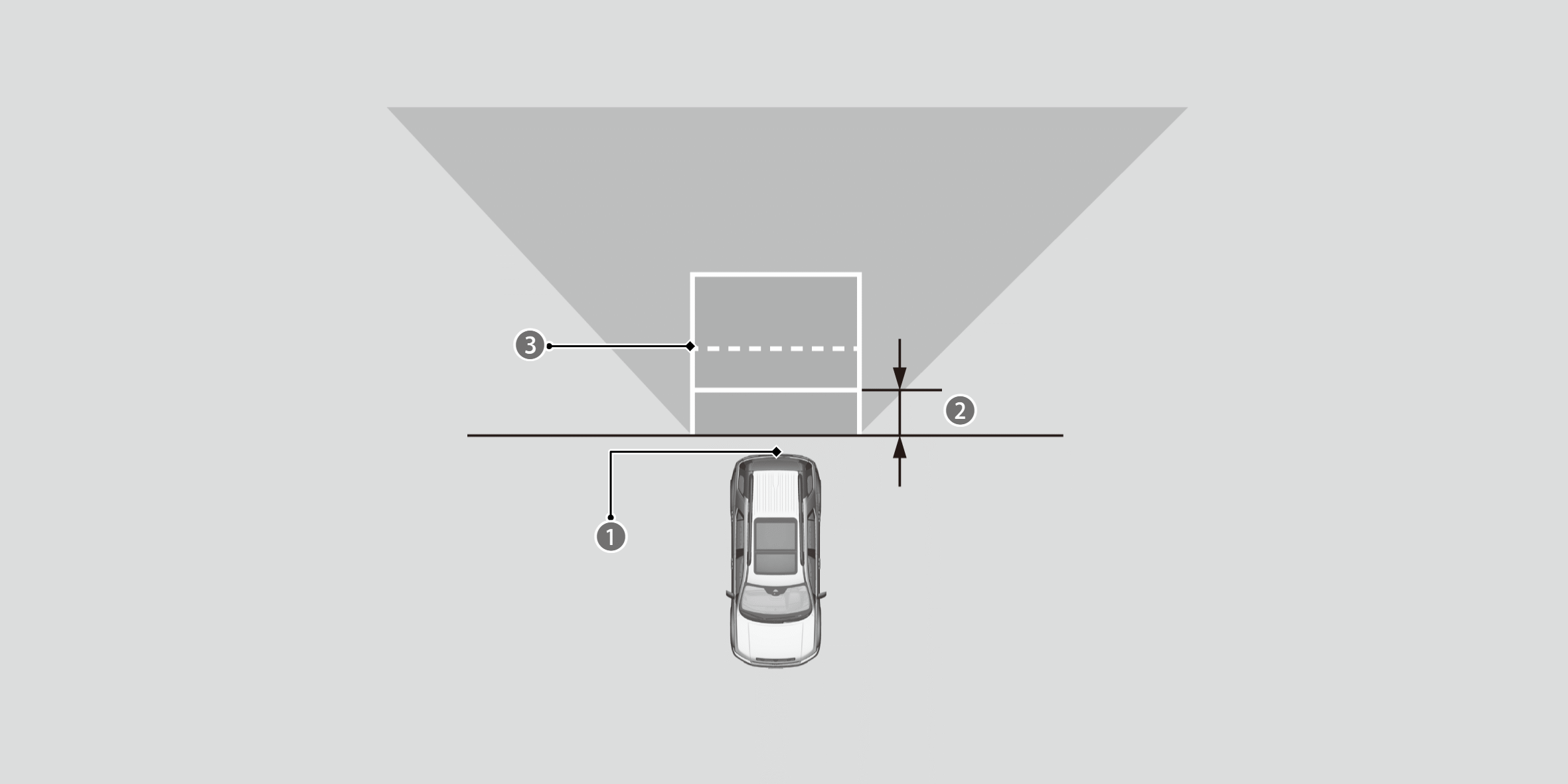
Camera
Approx. 19 inch (50 cm)
Tailgate open range
The following can be displayed when the system is on:
- Fixed Guideline: Helps you get a sense of a distance between your vehicle and the rear surroundings.
- Dynamic Guideline: Indicates vehicle direction while the steering wheel is in the current position.

The guidelines can be turned on and off using the audio/information screen.
The guidelines should be used as a reference only.
The positions/distances indicated by the guidelines and camera views on the display may differ from the actual positions/distances due to the changes in the vehicle height, road conditions, and other factors.
*: Not available on all models