
Parking Brake
Use the parking brake to keep the vehicle stationary when parked. When the parking brake is applied, you can manually or automatically release it.
- You may hear the electric parking brake system motor operating from the rear wheel area when you apply or release the parking brake. This is normal.
- The brake pedal may slightly move due to the electric parking brake system operation when you apply or release the parking brake. This is normal.
- You cannot apply or release the parking brake if the 12-volt battery goes dead.
- If you pull up and hold the electric parking brake switch while driving, the brakes on all four wheels are applied by the VSA® system until the vehicle comes to a stop. The electric parking brake then applies, and the switch should be released.
To apply
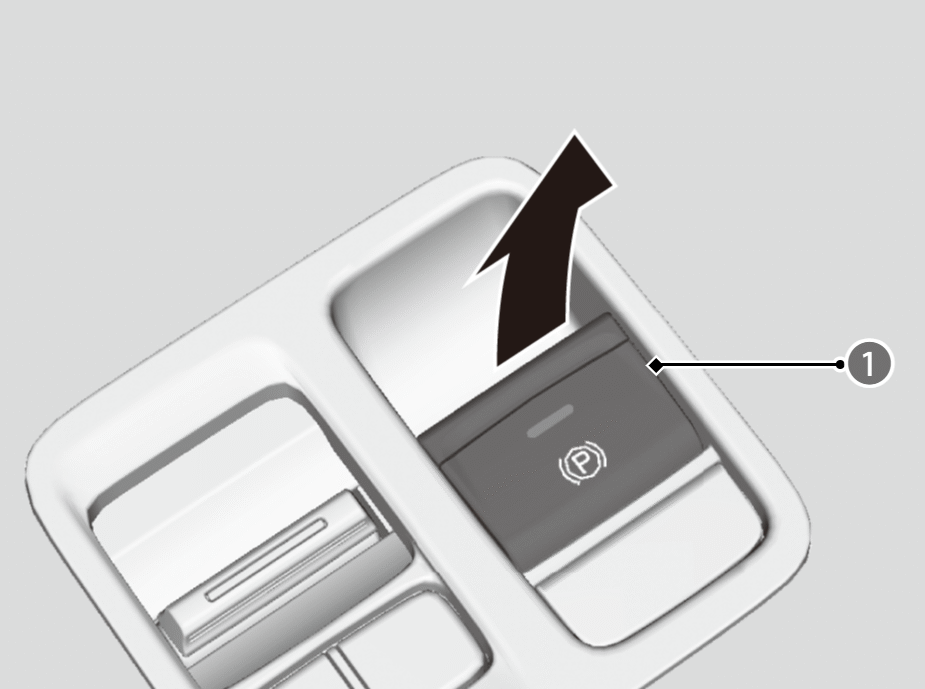
The electric parking brake can be applied any time the vehicle has battery, no matter which position the power mode is in. Pull the electric parking brake switch ( ) up gently and securely.
- The indicator in the switch comes on.
- The parking brake and brake system indicator (red) comes on for 30 seconds.
To release
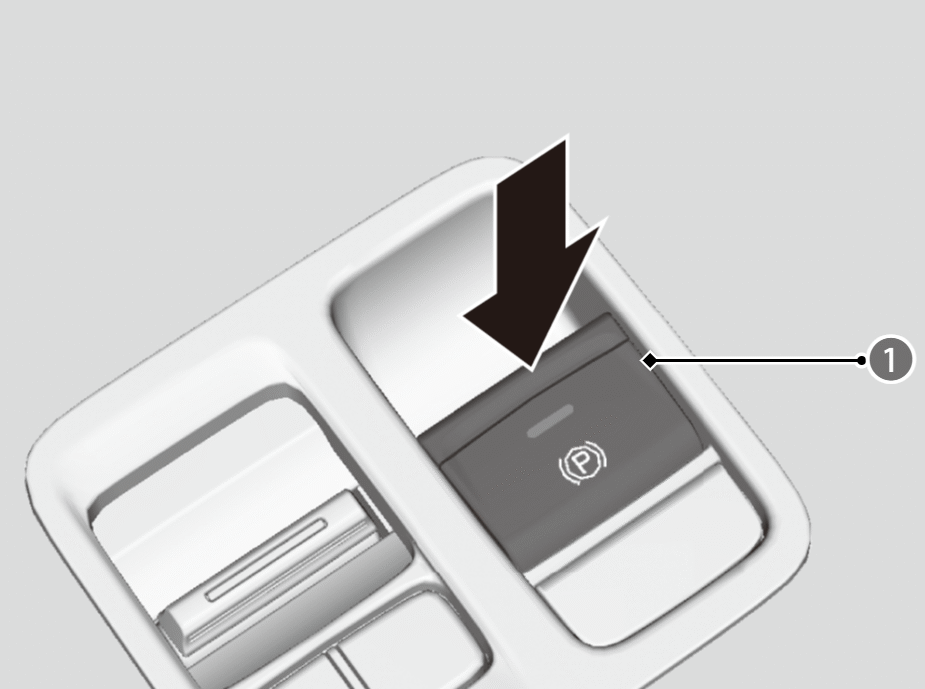
Depress the brake pedal, then press the electric parking brake switch ().
- The indicator in the switch goes off.
- The parking brake and brake system indicator (red) goes off.
- The power mode must be in ON in order to release the electric parking brake.
- Manually releasing the parking brake using the switch helps your vehicle start slowly and smoothly when facing downhill on steep hills.
Automatic Parking Brake Feature
The parking brake is applied automatically when you set the power mode to VEHICLE OFF.
- The default setting for this feature is OFF.
Activating and deactivating the automatic parking brake feature
With the power mode is in ON, carry out the following steps to either activate or deactivate the automatic parking brake feature.
- Put the transmission into P.
- Without depressing the brake pedal, pull up the electric parking brake switch.
- Check that the parking brake and brake system indicator (red) has come on.
- Pull up and hold the electric parking brake switch. When you hear a beeping sound, release the switch and within three seconds pull up and hold the switch again.
- When you hear a sound indicating that the procedure is completed, release the switch.
- Two beeps indicate that the feature has been activated.
- One beep indicates that the feature has been deactivated.
- To confirm that the parking brake is applied, check if the parking brake and brake system indicator (red) is on.
In the following situations, the parking brake automatically operates.
- When the vehicle stops for more than 10 minutes while ACC with Low Speed Follow is activated.
- When the driver’s seat belt is unfastened while your vehicle is stopped automatically by ACC with Low Speed Follow.
- When the engine is turned off, except by Auto Idle Stop system, while ACC with Low Speed Follow is activated.
- When the vehicle stops with the automatic brake hold system activated for more than 10 minutes.
- When the driver’s seat belt is unfastened while your vehicle is stopped and the brake hold is applied.
- When the engine is turned off, except by Auto Idle Stop system, while the brake hold is applied.
- When there is a problem with the Brake Hold System while brake hold is applied.

To Release Automatically
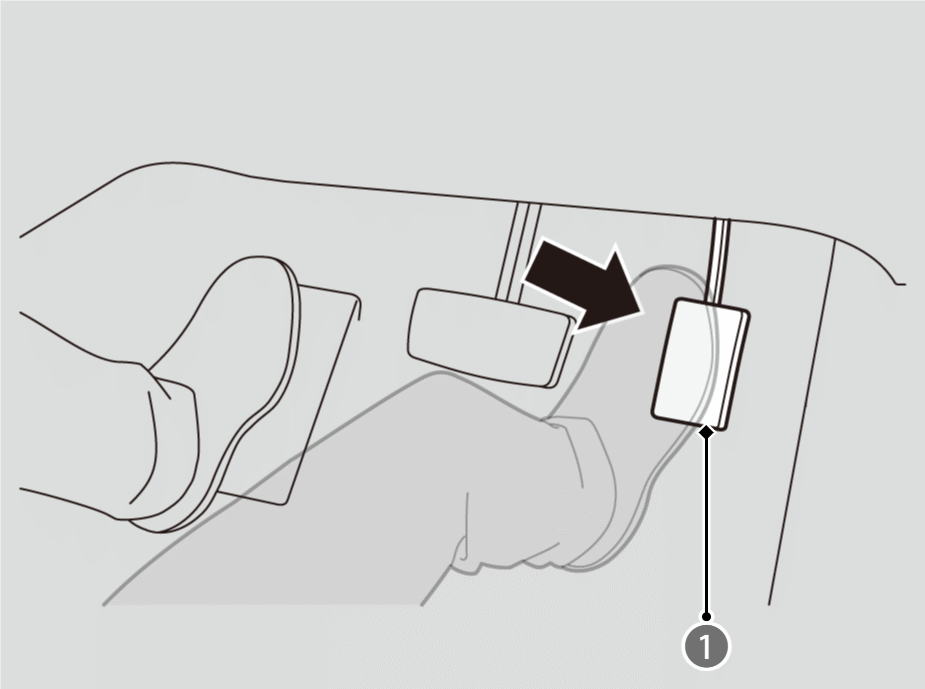
Depress the accelerator pedal (), to start the vehicle.
- Parking brake and brake system indicator (red) goes off.
The parking brake may not be released automatically while the following indicators are on:
- Malfunction indicator lamp
- Transmission system indicator
- Parking brake and brake system indicator (amber)
- Vehicle Stability Assist™ (VSA®) System indicator
- Anti-lock Brake System (ABS) indicator
- Supplemental restraint system indicator
Temporarily deactivate the automatic parking brake feature
If you need to temporarily deactivate the feature for when putting your vehicle through a conveyor type car wash or when having your vehicle towed, follow the procedure explained below.
- Depress the brake pedal and bring the vehicle to a stop.
- Set the power mode to VEHICLE OFF and then within two seconds push down the electric parking brake switch.
- Activation and deactivation settings for the feature will not be affected.
- Before temporarily deactivating the feature, make sure to first turn off both Adaptive Cruise Control (ACC) with Low Speed Follow and the automatic brake hold system.
- To confirm that the parking brake is applied, check if the parking brake and brake system indicator (red) is on.