
Device for Operating Each Function and Gauge Content
Operating Device
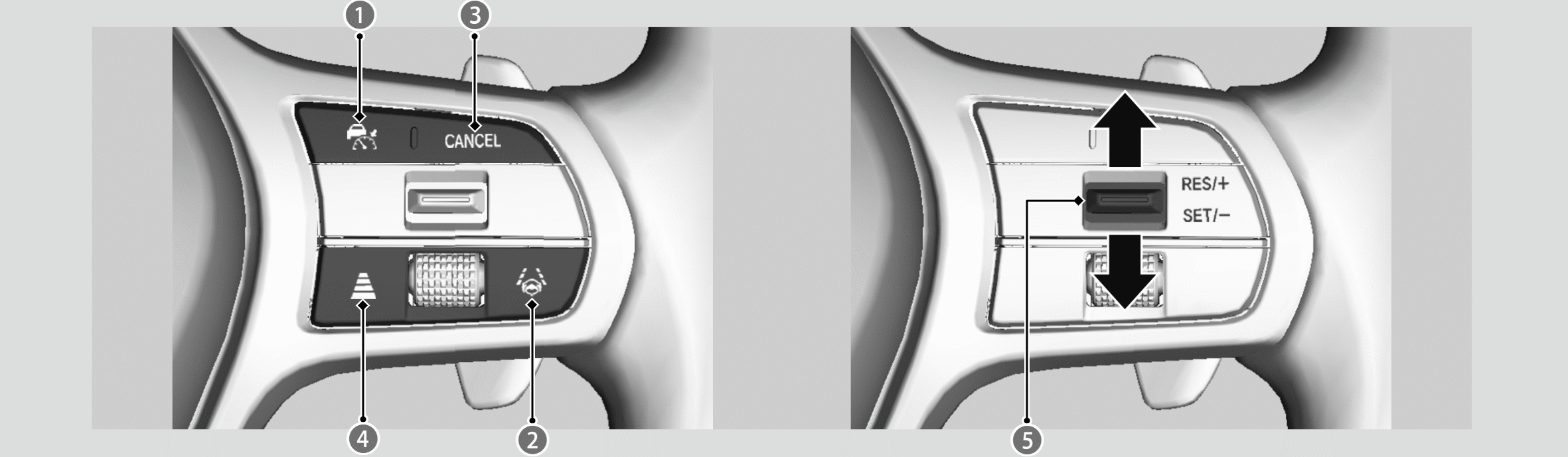

 ACC with Low Speed Follow Button
Press to activate standby mode for ACC with Low Speed Follow. Or, press to cancel the system.

 LKAS Button
Press to activate standby mode for LKAS and Traffic Jam Assist. Or, press to cancel these systems.

CANCEL Button
Press to cancel ACC with Low Speed Follow.

 Interval Button
Press to change the ACC with Low Speed Follow following-interval.

RES/+/SET/− Switch
Press the RES/+/SET/− switch up to set or resume the ACC with Low Speed Follow or increase the vehicle speed. Press the RES/+/ SET/− switch down to set the ACC with Low Speed Follow or decrease the vehicle speed.
Gauge Content
You can see the current state of each function.
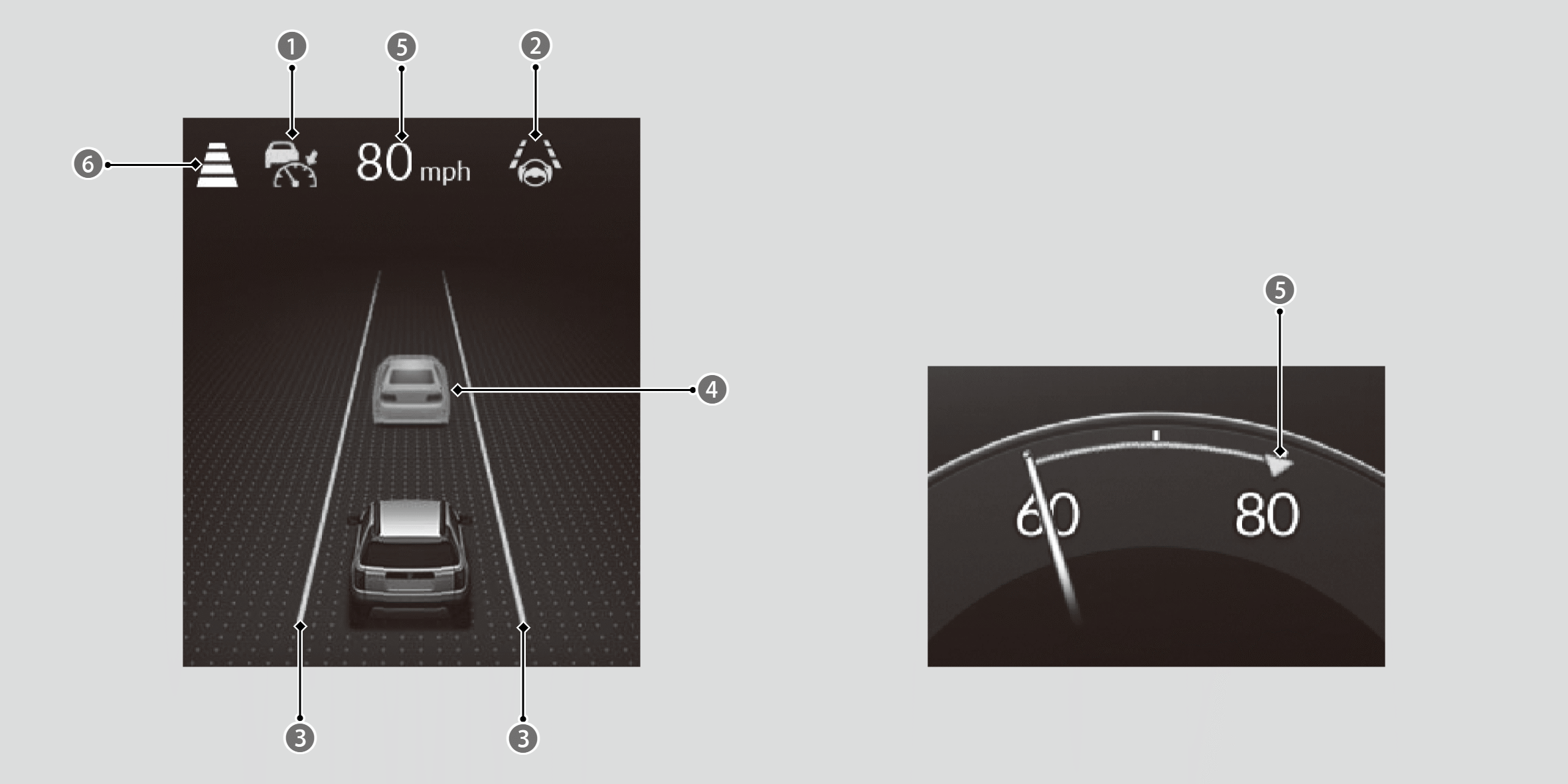
Indicates that ACC with Low Speed Follow is ready to be activated.
• Green: The system is on.
• White: The system is standby.
• Amber: There is a problem with the system.
Indicates that LKAS or Traffic Jam Assist is ready to be activated.
• Green: The system is operating.
• White: The system is standby.
• Amber: There is a problem with the system.
Indicates that LKAS or Traffic Jam Assist is activated and whether or not traffic lane lines are detected.
• Green lines: The system is operating.
• White lines: Traffic lane lines are detected.
• Amber line: Lane departure is detected.
Indicates whether or not a vehicle is detected ahead.
• Control target vehicle: White and outlined in green.
• Outside of control target vehicle: Gray.
Indicates that ACC with Low Speed Follow shows the set vehicle speed.

Indicates that ACC with Low Speed Follow shows the set vehicle interval.