
Audio System Basic Operation
To use the audio system feature, the power mode must be in ACCESSORY or ON.
Audio System Basic Operation With 12.3″ Color Touchscreen
Swiping the screen left or right changes to the next screen.
Select (Home) icon to go directly back to the first page of the home screen from any page.
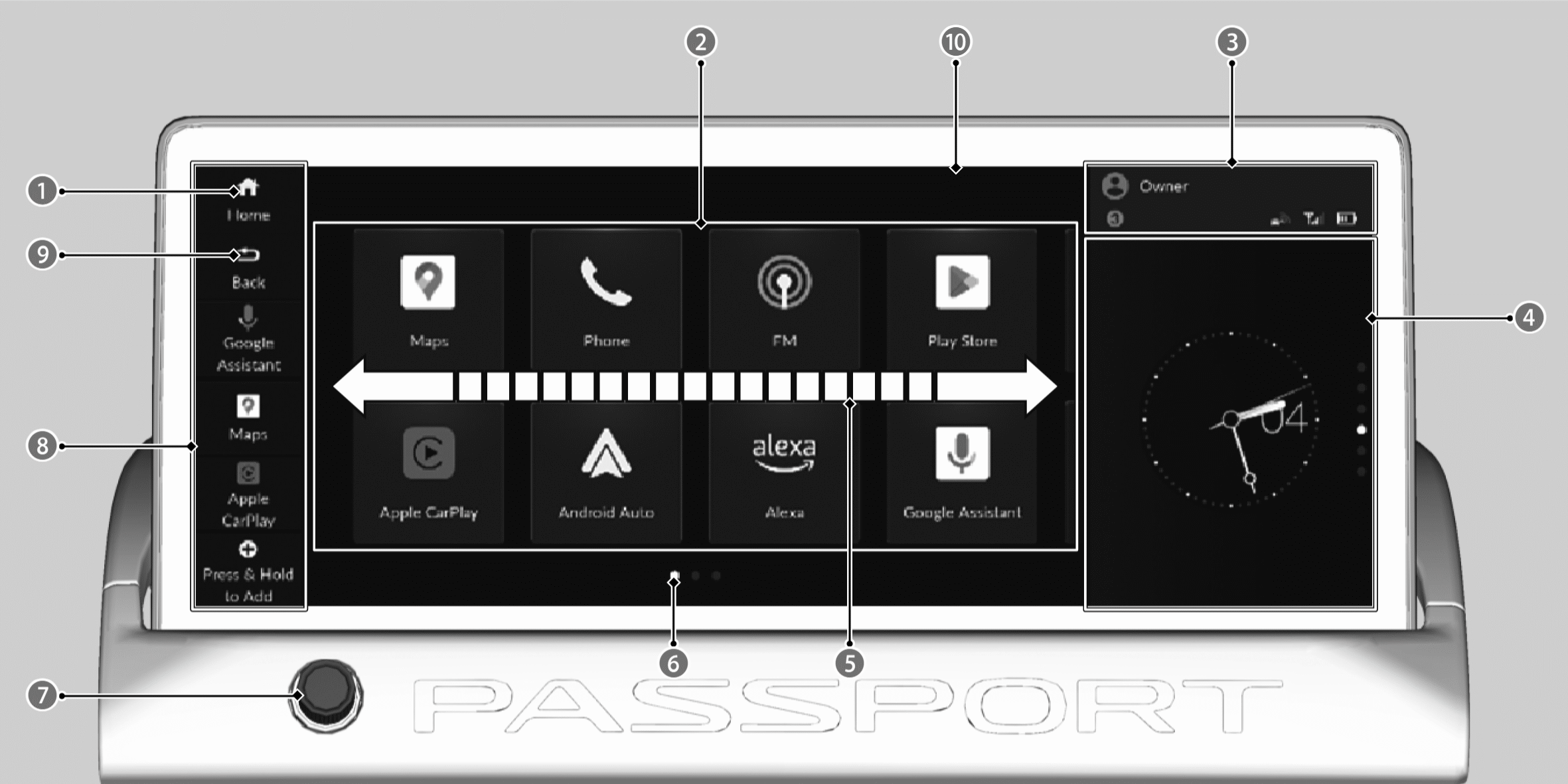
 (Home) Icon
A-Zone

Status Bar

B-Zone

Swipe

Current Page Position

VOL/
 AUDIO (Volume/Power) Knob
Mode Change Switch Bar

 (Back) icon
Audio/Information Screen
Touchscreen operation
- Use simple gestures - including touching, swiping, and scrolling - to operate certain audio functions.
- Some functions may be limited while driving.
- Some items may be grayed-out during driving to reduce the potential for distraction. You can select them when the vehicle is stopped.
- Wearing gloves may limit or prevent touchscreen response.

You can change the touchscreen sensitivity setting.
Selecting an audio source
Select application icon in the header area, then select an icon on the source list to switch the audio source.
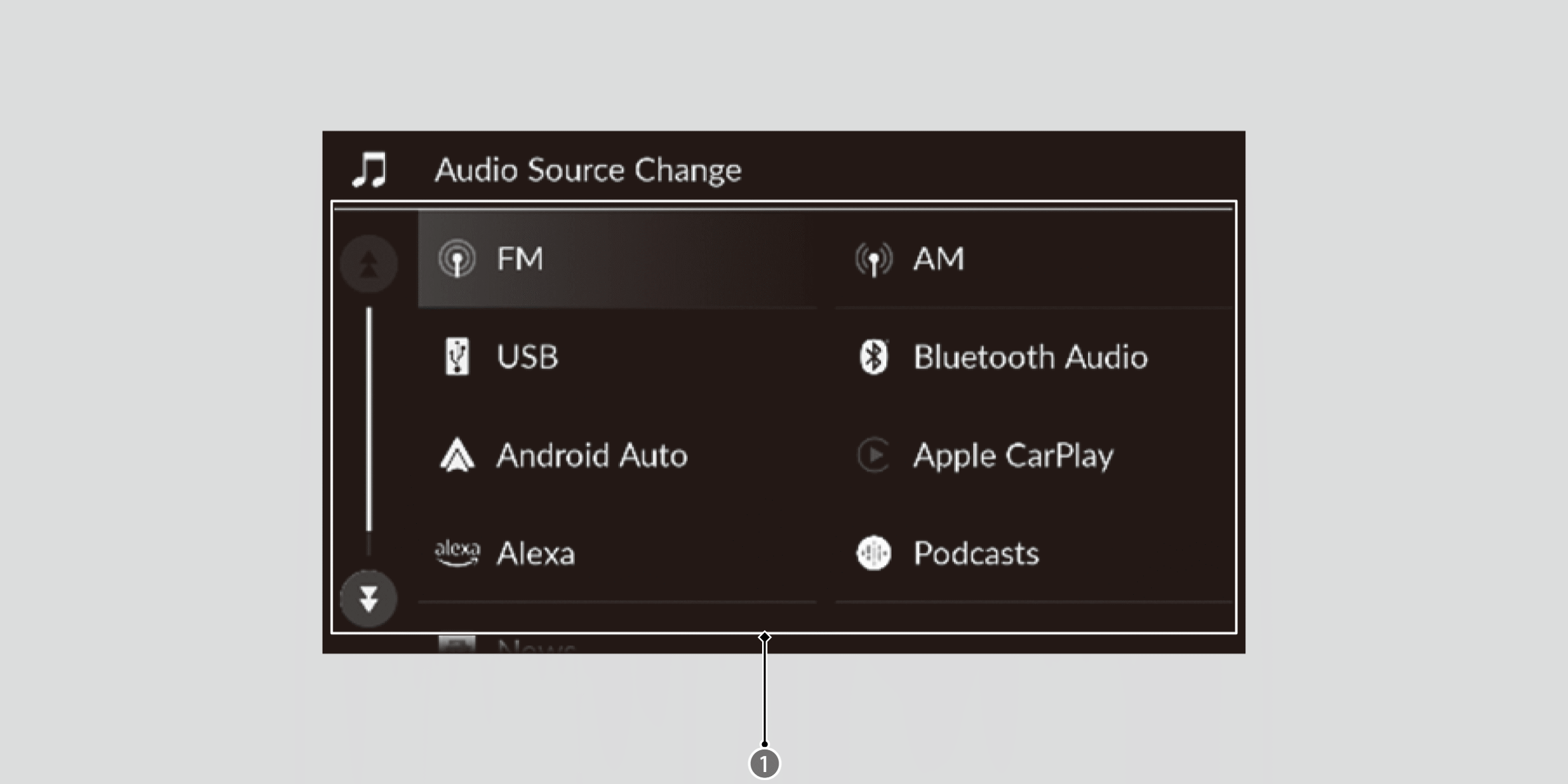
Source List
A-Zone
The A-Zone is the main operation area in the 12.3″ Color Touchscreen.
Status bar
Displays information about your vehicle and connected devices. You can select the status bar to view more details in the status area.
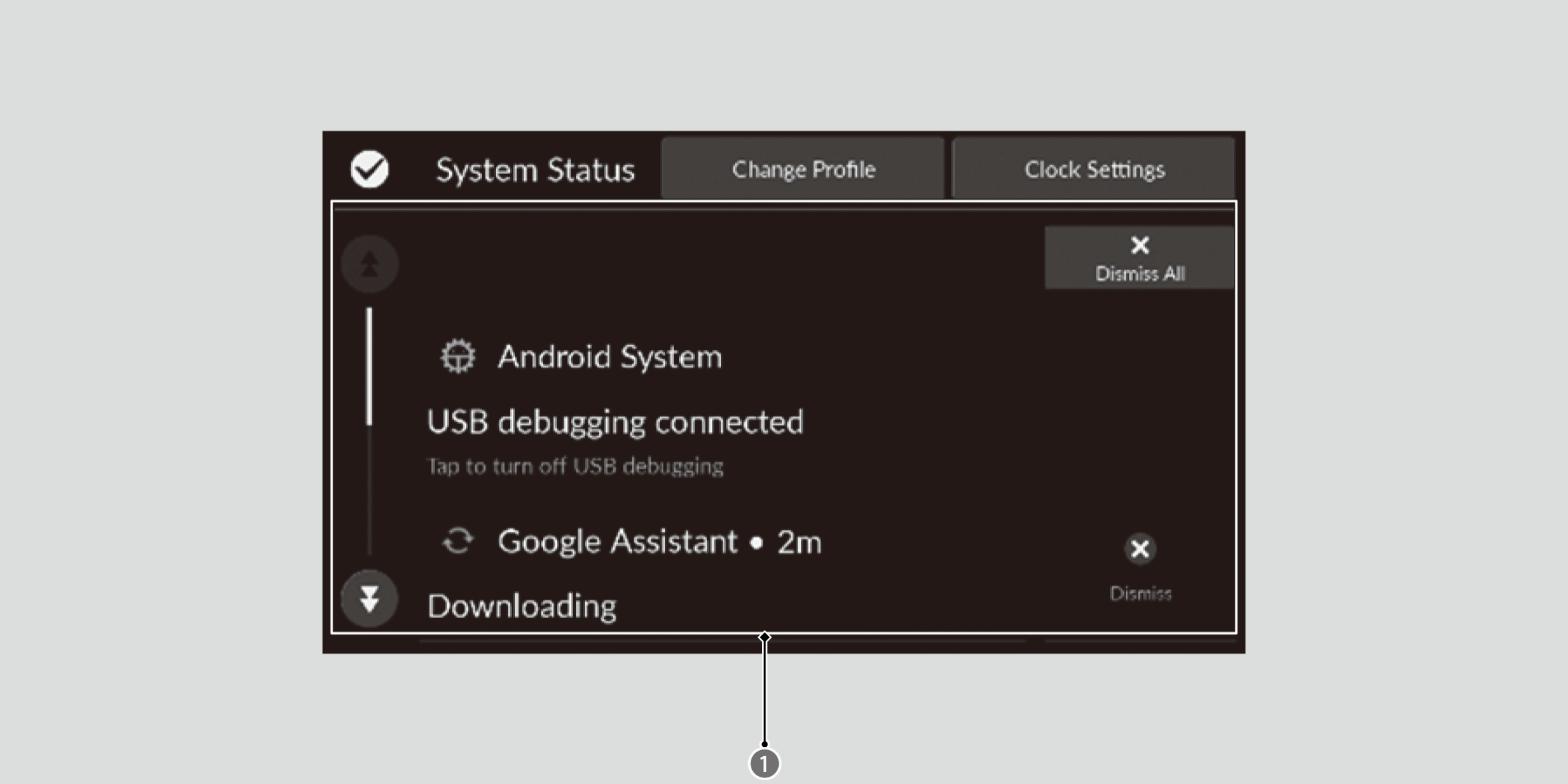
Status Area
B-Zone
The B-Zone displays a card that is useful while the driver is using another application in the A-Zone.
The following cards are available:
- Suggestions from Google Assistant
- Audio source
- Compass
- Clock
- Trip Computer
- Navigation (Apple CarPlay or Android Auto)
You can swipe up and down on the B-Zone to view a different card.
Page position is indicated at the right of the B-Zone.
Mode change switch bar
You can also select any application from the mode change switch bar. Shortcuts can be edited to open other applications, but Home, Back, and Google Assistant*1 or Alexa*1 cannot be edited.
*1: Displayed the default assist app.