
Home Screen
App icons can be added, deleted, or moved on the home screen.
- You cannot delete the All Apps icon.
- Apps will not be deleted by deleting the icon on the home screen.
- Select Tips to show tips. To hide them, select it again.
To Add/Remove App Icons on the Home Screen
App icons can be added or removed on the home screen.
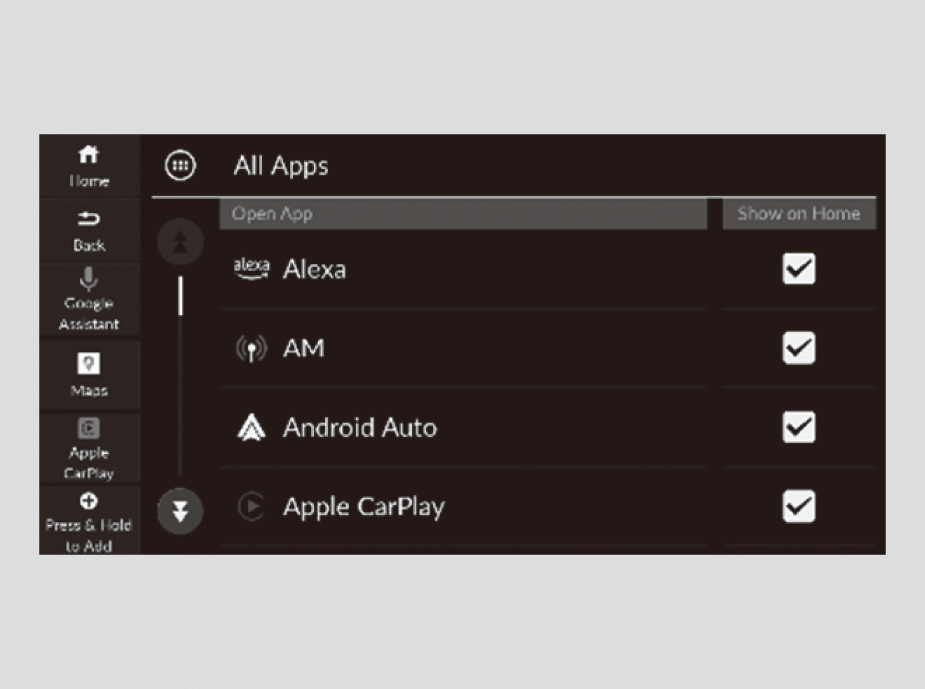
- Select
 (Home) icon.
 - Select All Apps.
- Select the apps you want to add or remove and check/uncheck on the box.
To Move/Remove App Icons on the Home Screen
You can change where apps or delete apps are located on the home screen.
- Select(Home) icon.
- Select and hold an app icon.
- Drag and drop the app icon to where you want it to be.
- Drag and drop the icon you want to remove to the Hide icon.
- Select(Home) icon or
 (Back) icon.
- The screen will return to the home screen.
To Store Shortcut Icons on the Home Screen
You can store up to three icons on the mode change switch bar.
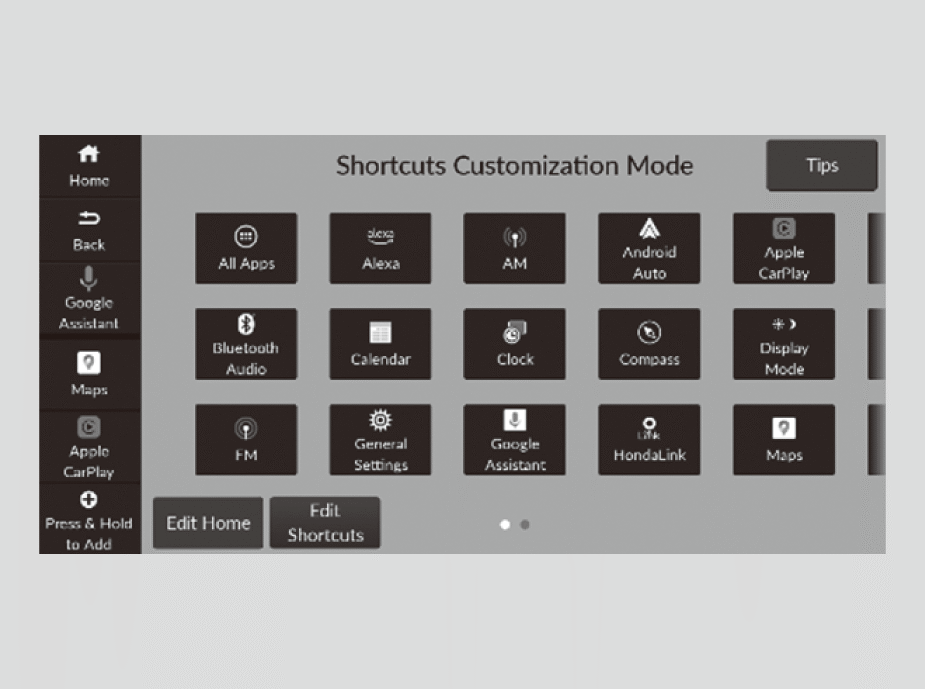
- Select(Home) icon.
- Select and hold an app icon.
- Select Edit Shortcuts.
- Drag and drop the app icon you want to store to the mode change switch bar.
- You can also store app icons in the mode change switch bar by selecting icon ➔ shortcut location.
- Select(Home) icon or(Back) icon.
- The screen will return to the home screen.