
Using Automatic Climate Control
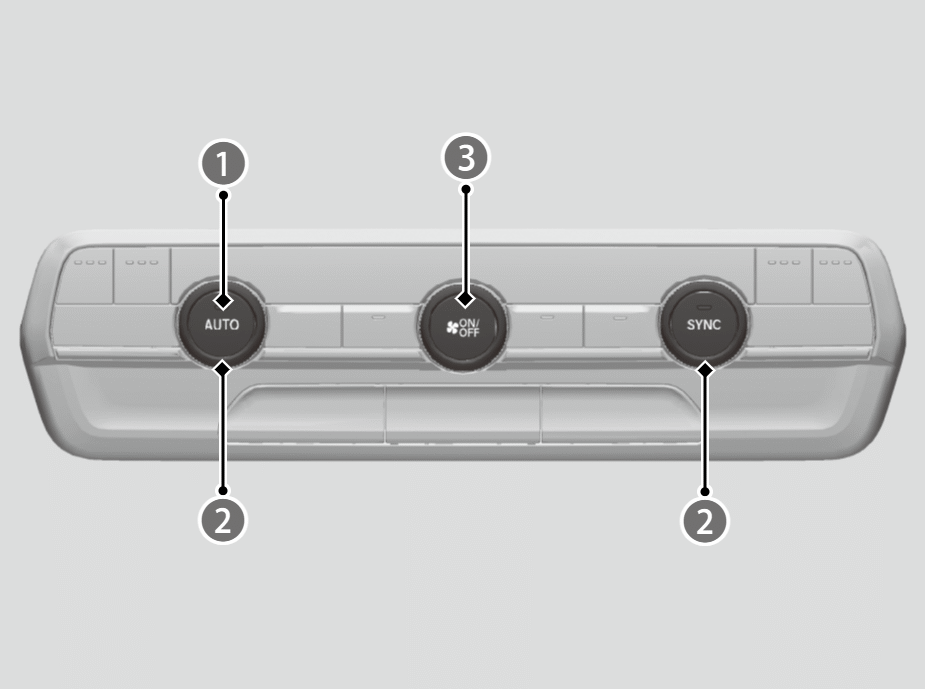

AUTO Button

Temperature Control Dial

 (ON/OFF) Button
The automatic climate control system maintains the interior temperature you select.
The system also selects the proper mix of heated or cooled air that raises or lowers the interior temperature to your preference as quickly as possible.
Use the system when the engine is running.
- Press the AUTO button.
- Adjust the interior temperature using the driver’s side or passenger’s side temperature control dial.
- Press the(ON/OFF) button to cancel.
- If any buttons are pressed while using the climate control system in auto, the function of the button that was pressed will take priority.
The AUTO indicator will go off, but functions unrelated to the button that was pressed will be controlled automatically. - While ECON mode is active, the climate control system may have reduced cooling performance.
- To prevent cold air from blowing in from outside, the fan may not start immediately when the AUTO button is pressed.

Synchronization Mode
You can set the temperature synchronously for the driver’s side, passenger’s side, and rear in synchronization mode.
Using synchronization mode
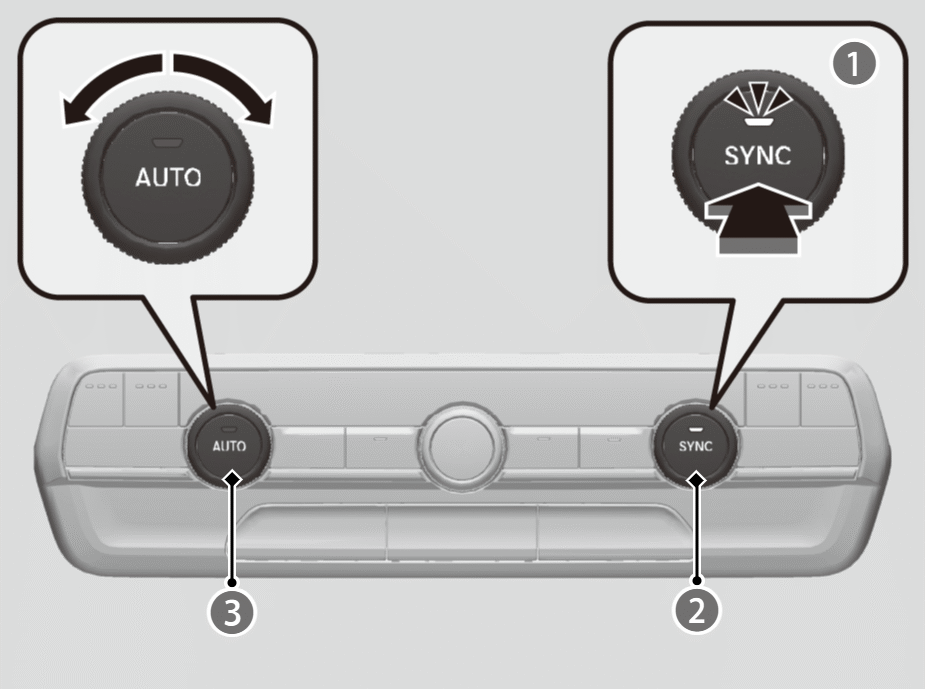
SYNC Button
Passenger’s Side Temperature Control Dial
Driver’s Side Temperature Control Dial
- Press the SYNC button.
- The SYNC indicator will come on.
- The system switches to synchronization mode.
- Adjust the temperature using the driver’s side temperature control dial.
- Press the SYNC button, adjust the interior temperature using the passenger’s side temperature control dial or changing the rear temperature to return to dual mode.
- When you press the
 button, the system changes to synchronization mode.
 - When the system is in dual mode, the driver’s side temperature, the passenger’s side temperature, and the rear temperature can be set separately.
Automatic Climate Control Sensors
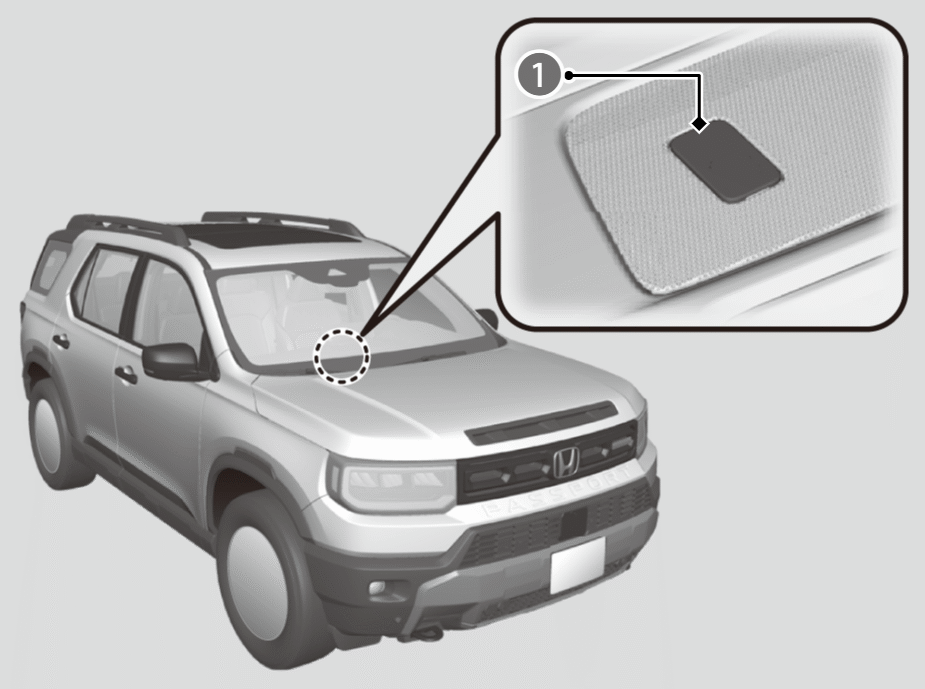
Sensor
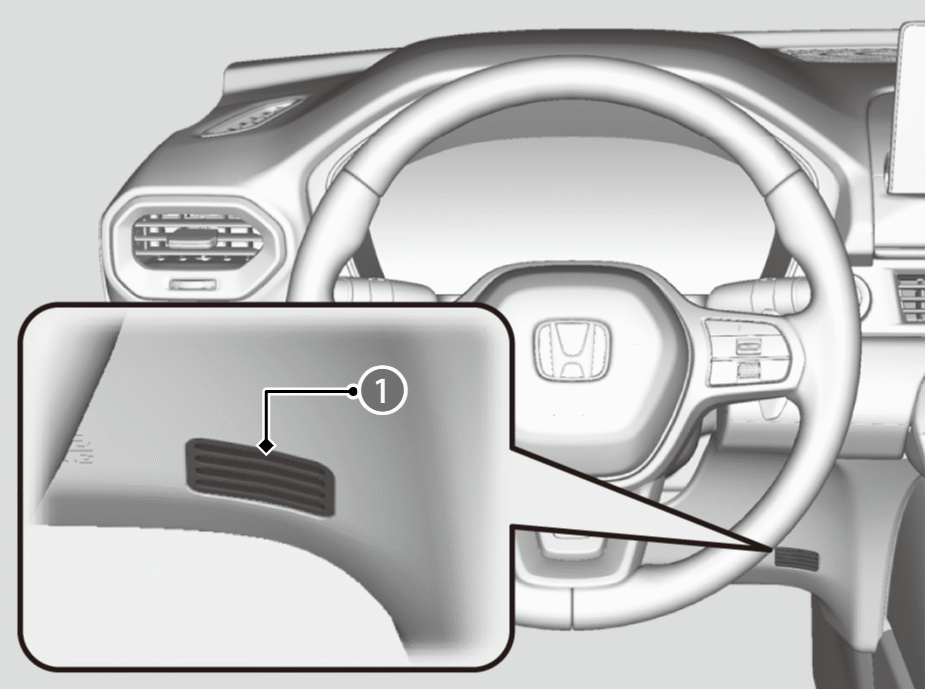
Sensor
The automatic climate control system is equipped with sensors. Do not cover or spill any liquid on them.