
Rear Climate Control System
Using the rear climate control system from the front panel
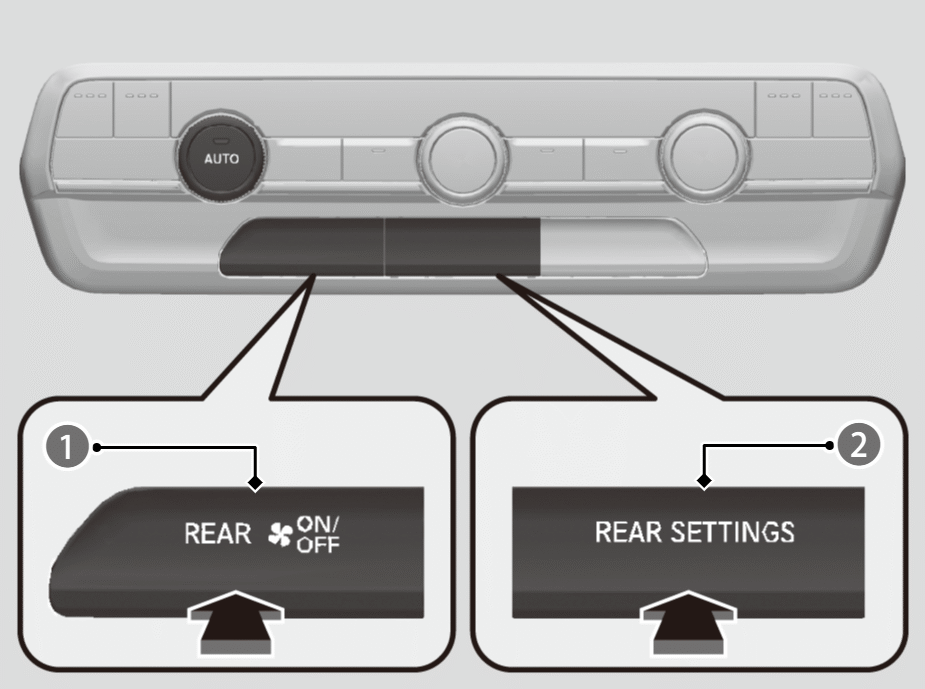

REAR
 (ON/OFF) Button
REAR SETTINGS Button
Use the system when the engine is running and the climate control system is operating.
- Press the REAR(ON/OFF) button.
- Press the REAR SETTINGS button.
- The system switches to the rear control mode for 10 seconds. The REAR indicator appears on the display.
- Press the AUTO button.
- The rear system changes to AUTO mode.
- The system automatically adjusts the fan speed and airflow levels to maintain the set rear temperature. Change the temperature if necessary.
- To turn off the rear climate control system, press the REAR(ON/OFF) button.
Using the rear lock mode*
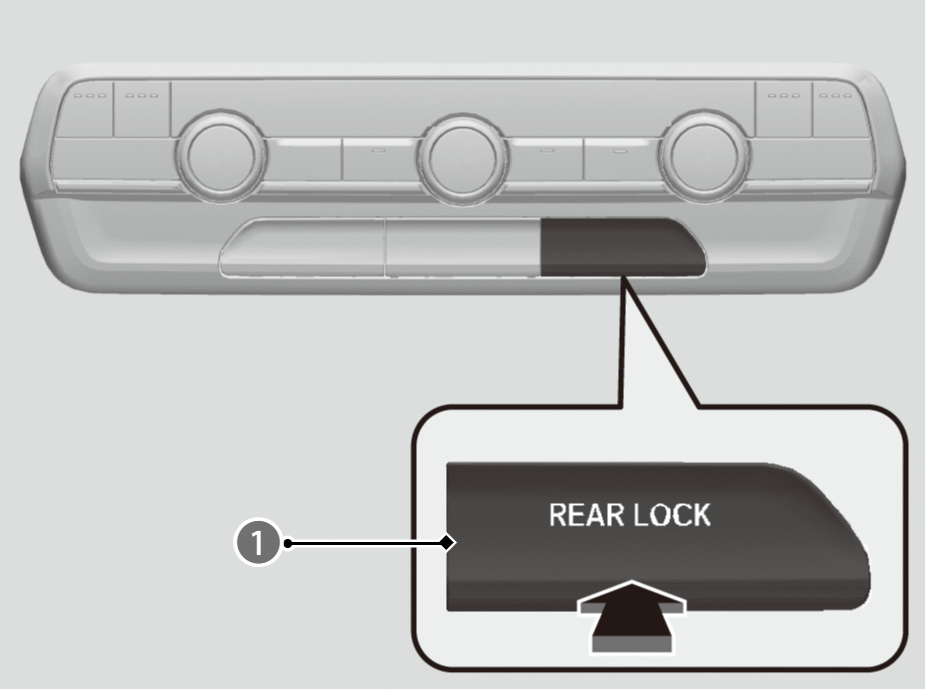
REAR LOCK Button
Press the REAR LOCK button to turn the rear lock mode on and off.
While the rear lock mode is on, the rear control panel is disabled.
- The LOCK indicator will come on.
- LOCK appears on the rear control panel while the rear lock is on.
- If the rear lock is on while in SYNC mode, the rear control panel is disabled. SYNC LOCK appears on the rear control panel.
Using the rear climate control system from the rear panel*
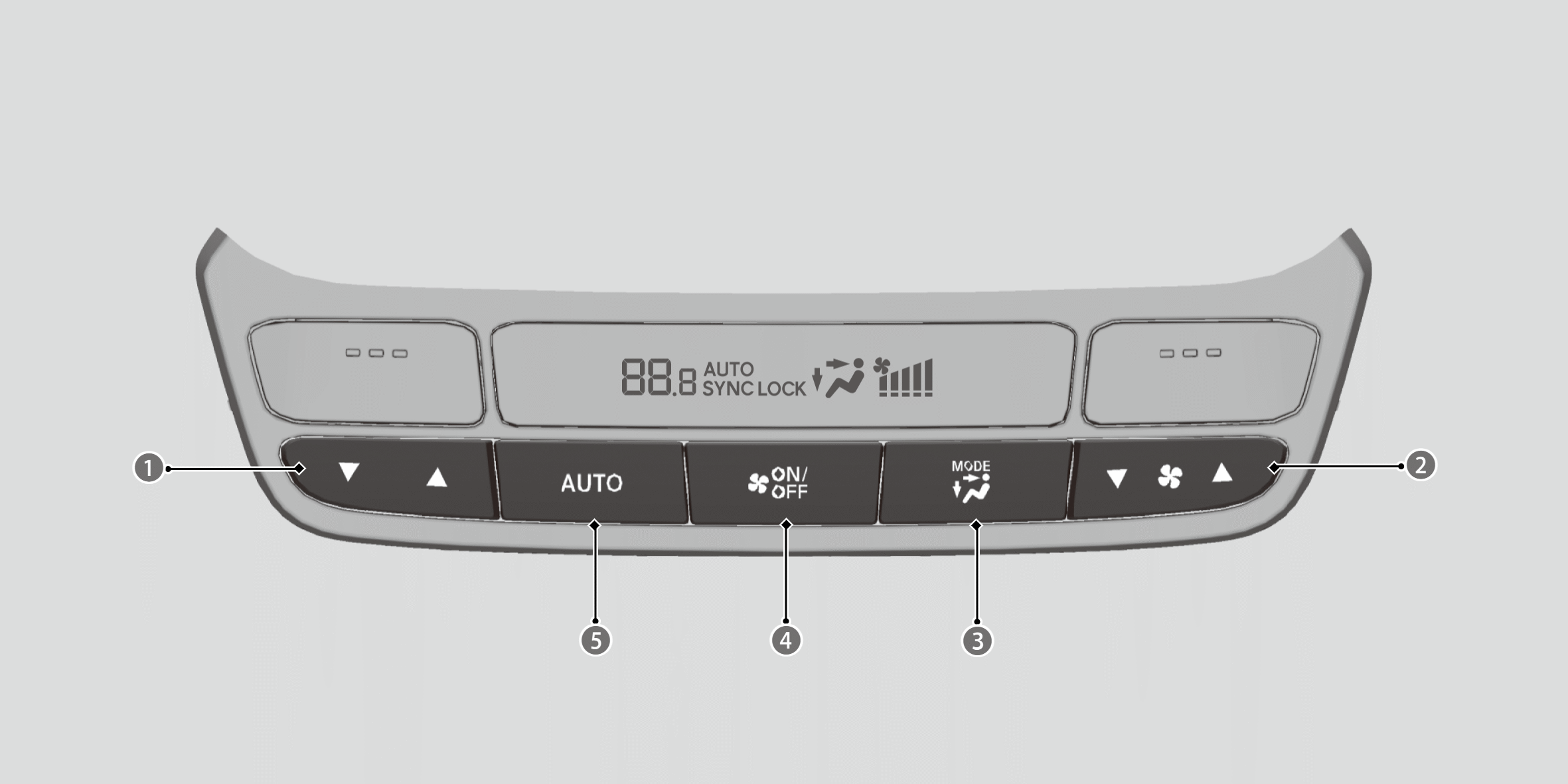
Rear Temperature Control Buttons
Rear Fan Control Buttons

MODE Control Button
 Back of the console compartment vents
 Back of the console compartment and rear floor vents
 Rear floor vents
 (ON/OFF) Button
Rear AUTO Button
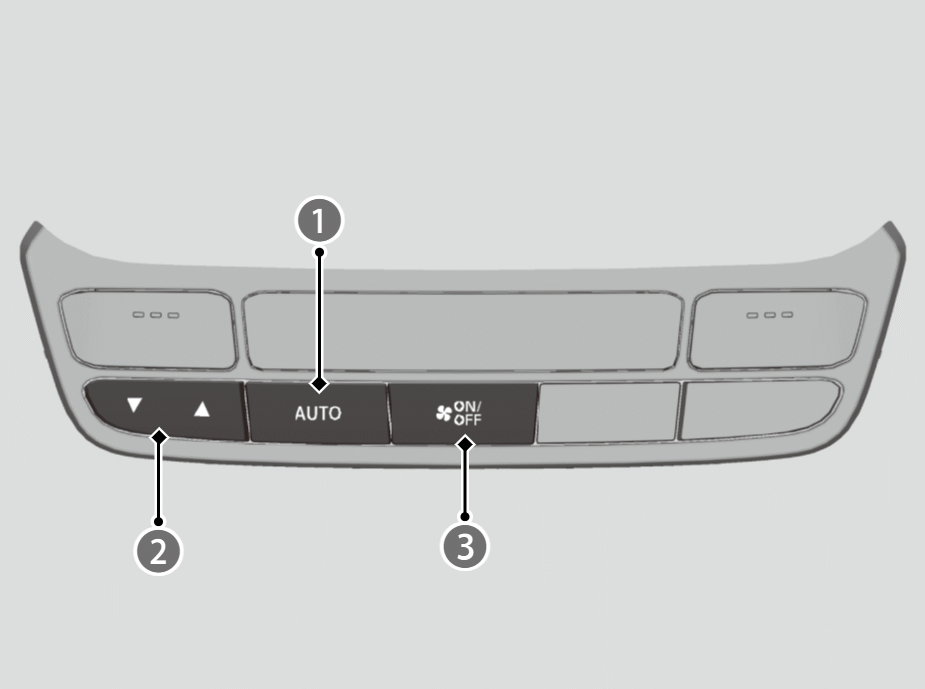
Rear AUTO Button
Rear Temperature Control Button
- (ON/OFF) Button
Use the system when the engine is running
- Press the rear AUTO button.
- Adjust the interior temperature using the rear temperature control button.
- To turn off the rear climate control system, press(ON/OFF) button.
- When the rear lock mode is off, the temperature of the rear passenger compartment can be controlled independently.
*: Not available on all models