


Display Setup
You can change the brightness of the audio/information screen.
- Detail
-
You can adjust the screen brightness by sliding or tapping on the brightness bar.
You can change the Contrast and Black Level settings in the same manner.
To reset the settings, select Reset to Default.
Changing the Screen Brightness
-
Press the
 button.
 -
Select General Settings.
-
Select Display.
-
Select the setting you want.
- Select Display Off to turn off the screen. To turn on the screen, press the or
 button.
- Select Display Off to turn off the screen. To turn on the screen, press the
Selecting an Audio Source
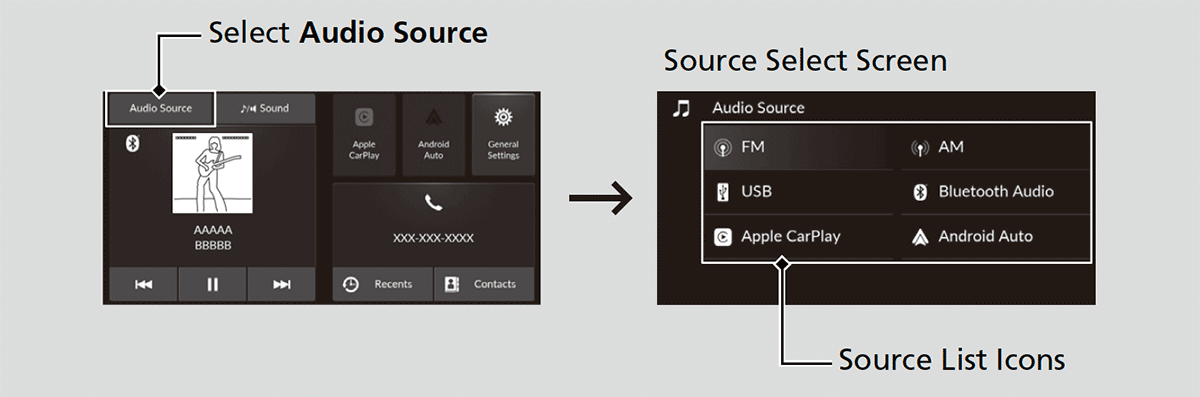
Select Audio Source on the home screen, then select an icon on the source list to switch the audio source.