


Voice Control Operation
Voice Portal Screen
- Press and release the
 button.
The system prompts you to say a voice command. Press and release the (Talk) button again to bypass this prompt.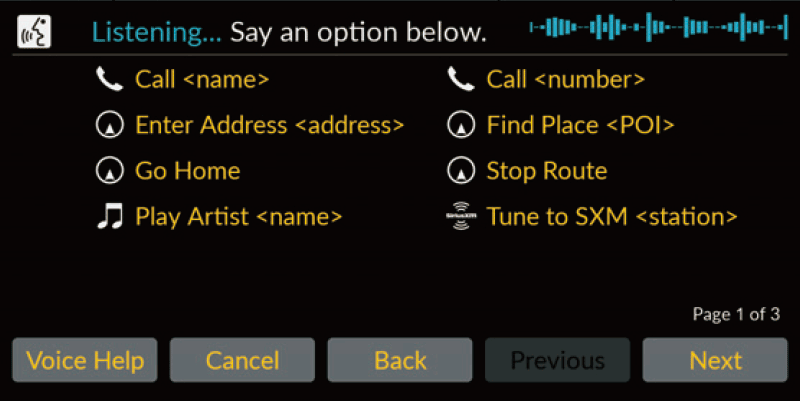
- The system beeps when ready for a command.
- Press the
 (Back) button or say “Cancel” to cancel.
- Say “Navigation.”
The Voice Command screen is displayed.
After that, follow the voice prompt and say a voice command.
- The audio system is muted during voice control mode.
- You can use other voice commands on the Voice Portal screen.
- Carefully read the usage note for the voice control.
- The system recognizes certain commands.
Available navigation commands
Voice Command Screen
- After saying “Navigation” from the Voice Portal screen, the below screen appears.
- Listen for the voice prompt, then say a voice command.
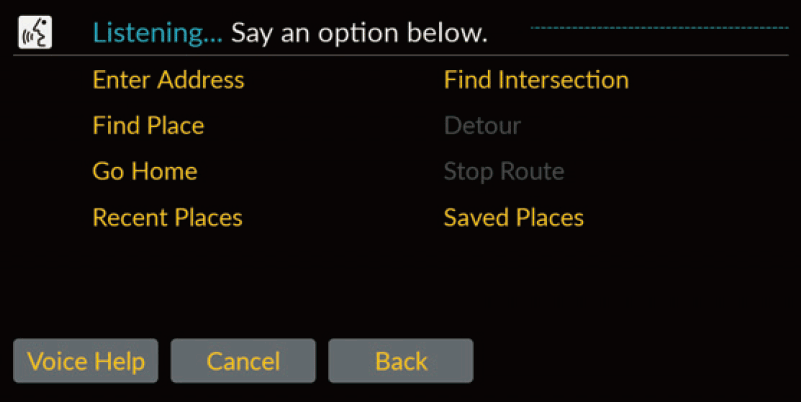
- You do not need to press the (Talk) button again in the Voice Command screen.
- Available voice commands are highlighted on the screen.
- You do not need to press the