


Displaying an Image From the Surround View Cameras
- Detail
-
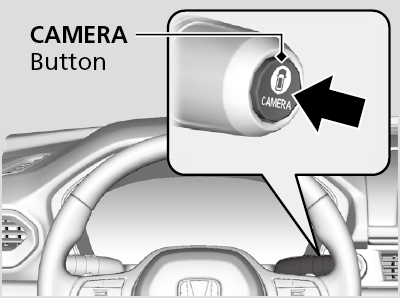
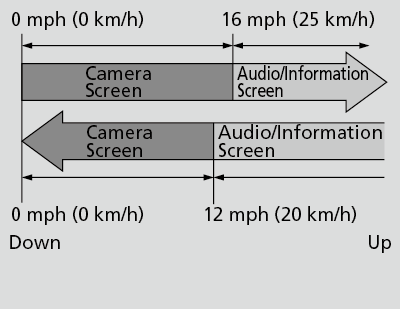
The navigation system is disabled when the shift position is in R.Operating the navigation system or audio system while the surround view camera system screen is displayed cancels the surround view camera system screen and starts up the navigation system screen.If you press the CAMERA button while the vehicle speed is more than 16 mph (25 km/h), the standby screen appears.
When the vehicle speed is reduced below 12 mph (20 km/h), the screen switches to a surround view camera system image.TrailWatchTMWhen the drive mode is in TRAIL mode, images from the Surround View Camera System are displayed while your vehicle speed is about 12 mph (20 km/h) or lower. When the vehicle’s speed reaches about 16 mph (25 km/h) or higher, the display will return to the previous screen.
Surround View Camera Guideline accuracy degrades off road.
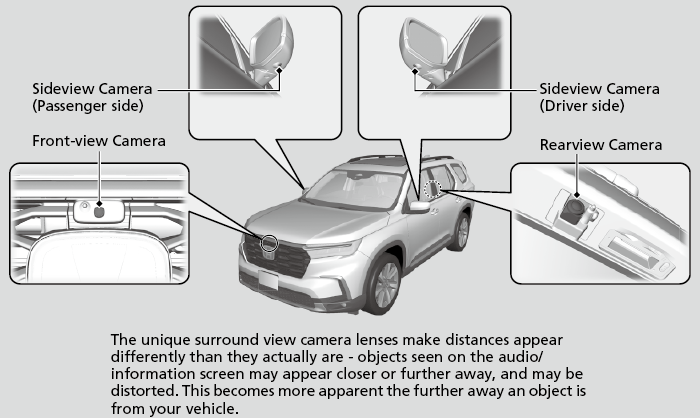
Camera Locations and Images
Reference Lines and Guides
The following can be displayed when the system is on.
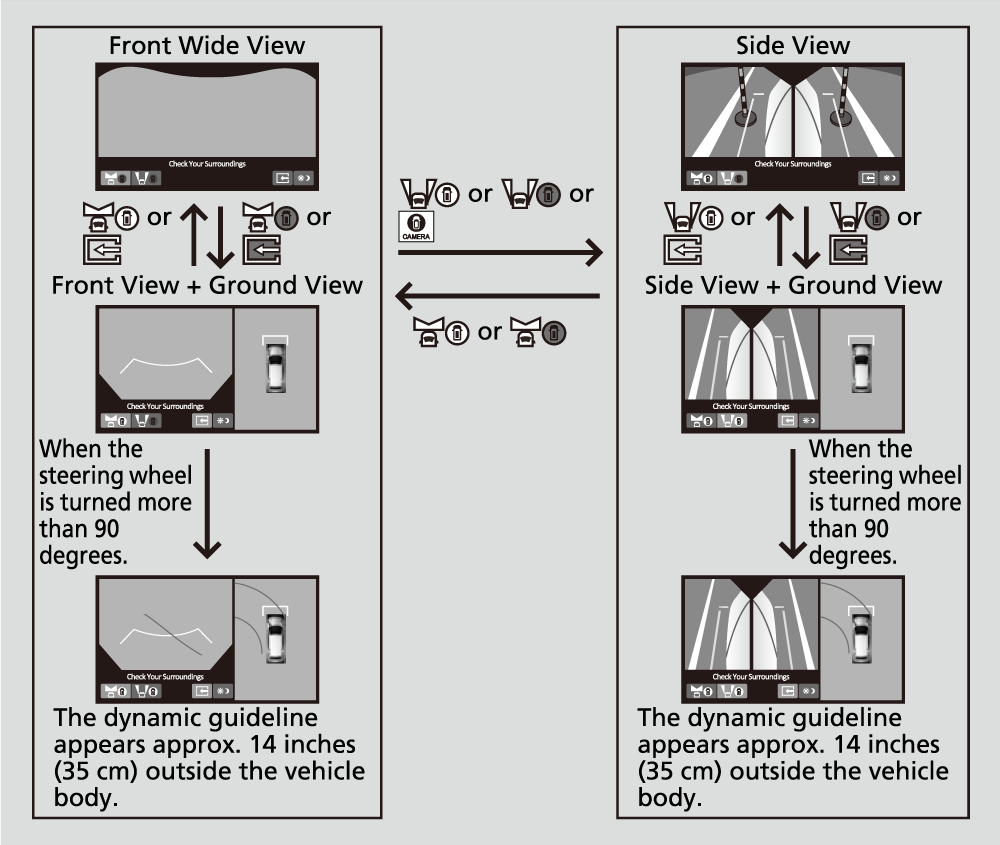
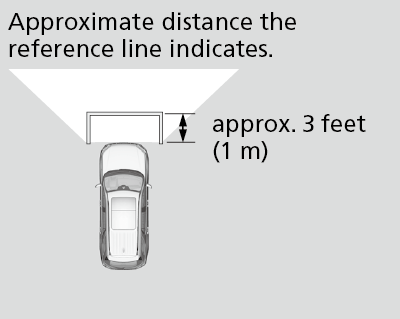
Fixed Guideline: Helps you to get a sense of a distance between your vehicle and the rear surroundings. The distance may appear differently than the actual distance.
Dynamic Guideline: Indicates vehicle direction while the steering wheel is in the current position.
- Detail
-
The positions/distances indicated by the guidelines and camera views on the display may differ from the actual positions/distances due to the changes in the vehicle height, road conditions, and other factors.
The guidelines should be used as a reference only.The guidelines can be turned on and off using the audio/information screen.
If you turn the guidelines off, they remain off until you turn them back on.
Using the Surround View Camera System
Checking the front and sides of your vehicle
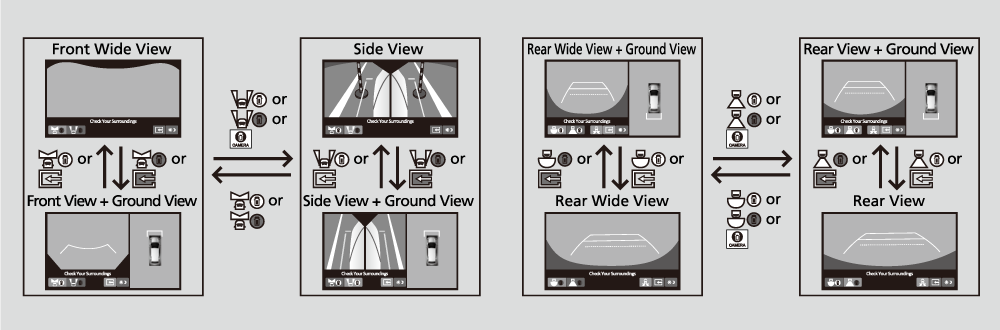
You can display the front ground view screen using all the four cameras for the system. Pressing the CAMERA button when the vehicle speed is at below 12 mph (20 km/h) changes the image as follows.
- Detail
-
When the vehicle speed exceeds 16 mph (25 km/h), the front or side view on the screen automatically switches to the audio/information screen. The front or side view screen resumes when the vehicle speed is reduced below 12 mph (20 km/h).
Checking from the front wide view at intersections
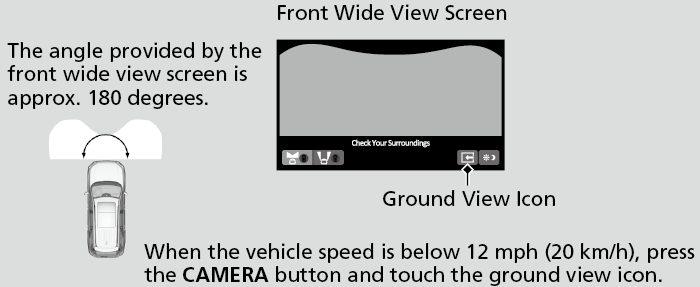
The front wide view screen is useful when you need to check for vehicles crossing from either direction at an intersection with poor visibility.
- Detail
-
The front wide view image is a wide-angled view. The displayed image will be largely distorted, and objects may appear closer or more distant than they actually are.
Checking the sides of your vehicle
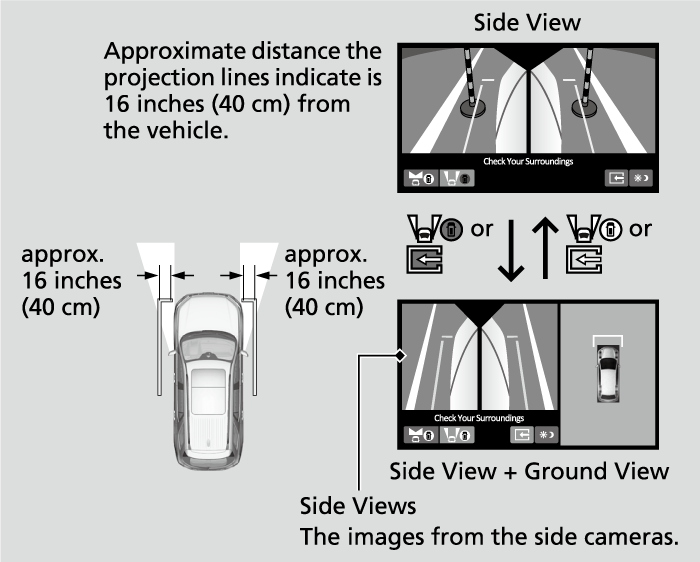
The side view screens are convenient when you pull over at a curb or tollbooth, or slowly pass by oncoming vehicles on a narrow road.
- Detail
-
When the door mirrors are folded, the side views cannot be displayed.
Checking for obstacles at the back of your vehicle
The display automatically changes to the rear view when the shift position is changed to R.
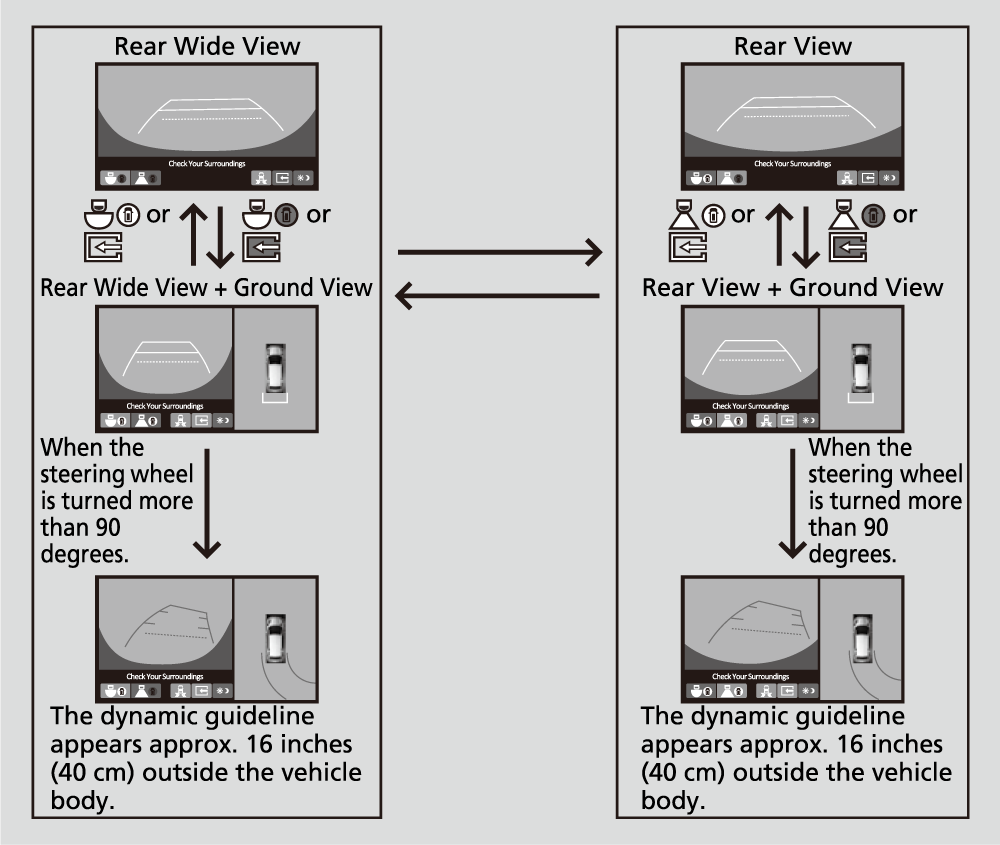
- Detail
-
The ground view can be displayed even with the door mirrors folded. However, the viewable angle and blind spot change.
Do not refer to the surround view camera system when the door mirrors are folded.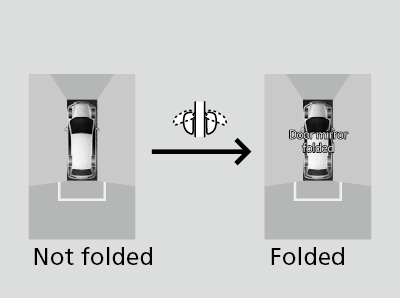 When changing the gear position from/to R, you may experience a delay in switching between the audio/information screen and a rear view image.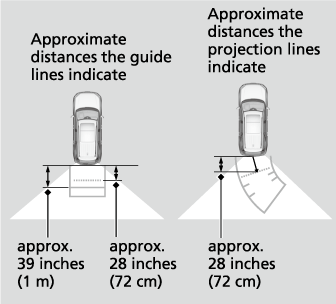
Surround View Camera System Limitations
The system may not work properly under the following conditions.
|
Conditions
|
Solutions
|
|
|---|---|---|
|
The images may not appear clearly when:
|
|
Do not use the surround view camera system but rely only on visual confirmation until the conditions allow the system to work properly.
|
|
Clean camera lenses with the frontview or rearview camera washer or a soft cloth moisturized with water, mild detergent or glass cleaner.
|
|
|
The audio/information screen is dirty.
|
Wipe off the screen using a soft dry cloth.
|
|
|
A camera angle is altered.
|
A camera or the area around the camera has been severely impacted.
|
Do not use the surround view camera system and contact a dealer.
|
|
An error message is displayed while the surround view camera system is in use.
|
||
- Recommended topic(s)
