Use the controls to enter information and make selections.
Models with Color Audio
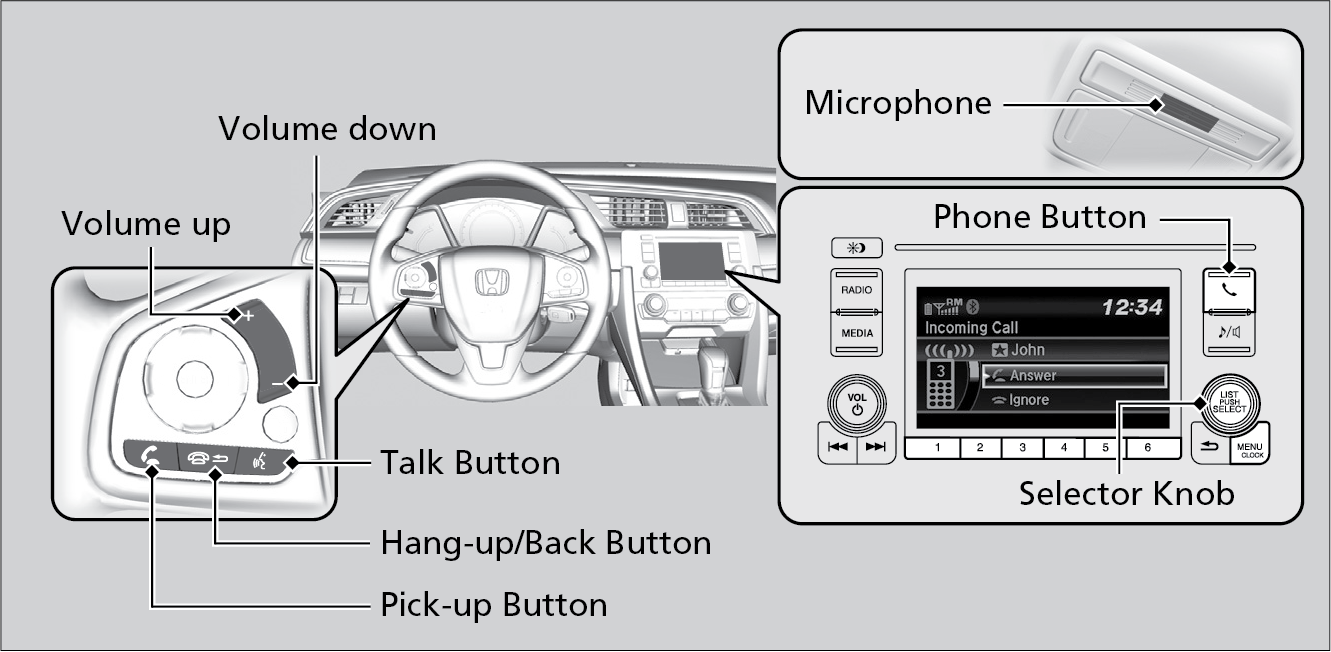
| (Pick-Up) button: |
Press to go directly to the Phone screen or to answer an incoming call. |
| (Hang-up/Back) button: | Press to end a call or to cancel a command. |
| (Talk) button: | Press to call a number with a stored voice tag. |
| (Phone) button: | Press to go directly to the Phone screen. |
| Selector knob: | Rotate the selector knob to select an item on the screen, then press to select. |
Models with Display Audio
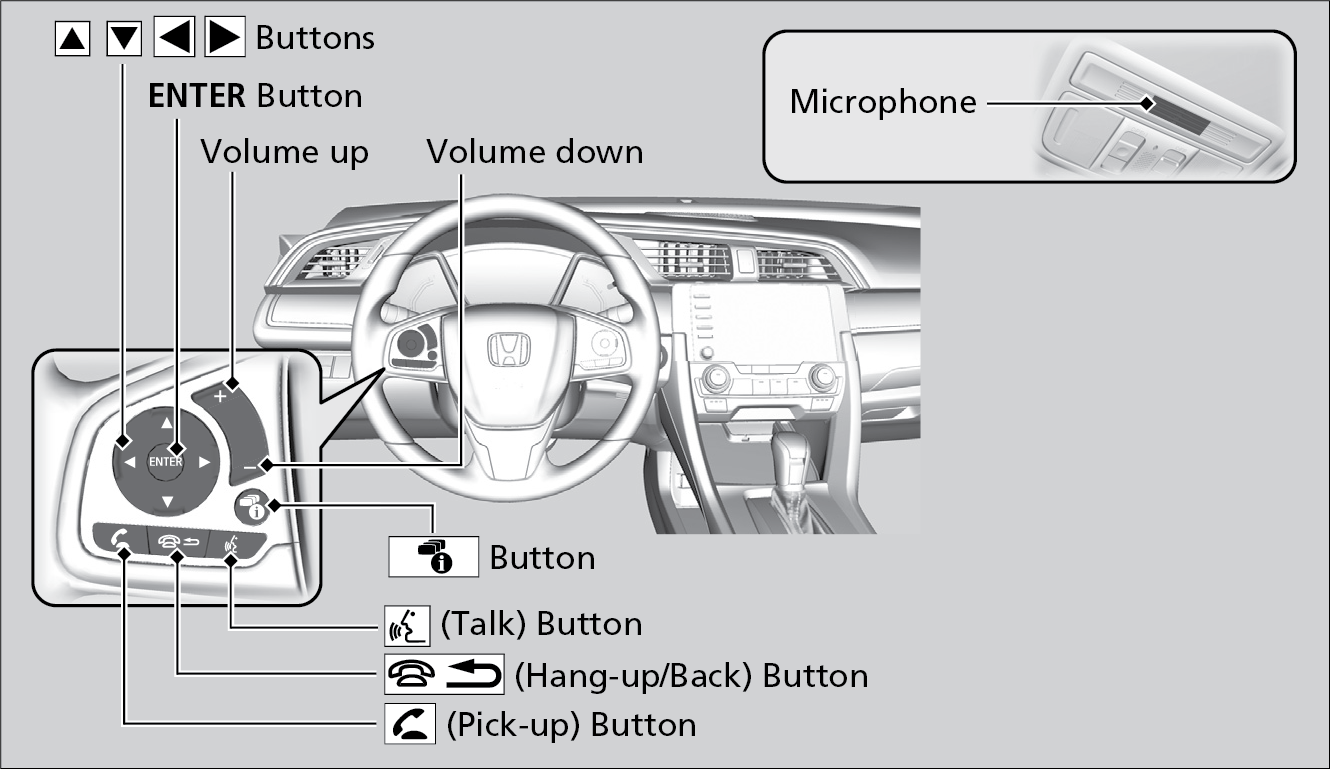
| Pick-up button: | Press to go directly to the phone menu on the driver information interface, or to answer an incoming call. |
| Hang-up/back button: | Press to end a call, go back to the previous command, or cancel a command. |
| Talk button: | Press to access Voice Portal. |
| Up/Down buttons: | Press to select an item displayed on the phone menu in the Driver Information Interface. |
| ENTER button: | Press to call a number listed in the selected item on the phone menu in the Driver Information Interface. |
| Display/Information button: | Select the Phone button and press ENTER to display Speed Dial, Call History, or Phonebook on the phone menu in the Driver Information Interface. |