


Using HFL
HFL Buttons
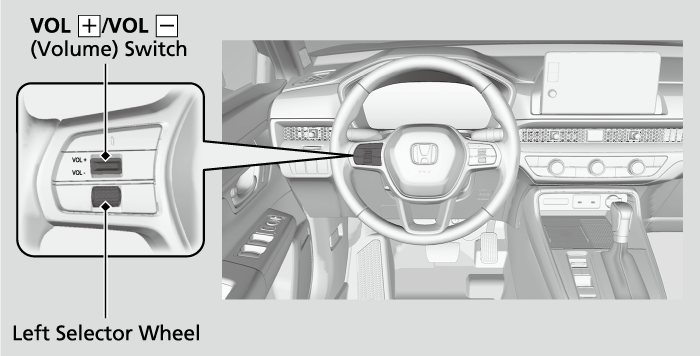
 (Home) button*1: Press to go back to the home screen of the driver information interface.
Left Selector Wheel: Press the (Home) button*1. Roll up or down to select Phone on the driver information interface, and then press the left selector wheel.
- You can select Favorite Contacts or Recent Calls by rolling up or down the left selector wheel.
While receiving a call, the incoming call screen is displayed on the driver information interface. You can pick up the call using the left selector wheel.
To go to the phone screen:
- Press the
 button.
 - Select the phone zone to switch the display to the phone screen.
- Models with A-type meter
HFL Status Display
The audio/information screen notifies you when there is an incoming call.
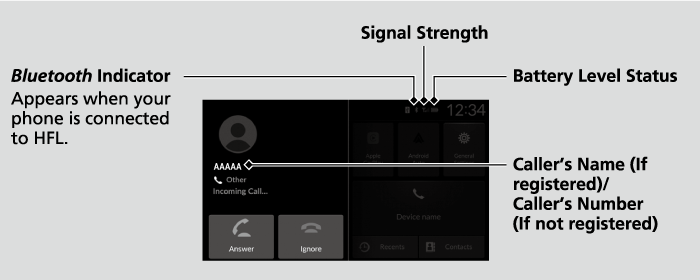
- Detail
-
The information that appears on the audio/information screen varies between phone models.
Limitations for Manual Operation
Certain manual functions are disabled or inoperable while the vehicle is in motion. You cannot select a grayed-out option until the vehicle is stopped.
- Recommended topic(s)