
About ACC with Low Speed Follow
Helps maintain a constant vehicle speed and a set following-interval behind a vehicle detected ahead of yours and, if the detected vehicle comes to a stop, can decelerate and stop your vehicle, without you having to keep your foot on the brake or the accelerator.
Important Reminder
As with any system, there are limits to ACC with Low Speed Follow. Use the brake pedal whenever necessary, and always keep a safe interval between your vehicle and other vehicles.
 WARNING
Improper use of ACC with Low Speed Follow can lead to a crash.
Use ACC with Low Speed Follow only when driving on expressways or freeways and in good road and weather conditions.
ACC with Low Speed Follow has limited braking capability and may not stop your vehicle in time to avoid a collision with a vehicle that quickly stops in front of you.
Always be prepared to apply the brake pedal if the conditions require.
Exiting a vehicle that has been stopped while the ACC with Low Speed Follow system is operating can result in the vehicle moving without operator control. A vehicle that moves without operator control can cause a crash, resulting in serious injury or death.
Never exit a vehicle when the vehicle is stopped by ACC with Low Speed Follow.

- On roads with frequent lane change or continuous stop and go traffic.
- On roads with sharp turns.
- On roads with undulating slopes.
- On roads with steep uphill or steep downhill slopes.
- On roads with toll collection facilities or other objects between lanes of traffic, or in parking areas, or facilities with drive through access.
- On roads with slippery or icy surfaces.
How to Activate ACC with Low Speed Follow
- Press the
 button (
 ) while the shift position is in D or S.
- Theindicator (white) (
 ) comes on.
- The
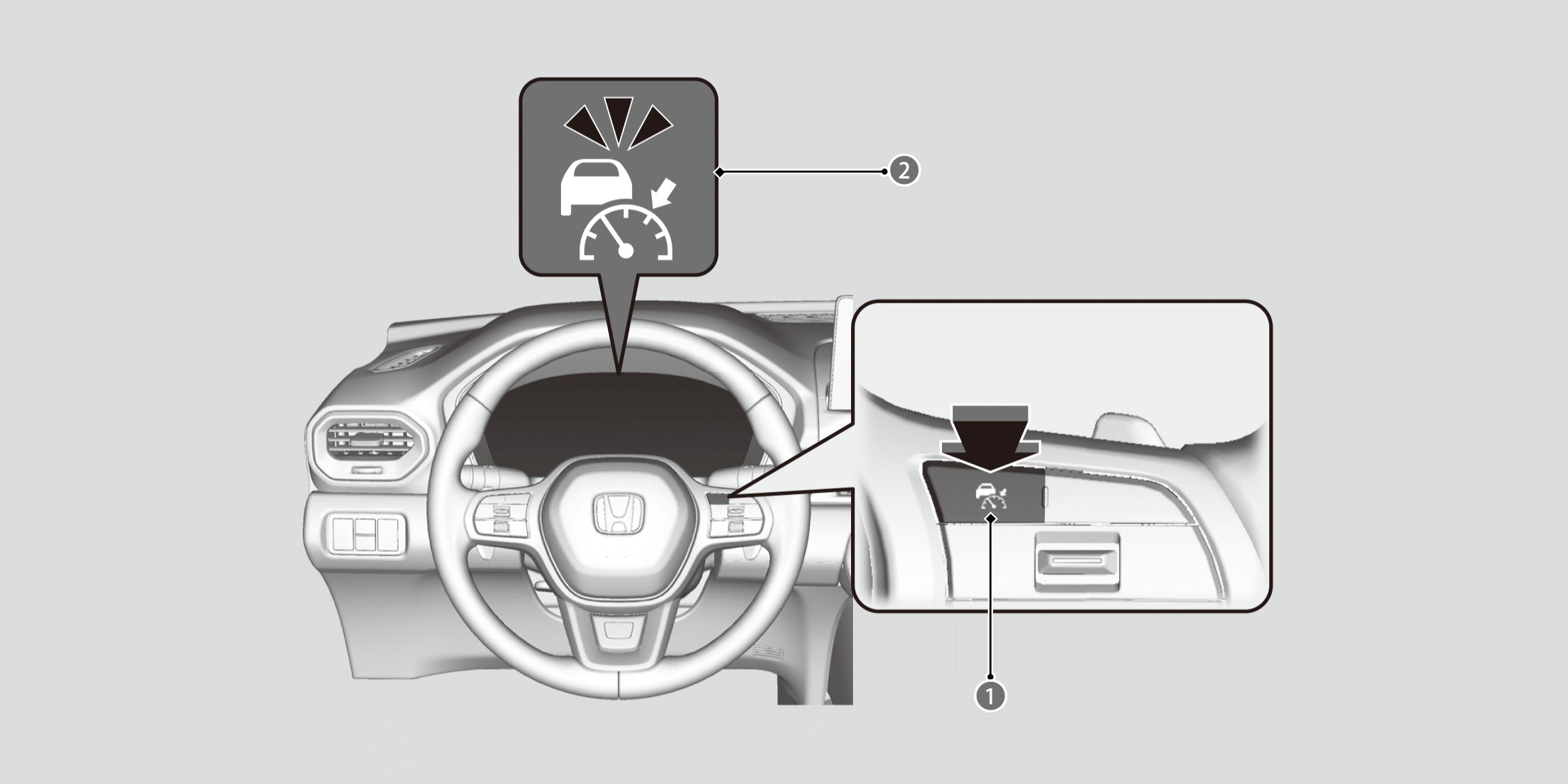
- Press the RES/+/SET/− switch () up or down.
- The system will start operating at the set speed.
- The icons and set speed will be displayed on the gauge.
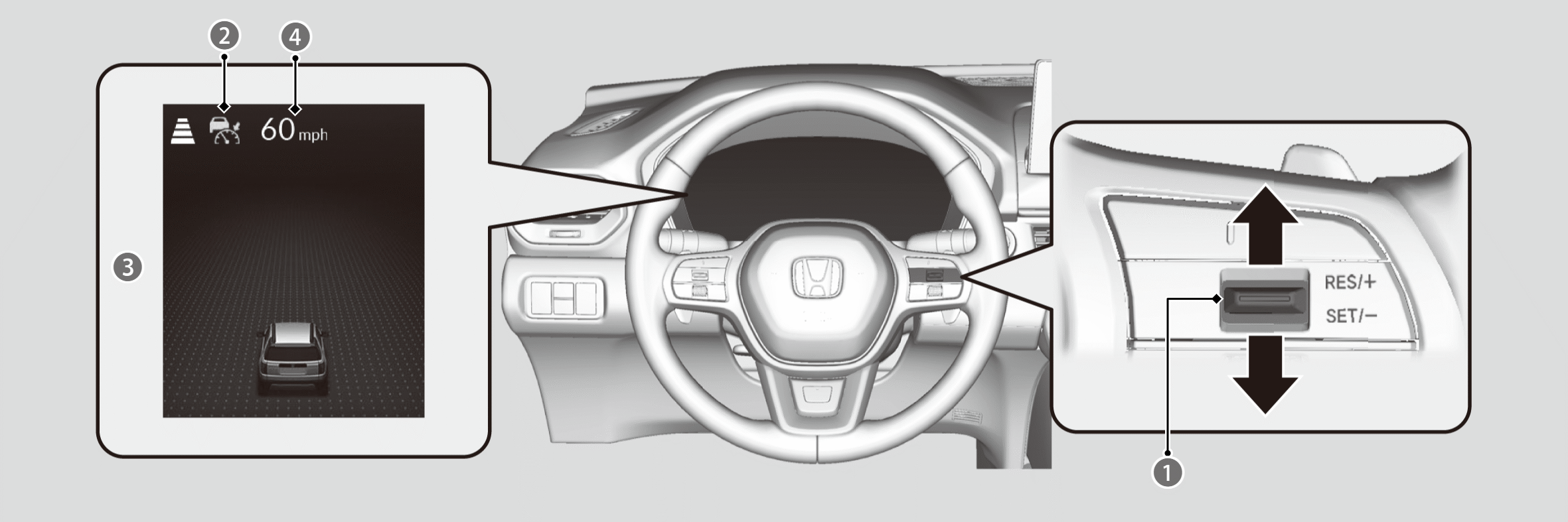
 Indicator (Green)
On when ACC with Low Speed Follow begins

Set Vehicle Speed (White)
- ACC with Low Speed Follow does not operate while the brake pedal is depressed.
- When driving at 20 mph (30 km/h) or less, the vehicle speed is set to 20 mph (30 km/h).
If your vehicle is stationary, you can set the vehicle speed even with the brake pedal depressed. - When not using ACC with Low Speed Follow, press thebutton to turn off the system.
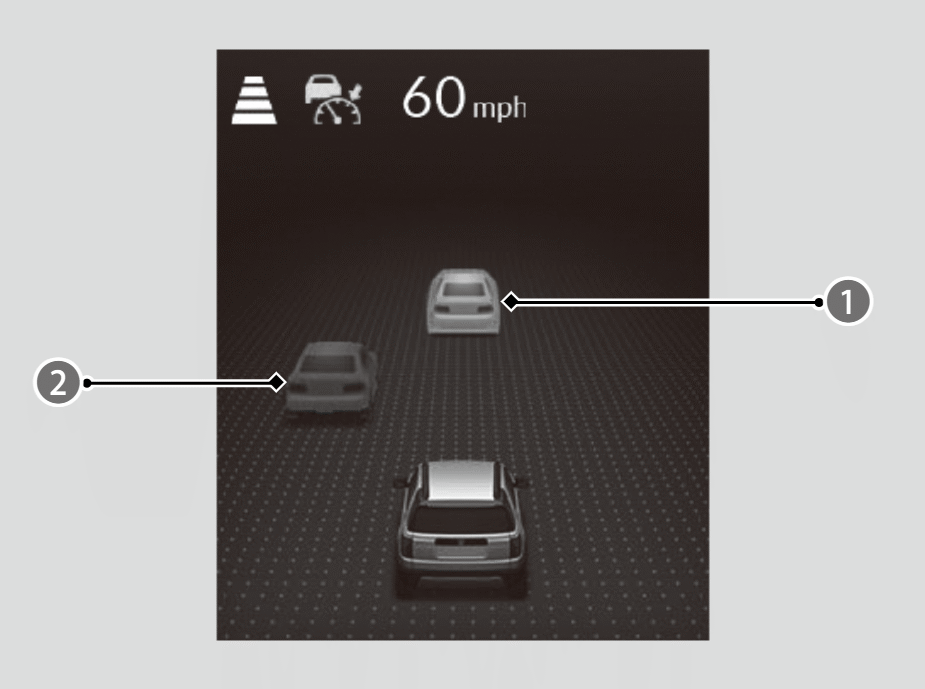
Control target vehicle
Outside of control target vehicle
If a vehicle ahead enters the detectable range, icon () appears, and the system adjusts your vehicle’s speed within the set range in order to keep the vehicle’s set following-interval.
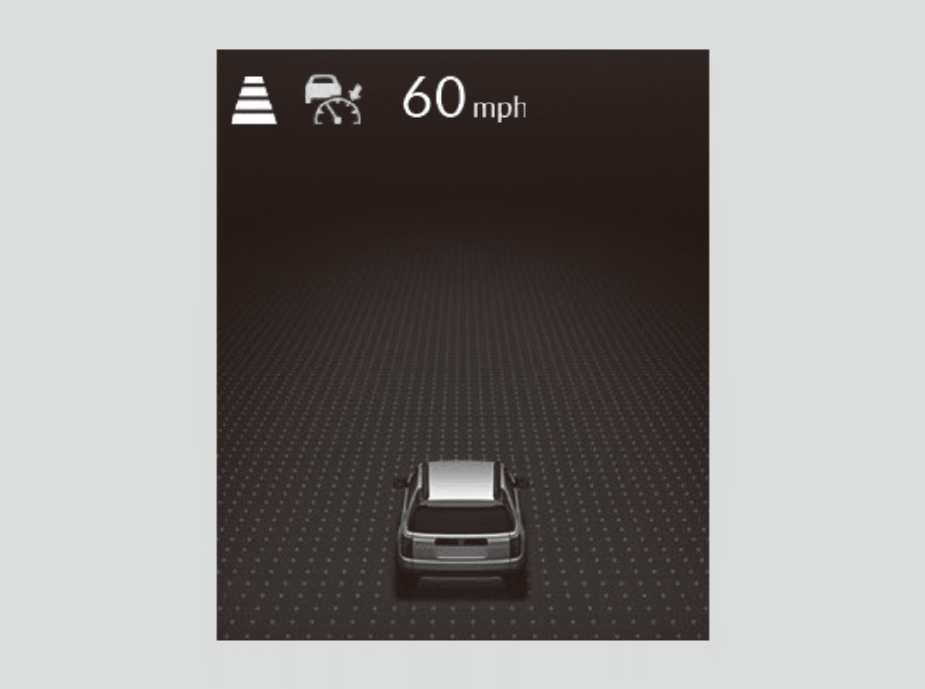
If there is no vehicle ahead, your vehicle maintains the set speed. If a vehicle ahead leaves due to actions such as changing lanes, the system will slowly accelerate to the set speed and then maintain it.
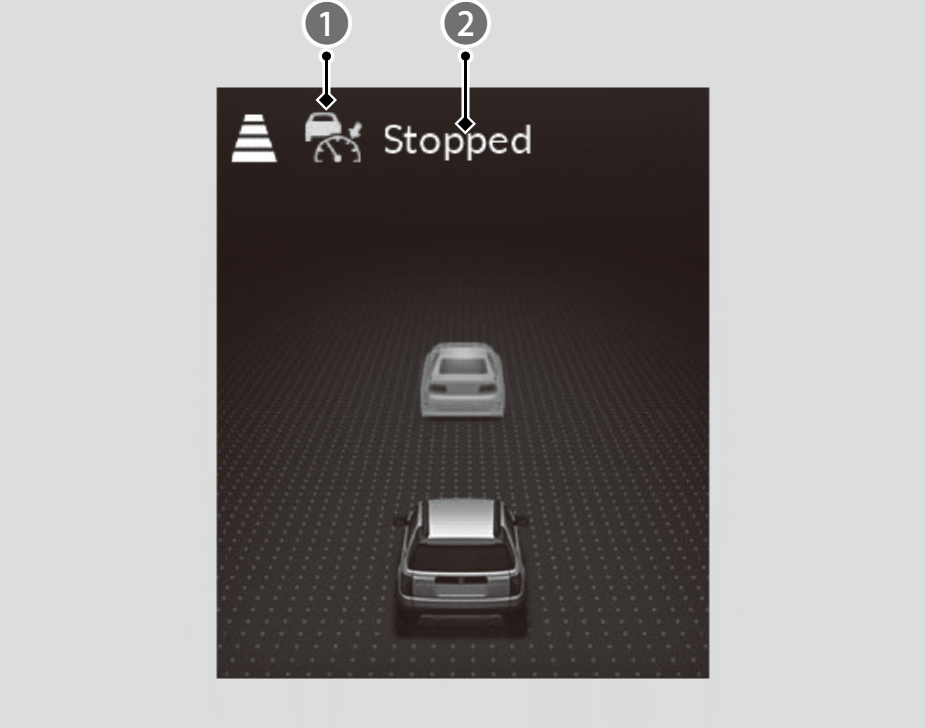
- Indicator (green)
Your vehicle also stops automatically. The message () appears on the gauge.
When the vehicle ahead of you starts again, if you press the RES/+/SET/− switch up or down, or depress the accelerator pedal, ACC with Low Speed Follow operates again within the previously set speed.
- When your vehicle stops automatically because a vehicle detected ahead of you has stopped, the interval between the two vehicles will vary based on the interval setting.
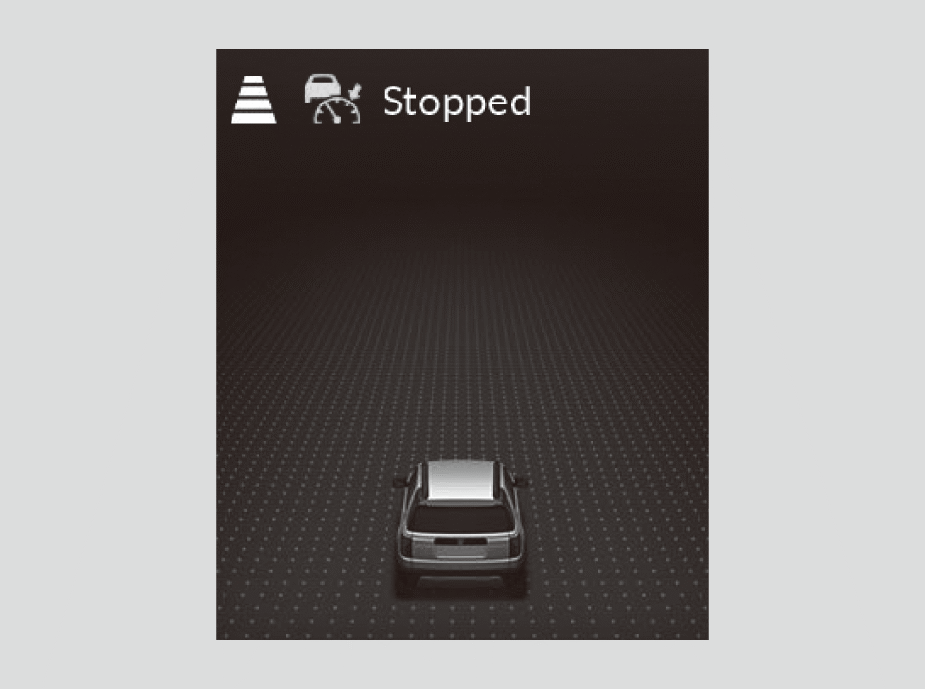
If no vehicle is ahead of you before you resume driving, depress the accelerator pedal and ACC with Low Speed Follow will operate again within the prior set speed.
- When a vehicle whose speed is slower than your set speed comes in or cuts in front of you and is detected by the camera, your vehicle starts to slow down.
- Even if the interval between your vehicle and the vehicle detected ahead is short, ACC with Low Speed Follow may start accelerating your vehicle under the following circumstances:
- The vehicle ahead of you is going at almost the same speed as, or faster than, your vehicle.
- A vehicle that cuts in front of you is going faster than your vehicle, gradually increasing the interval between the vehicles.
- While driving down steep hills, ACC with Low Speed Follow brakes to inhibit excessive acceleration for maintaining the set speed. However, the vehicle speed may become faster than the set speed.
- When the vehicle ahead of you moves away, such as when entering an interchange or rest area, ACC with Low Speed Follow may continue to maintain the set following-interval for a short time.
- When ACC with Low Speed Follow slows your vehicle by applying the brakes, your vehicle’s brake lights will illuminate.
- ACC with Low Speed Follow may temporarily control the interval between your vehicle and the vehicle in adjacent lane or surroundings of your vehicle depending on the road conditions (e.g., curves) or vehicle conditions (e.g., operating the steering wheel or the vehicle location in the lane).
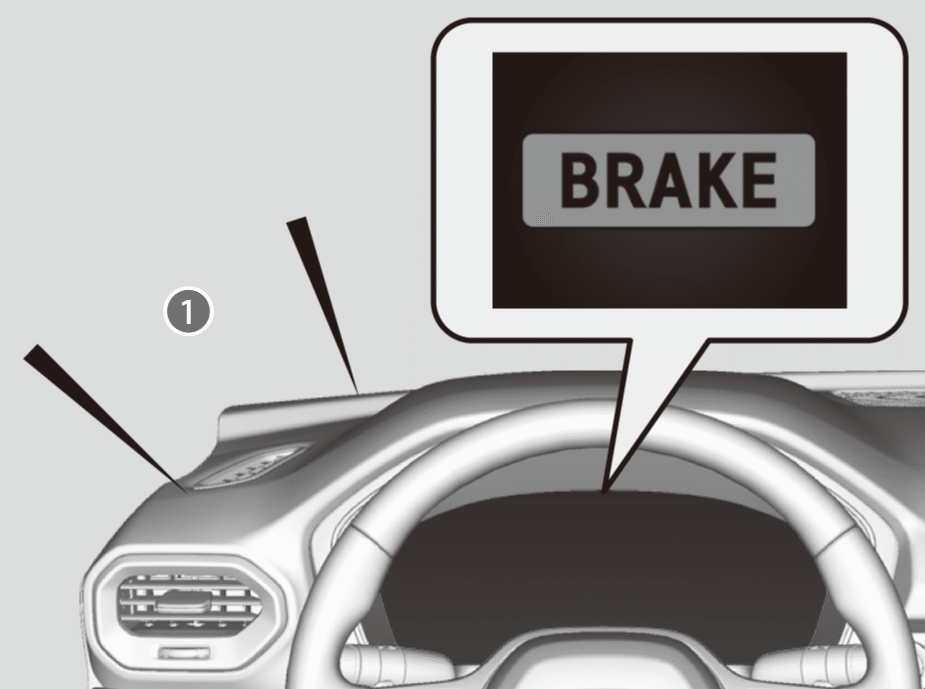
If the vehicle ahead of you slows down abruptly, or if another vehicle cuts in front of you, the beeper sounds () and a message appears.
- Depress the brake pedal, and keep an appropriate interval from the vehicle ahead.
- You can temporarily increase the vehicle speed. In this case, there is no audible or visual alert even if a vehicle is in the ACC with Low Speed Follow range. ACC with Low Speed Follow stays on unless you cancel it. Once you release the accelerator pedal, the system resumes an appropriate speed for keeping the following-interval while a vehicle ahead is within the ACC with Low Speed Follow range.

You can also set the system to beep when a vehicle detected in front of you comes in and goes out of the ACC with Low Speed Follow detecting range.
You can switch the displayed set speed measurements on the gauge or audio/information screen between mph and km/h.
To Adjust the Vehicle Speed
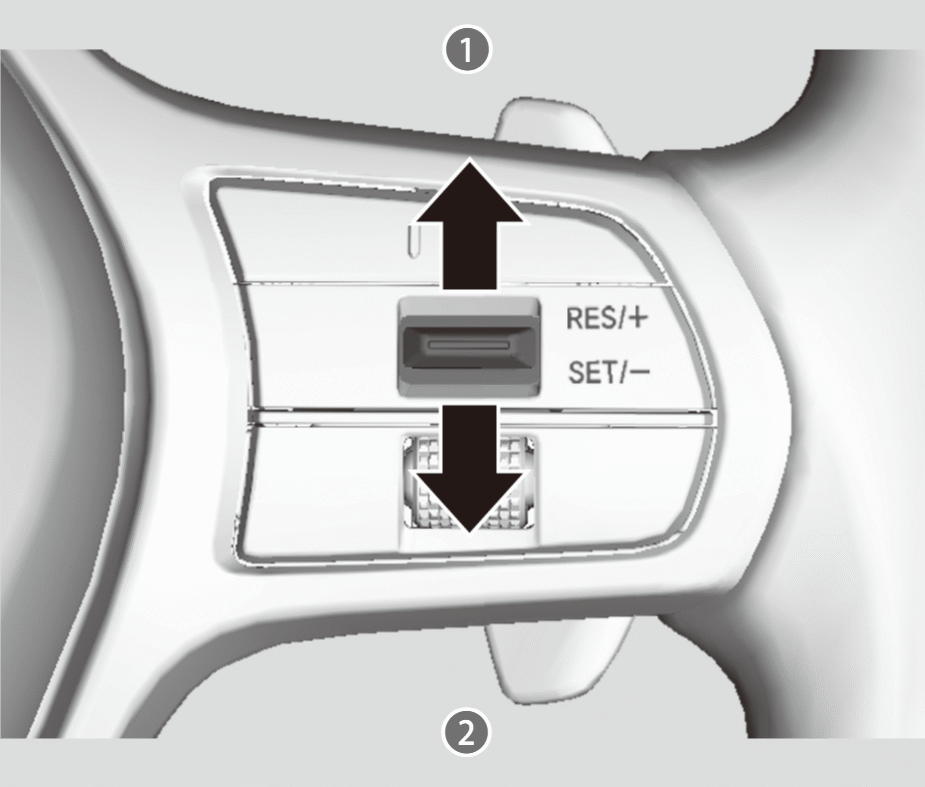
Pressing the RES/+/SET/− switch up
- Each press increases speed by about 1 mph or 1 km/h.
- Press and hold to increase speed by about 5 mph or 5 km/h.
Pressing the RES/+/SET/− switch down
- Each press decreases speed by about 1 mph or 1 km/h.
- Press and hold to decrease speed by about 5 mph or 5 km/h.
- If a vehicle detected ahead is going at a speed slower than your increased set speed, ACC with Low Speed Follow may not accelerate your vehicle. This is to maintain the set interval between your vehicle and the vehicle ahead.
- When you depress the accelerator pedal and then press down and release the RES/+/SET/− switch, the current speed of the vehicle is set.
To Set or Change Following-Interval
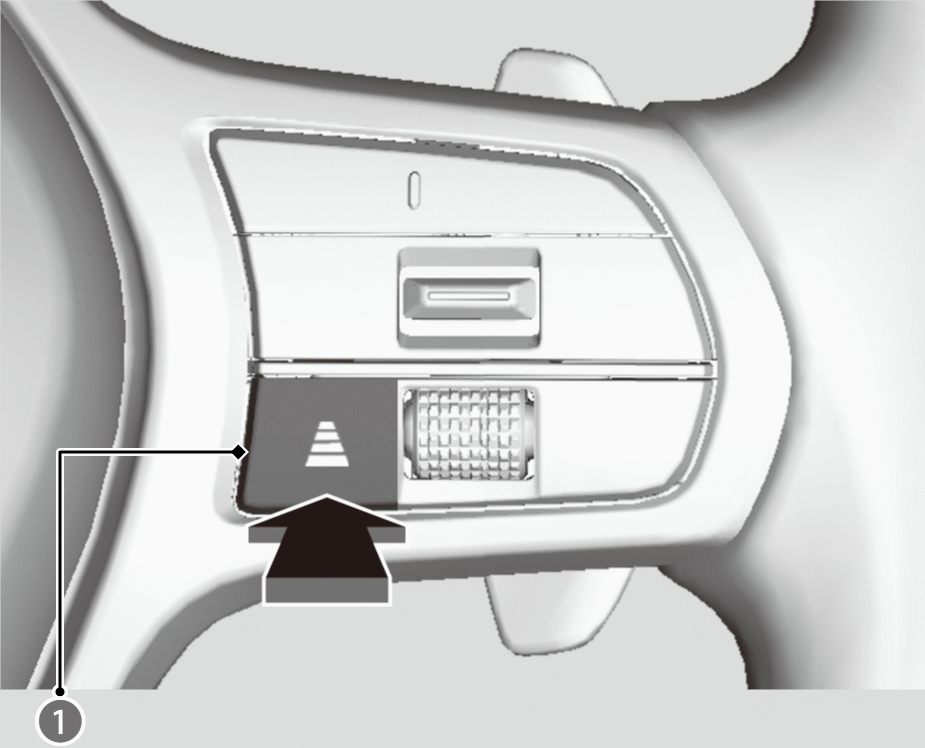
Press the button () to change the ACC with Low Speed Follow following-interval.
- Each time you press the button, the following-interval (the interval behind a vehicle detected ahead of you) setting cycles through furthest, far, mid, and nearest following-intervals.
- Determine the most appropriate following-interval setting based on your specific driving conditions. Be sure to adhere to any following interval requirements set by local regulation.
- The higher your vehicle’s following-speed is, the longer the nearest, mid, far or furthest following-interval becomes.
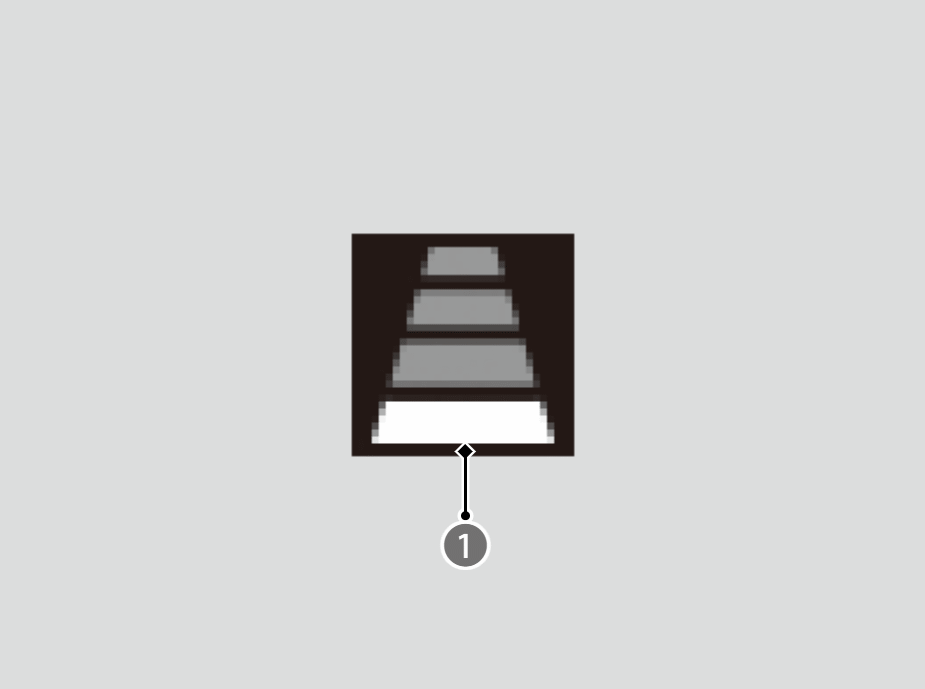
Adaptive Cruise Control (ACC) with Low Speed Follow Interval Indicator
The distance between vehicles is:
- About 72 feet (22 m) (vehicle speed is 50 mph [80 km/h])
- About 85 feet (26 m) (vehicle speed is 65 mph [104 km/h])

The distance between vehicles is:
- About 112 feet (34 m) (vehicle speed is 50 mph [80 km/h])
- About 142 feet (43 m) (vehicle speed is 65 mph [104 km/h])

The distance between vehicles is:
- About 154 feet (47 m) (vehicle speed is 50 mph [80 km/h])
- About 200 feet (61 m) (vehicle speed is 65 mph [104 km/h])

The distance between vehicles is:
- About 208 feet (63 m) (vehicle speed is 50 mph [80 km/h])
- About 274 feet (83 m) (vehicle speed is 65 mph [104 km/h])
To Cancel
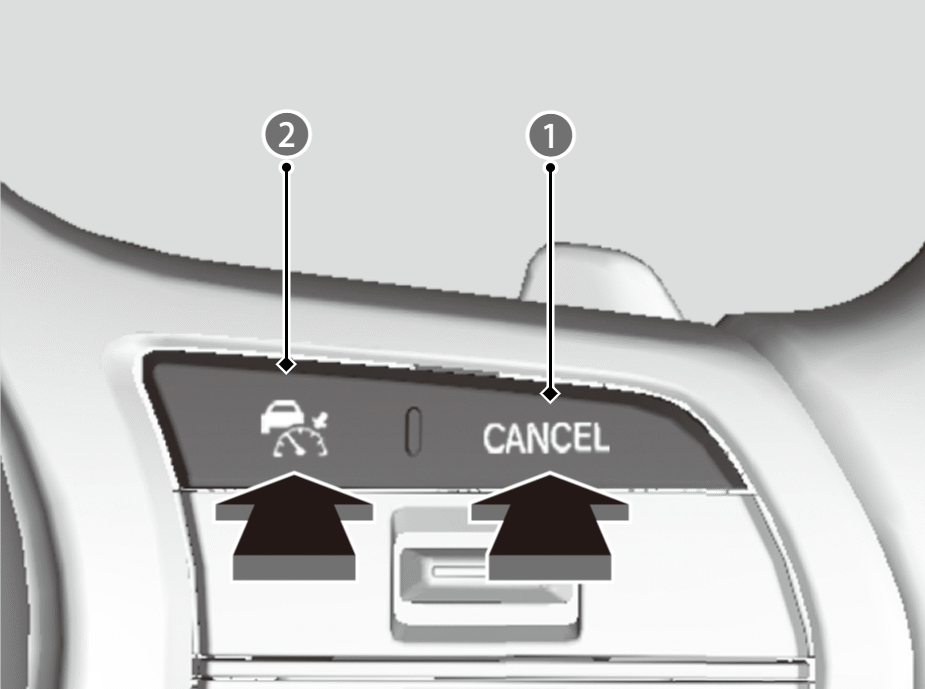
To cancel ACC with Low Speed Follow, do any of the following:
- Press the CANCEL button ().
- Theindicator (green) on the gauge changes to theindicator (white).
- The
- Depress the brake pedal while the vehicle is moving forward.
- Theindicator (green) on the gauge changes to theindicator (white).
- The
- Press thebutton ().
- indicator (green) goes off.
Resuming the prior set speed
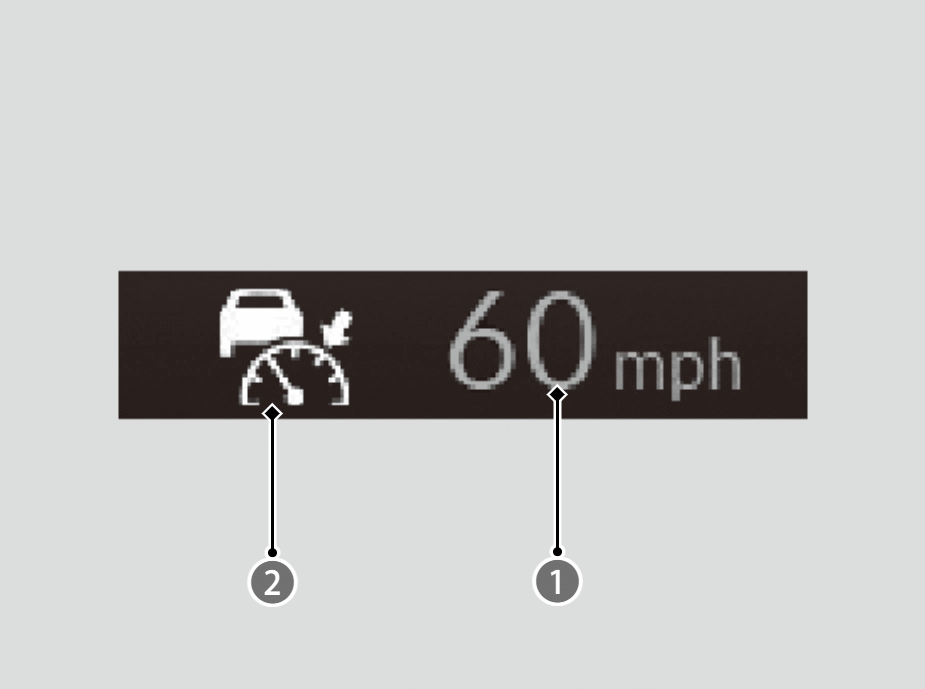
- Indicator (White)
When you turn off ACC with Low Speed Follow by pressing the CANCEL button or depressing the brake pedal, the prior set speed () is displayed on the gauge in gray.
You can activate ACC with Low Speed Follow with the prior set speed displayed on the gauge (in gray) by pressing the RES/+/SET/− switch up.