
Driving Position Memory System
You can store two driver’s seat and outside mirrors position (except for power lumbar) with the driving position memory system.
When you unlock and open the driver’s door with a keyless remote or keyless access system, the seat and outside mirrors adjusts to retracted positions of one of the two preset positions automatically.
The driver’s seat moves rearward depending on the set seating position once you:
- Stop the vehicle.
- Put the transmission in P.
- Turn the engine off.
- Open the driver’s door.
Once the power mode is in the ACCESSORY position, the driver’s seat moves forward to the DRIVER 1 or 2 preset position.
System Operation
The system will not operate if:
- Either memory button is pressed while the seat or mirrors are in motion.
- The seat or mirror positions are adjusted while in operation.
- Either of the memorized positions is set fully to the rear.
The system may not recognize a key if:
- The key is in close proximity to a cell phone or other wireless device.
- Both keys are in the vehicle at the same time.
- The Driving Position Memory System is disabled in customized features.
- The driver’s door is opened without fully grabbing the door handle.
Storing a position in memory
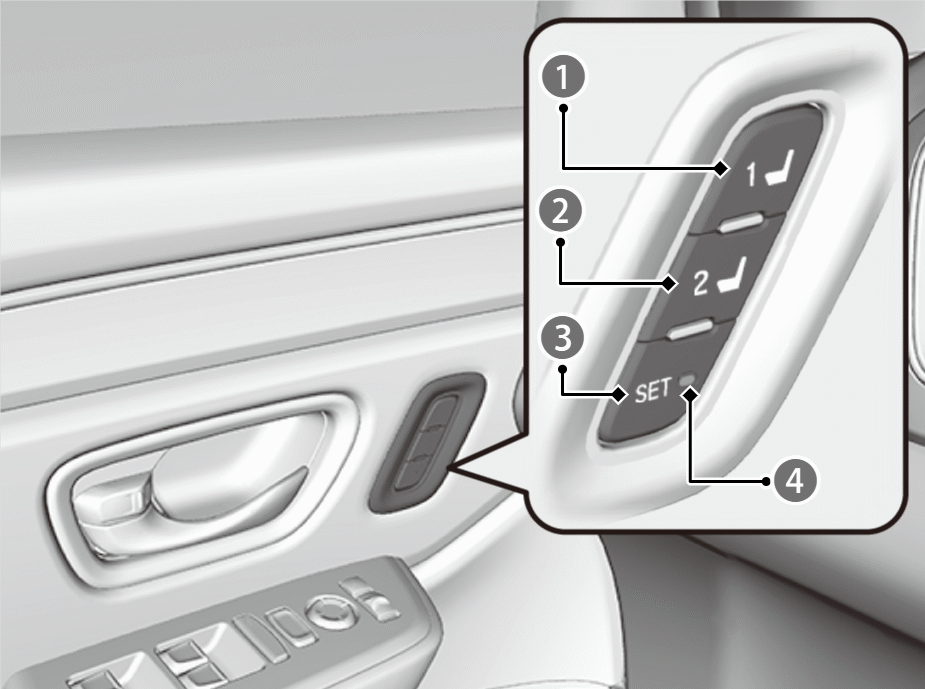

Memory Button 1

Memory Button 2

SET Button

Indicator Light
- Set the power mode to ON. Adjust the driver’s seat and door mirror to the desired position.
- Press the SET button.
- The SET button indicator lights will come on.
- Press the memory button 1 or 2 within five seconds of pressing the SET button.
- You will hear the beeper, and the SET button indicator light goes off.
- Set the power mode to ON. Adjust the driver’s seat to the desired position.
After you press the SET button, the storing operation will be canceled when:
- You do not press the memory button within five seconds.
- You readjust the seat position and door mirror before the double-beep.
- You set the power mode to any position except ON.
- The position of the lumbar support is not stored.
Recalling the stored position
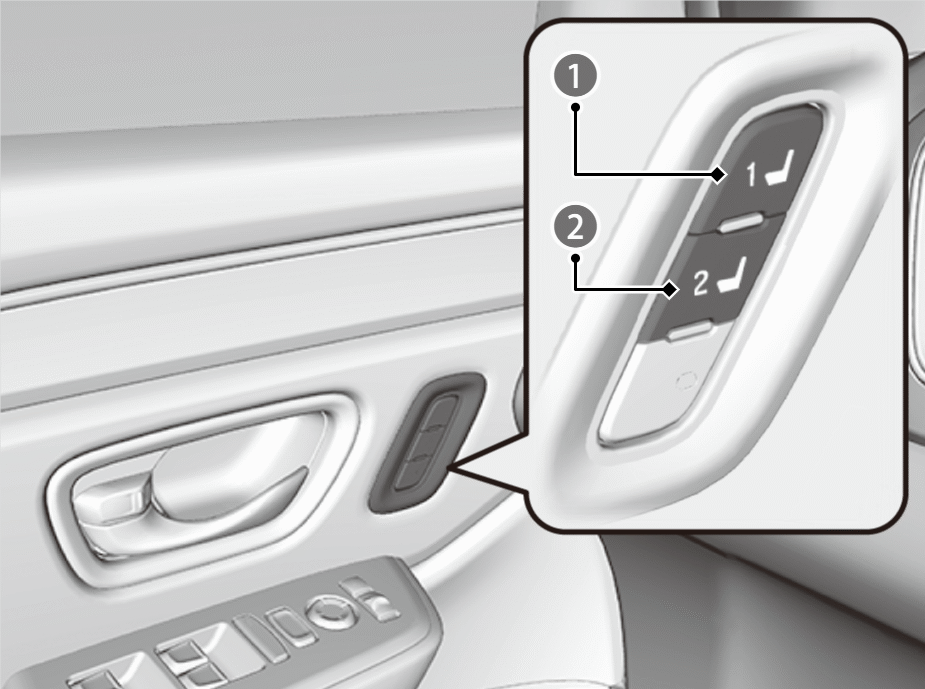
Memory Button 1
Memory Button 2
- Put the transmission into P.
- Apply the parking brake.
- Press a memory button (1 or 2).
- The seat and the door mirrors will automatically move to the memorized position.
- Do not perform any operations while the seat is moving automatically. Doing so may cause the seat to stop.

Using the audio/information screen, you can disable the automatic seat adjustment function.
Multiple separate accounts can be created for each user.
See the following page for details.
Registering new user information
The transmitter settings may not be switched when you change owner accounts.
If this happens, change to a different account and then try switching to the desired account again.
For details, please refer to the following page.
Registering new user information
When the door is opened, the driver’s seat moves to the seat position of the account that last used the transmitter.
The driver’s seat easy exit feature can be turned On/Off.