
Using the Multi View Camera System
Checking the Front of Your Vehicle
Press the button to display the front view screen.
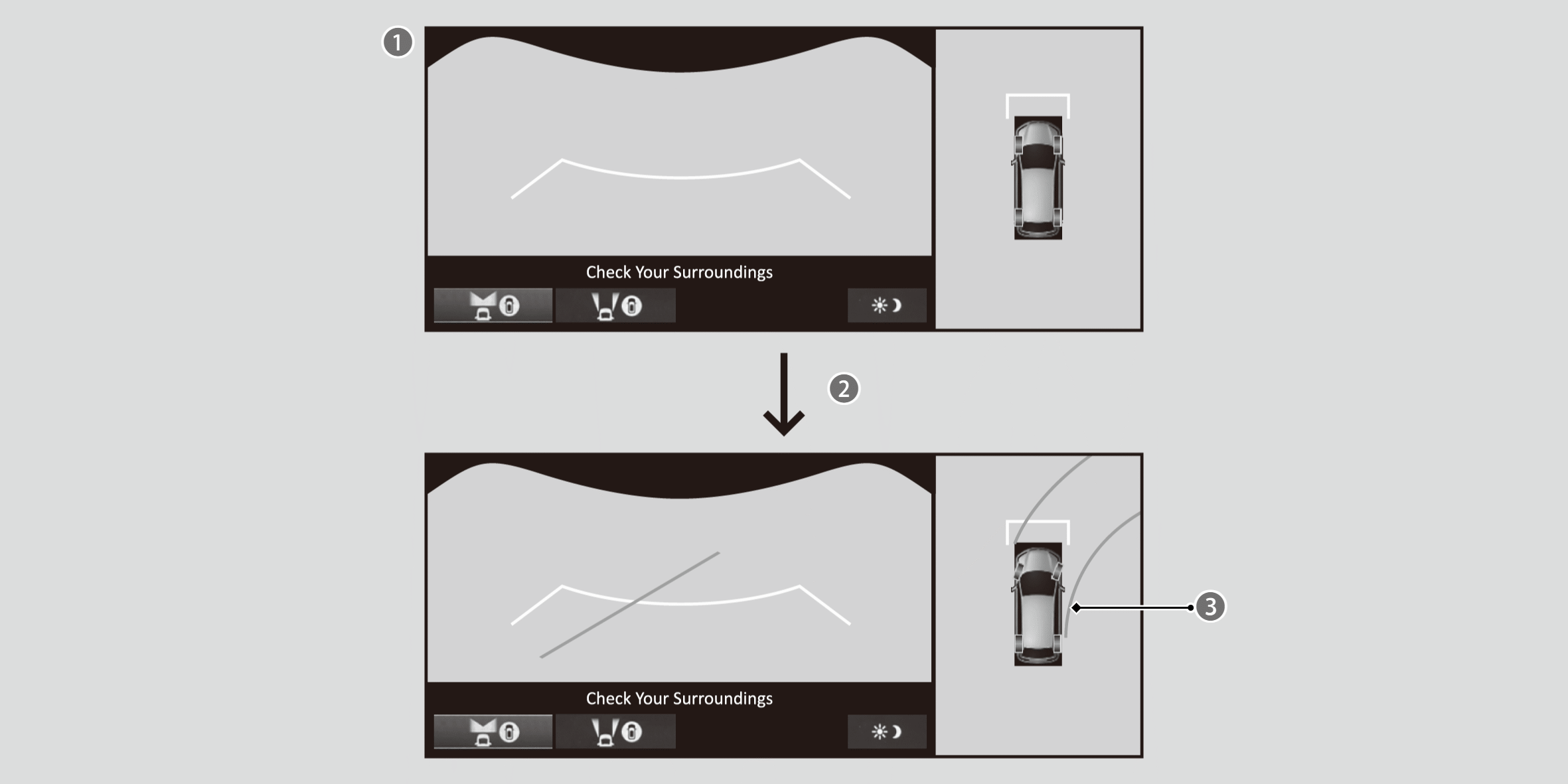

Front View + Ground View

When the steering wheel is turned more than 90 degrees.

The dynamic guideline appears approx. 14 inches (35 cm) outside the vehicle body.
Pressing orbutton switches to the side view screen.
- If the vehicle speed exceeds 16 mph (25 km/h) while the front or side view image from the multi view camera is displayed, the screen automatically switches to the audio/information screen.
- The ground view can be displayed even with the door mirrors folded. However, the viewable angle and blind spot change.
Distance between the vehicle and guideline
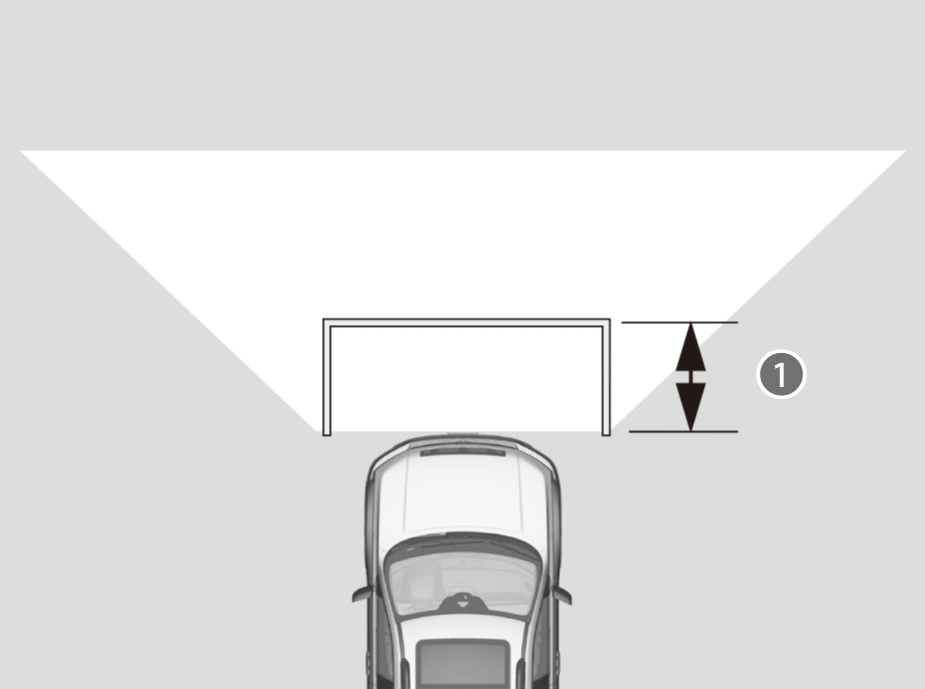
The distance () from the vehicle to the guideline is approx. 43 inches (1.1 m).
Checking the Sides of Your Vehicle
While displaying the front view screen, press theorbutton to display the side view screen.
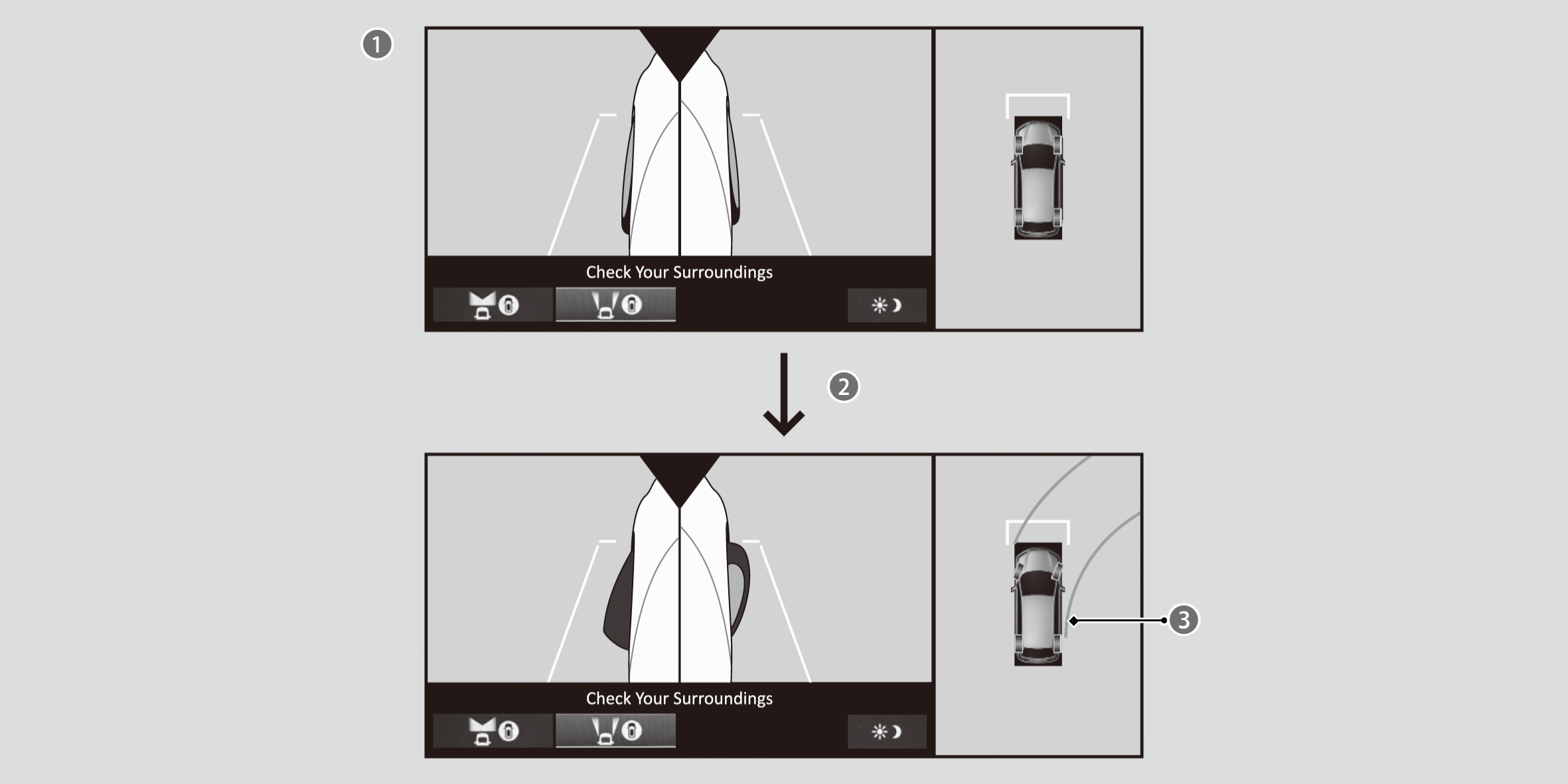
Side View + Ground View
When the steering wheel is turned more than 90 degrees.
The dynamic guideline appears approx. 14 inches (35 cm) outside the vehicle body.
Pressing switches to the front view screen.
- If the vehicle speed exceeds 16 mph (25 km/h) while the front or side view image from the multi view camera is displayed, the screen automatically switches to the audio/information screen.
- The ground view can be displayed even with the door mirrors folded. However, the viewable angle and blind spot change.
- When the door mirrors are folded, the side views cannot be displayed.
Camera display area
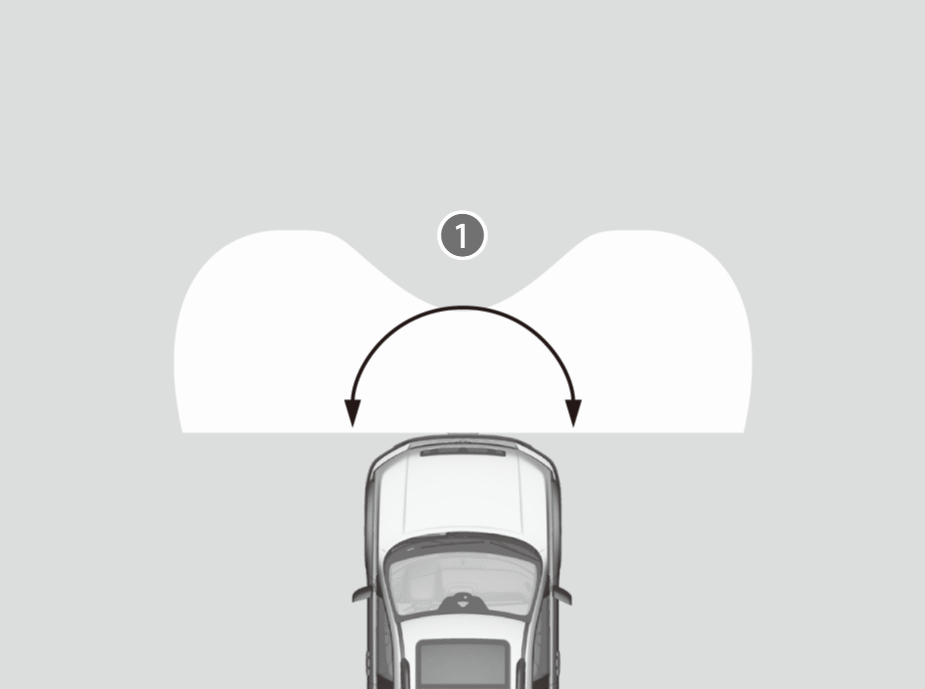
The angle provided by the front view screen () is 180 degrees. The front view screen is useful when you need to check for vehicles crossing from either direction at an intersection with poor visibility.
- The front view is a wide-angled view. The image will be largely distorted, and objects may appear closer or more distant than they actually are.
Distance between the vehicle and guideline
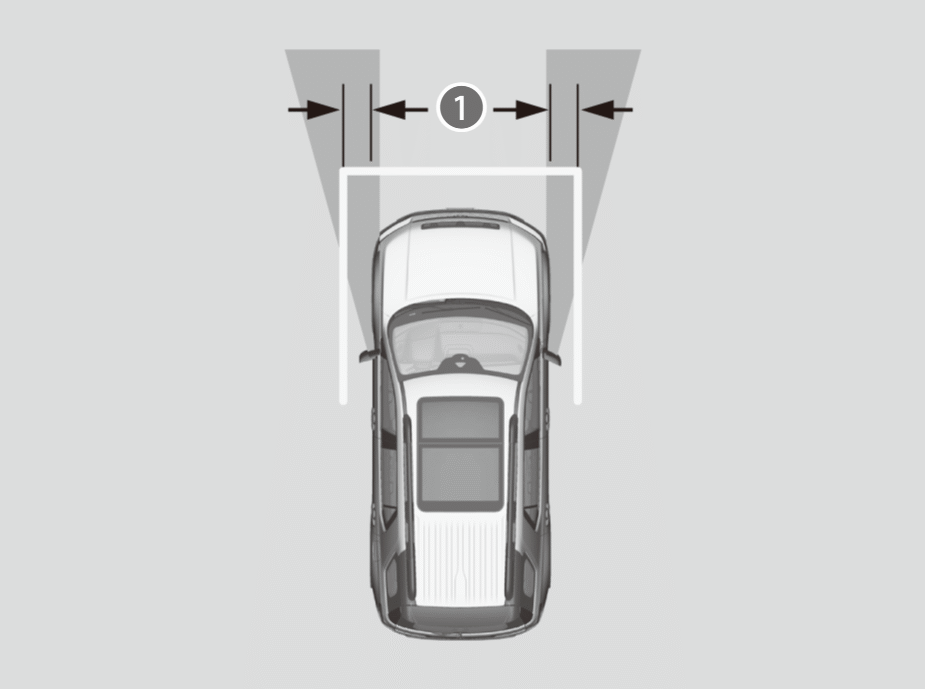
Images of the front side of the vehicle captured by side cameras are displayed on the display.
Approximate distance () the projection lines indicate is 16 inches (40 cm) from the vehicle.
Checking for Obstacles at the Back of Your Vehicle
The display automatically changes to the rear view when the shift position is changed to R.
Rear wide view + ground view

Rear Wide View + Ground View
When the steering wheel is turned more than 90 degrees.
The dynamic guideline appears approx. 14 inches (35 cm) outside the vehicle body.
Pressing orbutton switches to the rear view screen.
Rear view + ground view
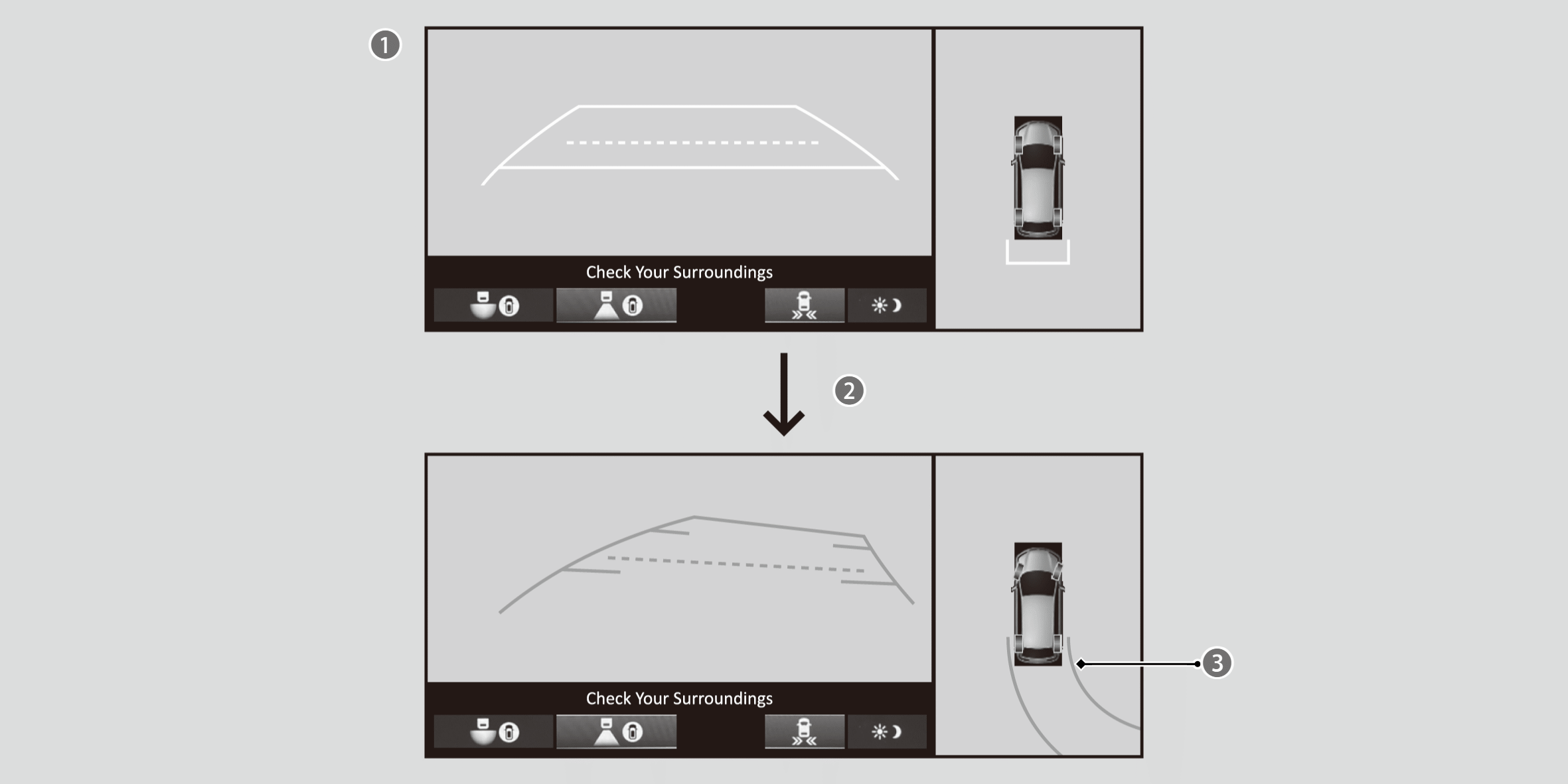
Rear View + Ground View
When the steering wheel is turned more than 90 degrees.
The dynamic guideline appears approx. 14 inches (35 cm) outside the vehicle body.
Pressing orbutton switches to the rear wide view screen.
Distance between the vehicle and guideline
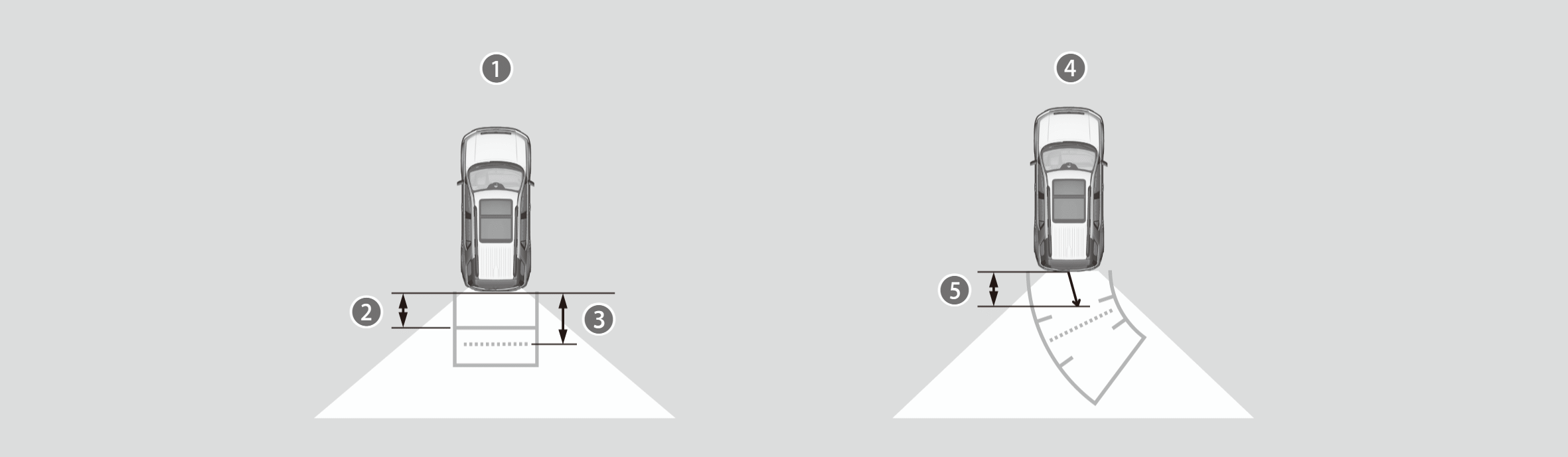
Approximate distances the guidelines indicate
Approx. 23 inches (60 cm)
Approx. 35 inches (90 cm)

Approximate distances the projection lines indicate

Approx. 23 inches (60 cm)
TrailWatch™
When the drive mode is in TRAIL mode, images with tire direction lines from the multi view camera system are displayed while your vehicle speed is about 12 mph (20 km/h) or lower. When the vehicle’s speed reaches about 16 mph (25 km/h) or higher, the display will return to the previous screen.
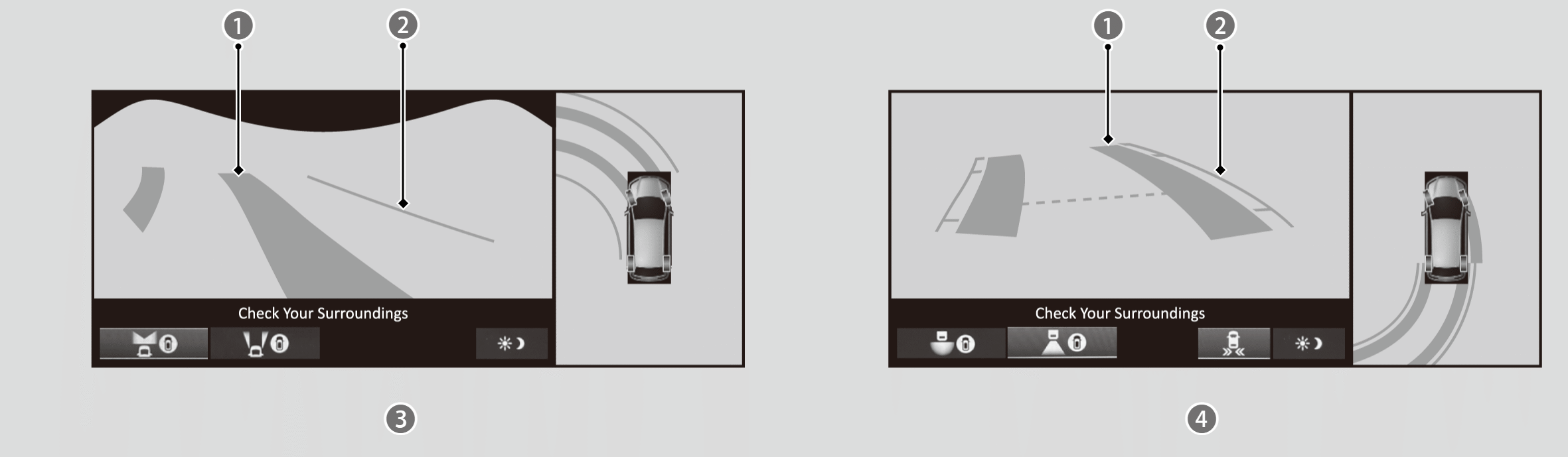
Tire Direction Lines
The dynamic guideline appears approx. 14 inches (35 cm) outside the vehicle body.
Front View + Ground View
Rear View/Rear Wide View + Ground View

*: Not available on all models