
Drive Mode System
Selecting the Drive Mode
Press the drive mode switch ( ) to select the appropriate mode. The mode you select appears on the driver information interface.
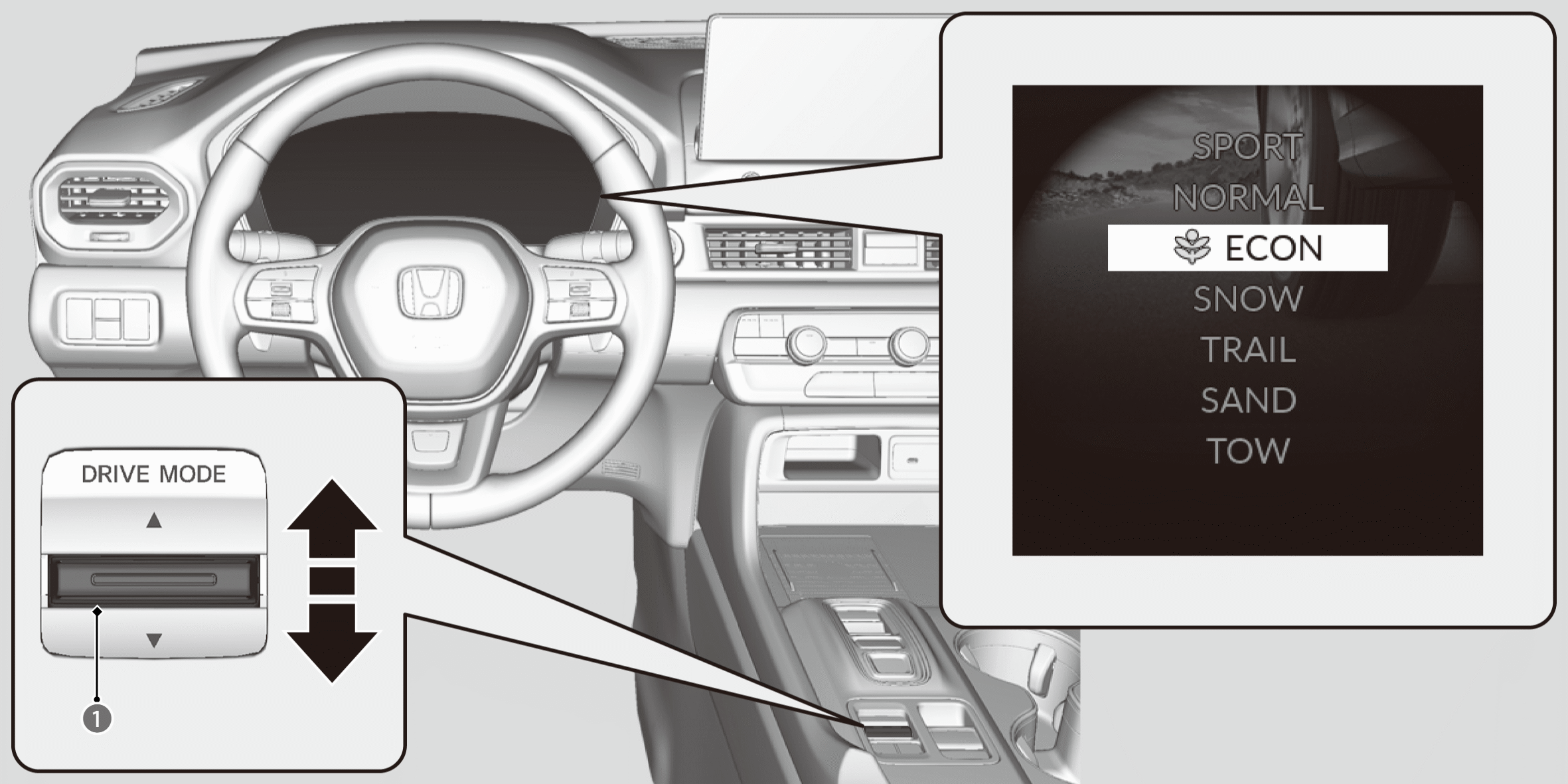
The mode may not be able to be changed under some driving conditions. If there is a vehicle system failure, a message will also appear on the driver information interface, and you cannot change the mode.
SPORT mode
Enhances responsiveness to the driver’s input.
- While in SPORT mode, the Auto Idle Stop System will stay disabled regardless of the Auto Idle Stop OFF button.
NORMAL mode
Optimizes the balance between operability and comfort.
ECON mode
Facilitates fuel-efficient driving.
- While in ECON mode, the climate control system will be less effective and the vehicle slower to accelerate.
SNOW mode
Maximizes controllability on snowy roads through powertrain settings.
- While in SNOW mode, the Auto Idle Stop System will stay disabled regardless of the Auto Idle Stop OFF button.

TRAIL mode
Maximizes controllability on roads with mud, gravel, or loose dirt.
- TrailWatch™: While in TRAIL Mode, images from the Multi View Camera System are displayed while your vehicle speed is about 12 mph (20 km/h) or lower. When the vehicle’s speed reaches about 16 mph (25 km/h) or higher, the display will return to the previous screen.
- While in TRAIL mode, the Auto Idle Stop System will stay disabled regardless of the Auto Idle Stop OFF button.
- While in TRAIL mode, the VSA®OFF indicator turns on to indicate that the VSA®system is optimized for this drive mode.
- When the Drive Mode is in TRAIL mode, Low Speed Braking Control does not operate.
SAND mode
Maximizes controllability on soft, sandy roads or off-highway terrain through powertrain settings.
- While in SAND mode, the Auto Idle Stop System will stay disabled regardless of the Auto Idle Stop OFF button.
- While in SAND mode, the VSA®OFF indicator turns on to indicate that the VSA® system is optimized for this drive mode.
TOW mode
Optimizes balance between driving performance and comfort when towing a trailer.
- When the Drive Mode is in TOW mode, Low Speed Braking Control and the parking sensor system do not operate when reversing.
- While in TOW mode, the Auto Idle Stop System will stay disabled regardless of the Auto Idle Stop OFF button.
- For more details on towing, refer to the following.
Next Start-Up Mode
The mode for the next start-up is saved according to the following chart. Each keyless remote has its own mode saved.
|
Last Mode |
Next Mode |
|---|---|
|
Any mode other than ECON |
NORMAL |
|
ECON |
ECON |
*: Not available on all models