


Honda Sensing®
- Detail
-
Make sure that all the tires are of the same specified size, type, and brand, and that they are evenly worn.
If you use tires of different sizes, types, brands, or degree of wear, the system may not work properly.Do not modify the suspension. Altering the height of the vehicle may prevent the system from working properly.
Assists with functions such as acceleration, braking, and steering in order to reduce the burden on the driver, as well as help avoid or reduce the severity of collisions.
Honda Sensing® has the following functions:
The functions that do not require switch operations to activate
- Collision Mitigation Braking SystemTM (CMBSTM)
- Low Speed Braking Control*
- Road Departure Mitigation System
- Traffic Sign Recognition System
- Auto High-Beam
- Blind Spot Information System*
- Cross Traffic Monitor*
- Parking Sensor System*
- Driver Attention Monitor
Driver Attention Monitor (A-type Meter)Driver Attention Monitor (B-type Meter)
The functions that require switch operations to activate
- Adaptive Cruise Control (ACC) with Low Speed Follow*
- Adaptive Cruise Control (ACC)*
- Lane Keeping Assist System (LKAS)
- Traffic Jam Assist*
Operation Switches for the Adaptive Cruise Control (ACC) with Low Speed Follow*/Adaptive Cruise Control (ACC)*/Lane Keeping Assist System (LKAS)/Traffic Jam Assist*
 Button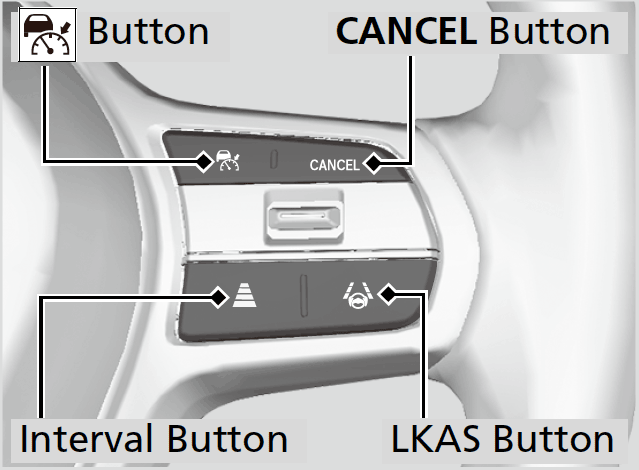
-
CANCEL Button
Press to cancel ACC with Low Speed Follow*/ACC*.
Interval Button
Press to change the ACC with Low Speed Follow*/ACC* following-interval.
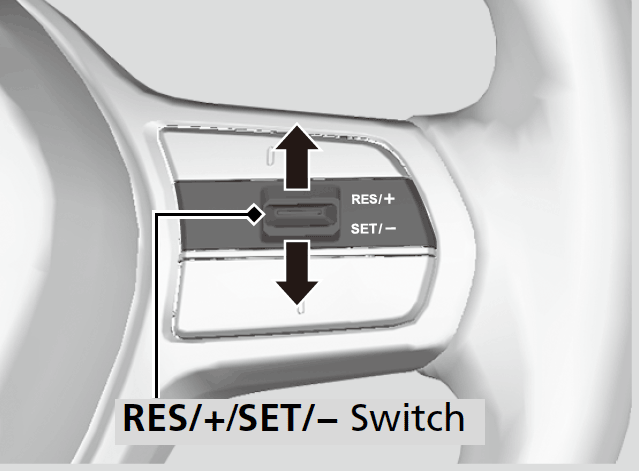
RES/+/SET/− Switch
Press the RES/+/SET/− switch up to set or resume the ACC with Low Speed Follow*/ACC* or increase the vehicle speed.
Press the RES/+/SET/− switch down to set the ACC with Low Speed Follow*/ACC* or decrease the vehicle speed. -
Gauge Content
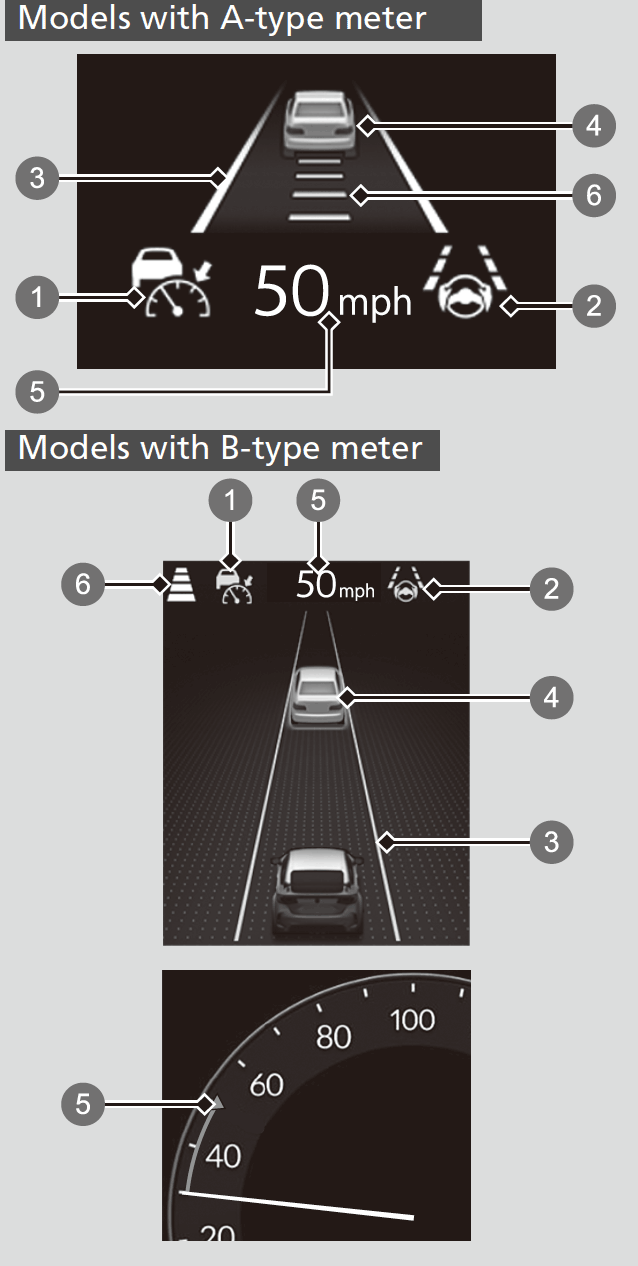
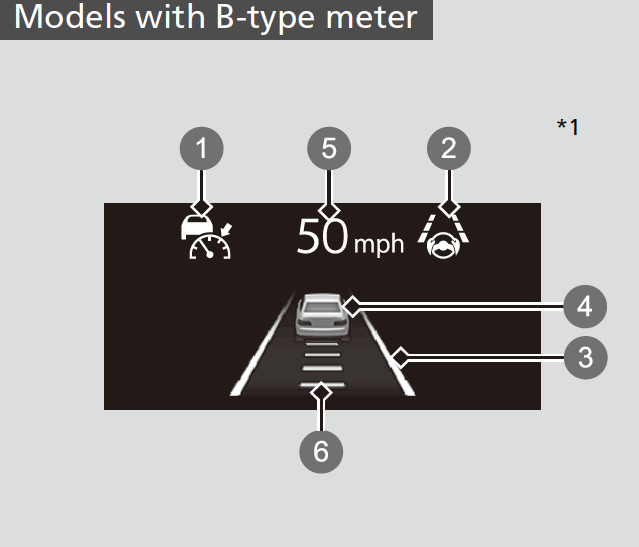
You can see the current state of Adaptive Cruise Control (ACC) with Low Speed Follow*/Adaptive Cruise Control (ACC)*, Lane Keeping Assist System (LKAS), and Traffic Jam Assist*.
-
- Indicates that ACC with Low Speed Follow*/ACC* is ready to be activated.
- Green: The system is on.
- White: The system is standby.
- Amber: There is a problem with the system.
- Indicates that LKAS or Traffic Jam Assist* is ready to be activated.
- Green: The system is operating.
- White: The system is standby.
- Amber: There is a problem with the system.
- Indicates that LKAS or Traffic Jam Assist* is activated and whether or not traffic lane lines are detected.
- Green lines: The system is operating.
- White lines: Traffic lane lines are detected.
- Amber line: Lane departure is detected.
- Indicates whether or not a vehicle is detected ahead.
Models with B-type meter*1- Control target vehicle: White and outlined in green
- Outside of control target vehicle: Gray
- Indicates that ACC with Low Speed Follow*/ACC* shows the set vehicle speed.
- Indicates that ACC with Low Speed Follow*/ACC* shows the set vehicle interval.
- Indicates that ACC with Low Speed Follow*/ACC* is ready to be activated.
-
- When the +R gauge is not being used
- When the +R gauge is not being used
* Not available on all models
- Recommended topic(s)