


Performance Monitor
You can check your vehicle conditions and view individual scores for different areas of performance.
There are five screens, and you can switch between them as necessary.
|
Image
|
Image Name
|
Description
|
|---|---|---|
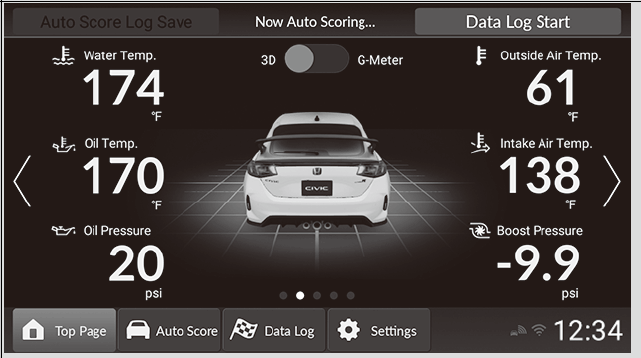 |
Default Display
|
Displays vehicle behavior in the center of the screen, and vehicle information is displayed in real time on the left and right.
The 3D vehicle display in the center can be changed to the G-meter, which displays the magnitude and direction of forces acting on the vehicle.
You can set a limit value for some vehicle information. If the limit is passed, the corresponding number display will change color.
You can change the limit values, and adjust which items are displayed on-screen, in the customization menu.
|
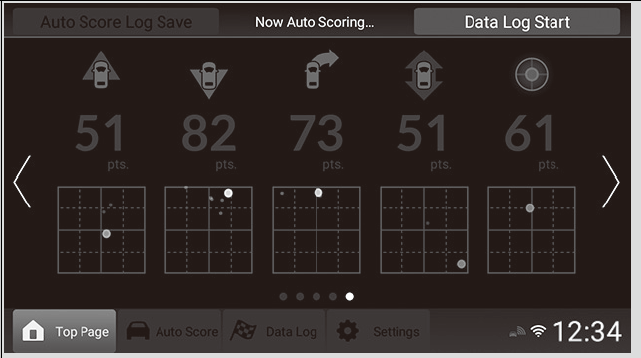 |
Auto Score Live
|
Examines performance in areas such as acceleration and deceleration in everyday driving situations, and applies a score to each of them in real time.
Refer to the commentary in the customize menu for more details on each item displayed here.
|
|
Image
|
Image Name
|
Description
|
|---|---|---|
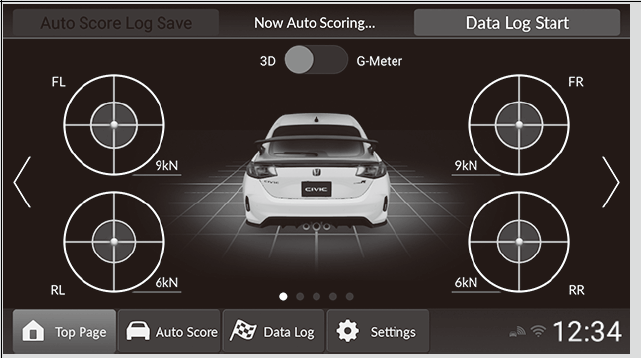 |
Tire Friction Circle Display
|
Displays the vehicle behavior in the center of the screen and the forces applied to each tire by the tire friction circles.
The 3D vehicle display in the center can be changed to the G-meter, which displays the direction and magnitude of forces acting on the vehicle.
Refer to the commentary in the customize menu for more details.
|
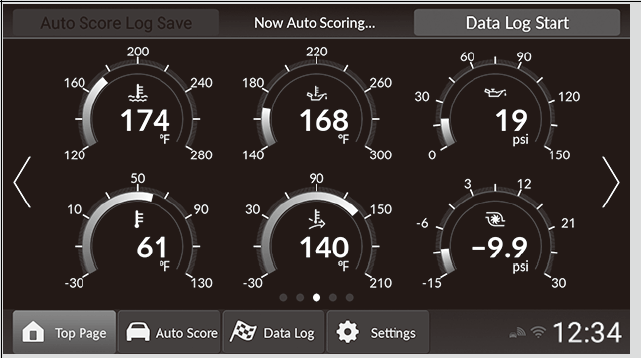 |
Instrument Panel Display
|
Displays vehicle information in real time.
You can set a limit value for some vehicle information. If the limit is passed, the corresponding number display will change color.
You can change the limit values, and adjust which items are displayed on-screen, in the customize menu.
|
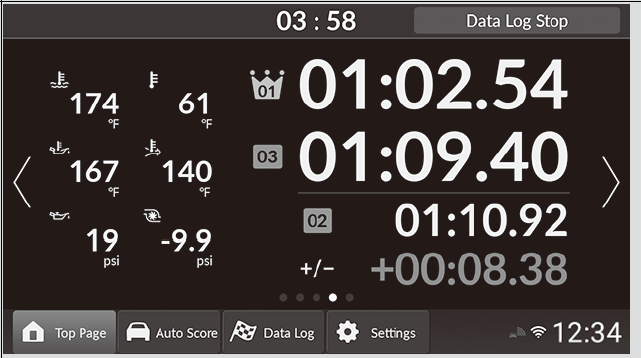 |
Measurement Data Log
|
A mode designed for track driving, displays lap time and vehicle information in real time.
|
- Recommended topic(s)