


Audio/Information Screen
Displays the audio status. From this display, you can go to various setup options.
Switching the Display
Using the audio/information screen
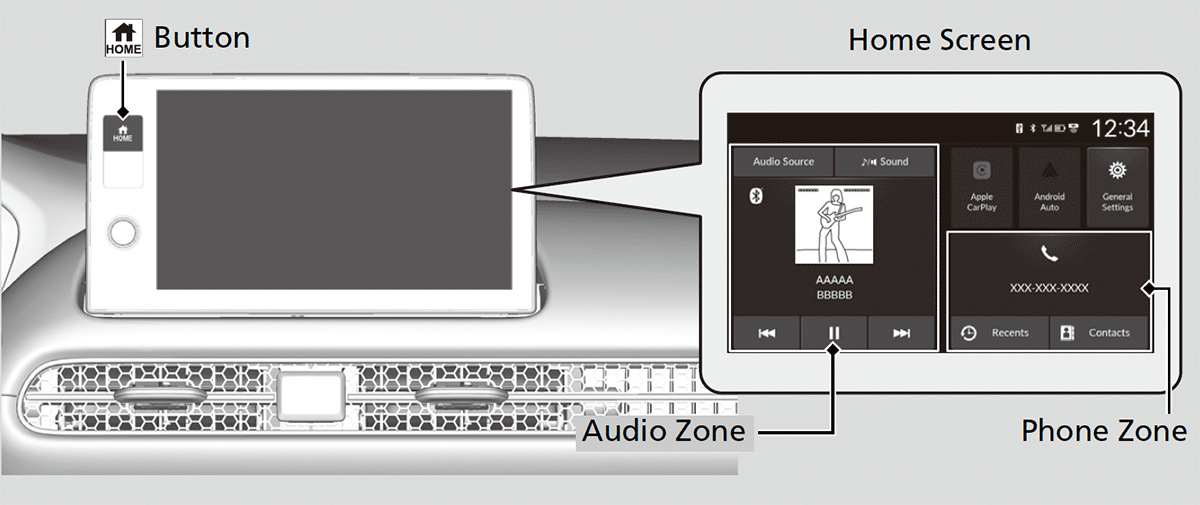
Press the  button to go to the home screen.
Select the following zones or icons on the home screen.
- Detail
-
Touchscreen operation
- Use simple gestures - including touching, swiping and scrolling - to operate certain audio functions.
- Some items may be grayed-out during driving to reduce the potential for distraction.
- You can select them when the vehicle is stopped.
- Wearing gloves may limit or prevent touchscreen response.
You can change the touchscreen sensitivity setting.
Audio zone
Displays the audio information for each.
Playing AM/FM Radio Music Playback via Wired Connection Media Playback via USB Flash Drive Playing Bluetooth® Audio
Phone zone
Displays the HFL information.
Bluetooth® HandsFreeLink®Using HFLHFL Menus
Apple CarPlay/Android Auto
Displays Apple CarPlay or Android Auto.
General Settings
Enters the customizing menu screen.
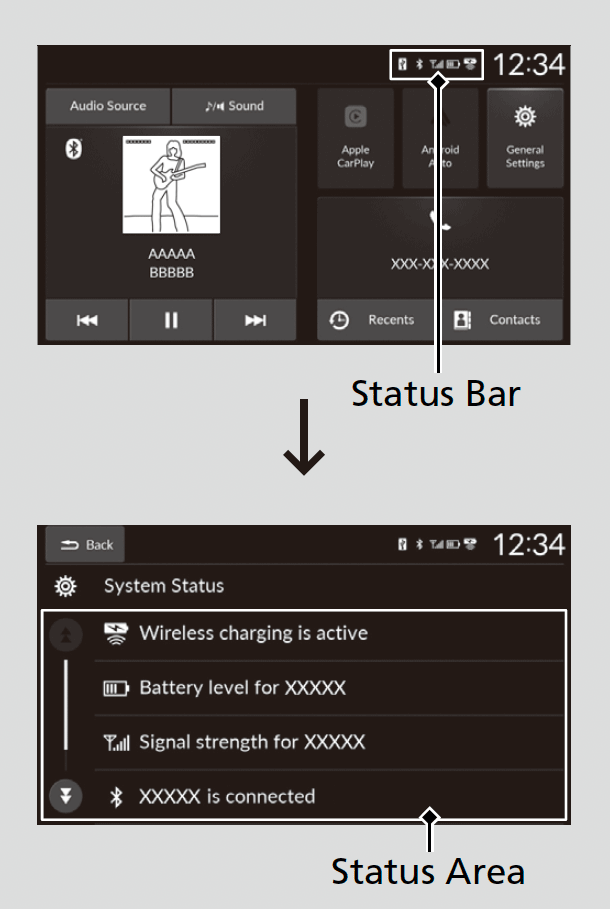
Status Bar
-
- Select the status bar.
- The status area appears.
- Select an item to see the details.
- Select Back to close the area.
- Select the status bar.
-
- Recommended topic(s)