


Customized Features
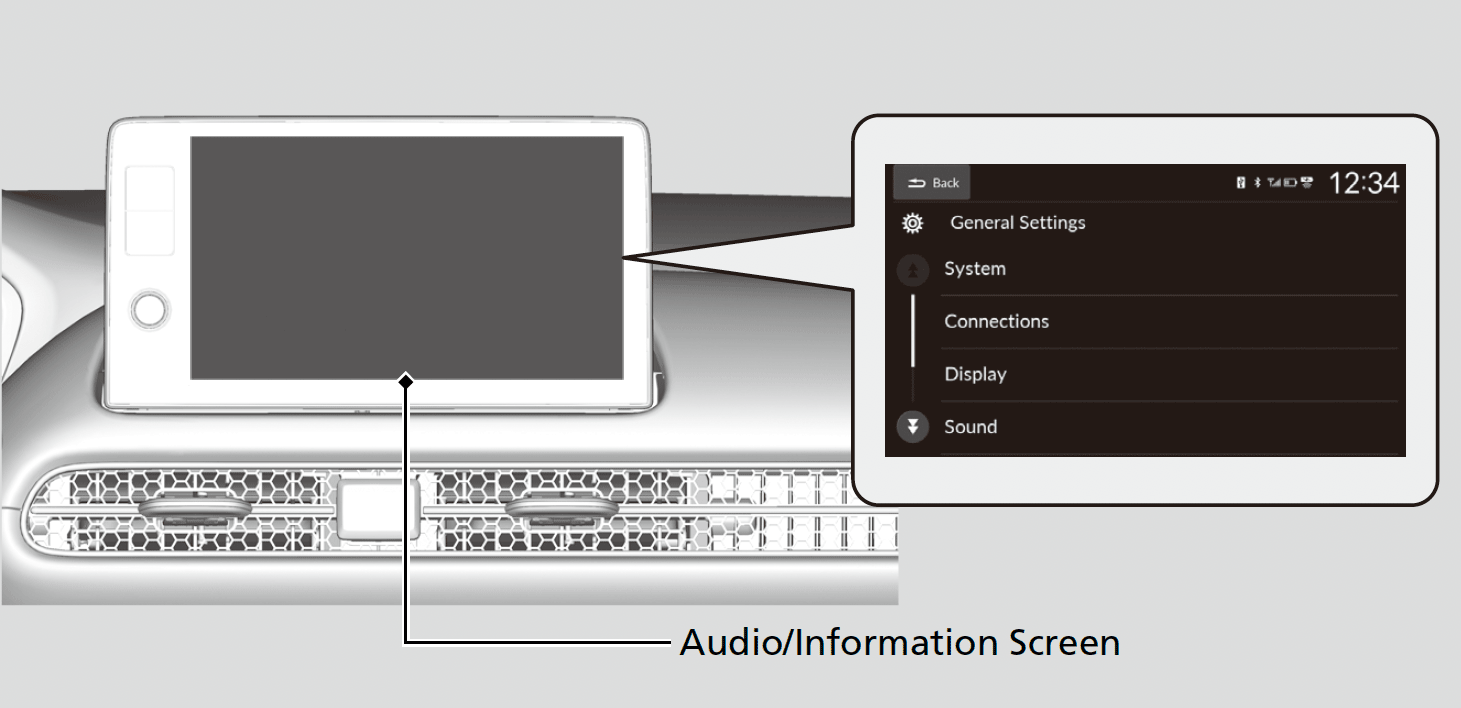
Use the audio/information screen to customize certain features.
- Detail
-
When you customize settings:
- Make sure that the vehicle is at a complete stop.
- Shift to P.
To customize features detail, refer to the following.
How to Customize the General Settings
With the power mode in ON, press the  button, select General Settings, and select a setting item.
System
|
Customizable Features
|
Description
|
Selectable Settings
|
||
|---|---|---|---|---|
|
Date & Time
|
||||
|
Time Format
|
Select a time format.
|
12H*1/24H
|
||
|
Set Date & Time
|
Automatic Date & Time
|
Select On to have the GPS automatically adjust the clock. Select Off to cancel this function.
|
On*1/Off
|
|
|
Auto Daylight Saving Time
|
Sets the clock to update based on daylight savings time.
|
On*1/Off
|
||
|
Set Date
|
Adjusts date.
|
Month/Day/Year
|
||
|
Set Time
|
Adjusts time.
|
Hour/Minute
AM/PM
|
||
|
Time Zone
|
(Select time zone)
|
Changes the time zone manually.
|
—
|
|
|
Date Format
|
Select a date format.
|
MM/DD/YYYY*1/
YYYY/MM/DD |
||
|
Language
|
Changes the driver information interface and audio/information screen language separately.
|
English*1/Español/Français
|
||
|
Factory Data Reset
|
Resets all the settings to their factory default.
|
Cancel/Continue
|
||
|
Touch Panel Sensitivity
|
Sets the sensitivity of the touch panel screen.
|
Low*1/High
|
||
|
Legal Information
|
Displays the legal information.
|
—
|
||
- Default Setting
Connections
|
Customizable Features
|
Description
|
Selectable Settings
|
||
|---|---|---|---|---|
|
Options
|
Priority Device
|
Sets Bluetooth® connection priority.
|
—
|
|
|
Name
|
Changes vehicle name for Bluetooth® connection setting.
|
—
|
||
|
MAC Address
|
Displays the MAC address.
|
—
|
||
|
Wi-Fi Settings
|
Password
|
Changes password for the Wi-Fi connection.
|
—
|
|
|
+ Connect New Device
|
Pairs a new device to HFL.
|
—
|
||
|
(Saved Devices)
|
Connects, disconnects, or deletes a paired device.
|
—
|
||
Display
|
Customizable Features
|
Description
|
Selectable Settings
|
|---|---|---|
|
Brightness
|
Changes the brightness of the audio/information screen.
|
—
|
|
Contrast
|
Changes the contrast of the audio/information screen.
|
—
|
|
Black Level
|
Changes the black level of the audio/information screen.
|
—
|
|
Display Off
|
Turns the audio/information screen brightness off.
|
—
|
|
Reset to Default
|
Resets all customized settings for the brightness, contrast, and black level.
|
—
|
Sound
|
Customizable Features
|
Description
|
Selectable Settings
|
|
|---|---|---|---|
|
Bass / Mid / Treble
|
Treble
|
Adjusts the settings of the audio speakers’ sound.
|
—
|
|
Midrange
|
|||
|
Bass
|
|||
|
Balance / Fader
|
|||
|
Speed Volume Compensation
|
|||
Sound Volume
|
Customizable Features
|
Description
|
Selectable Settings
|
|
|---|---|---|---|
|
System Sounds
|
Sets the system sound volume level.
|
—
|
Voice Recognition
|
Sets the voice recognition volume level.
|
—
|
Navigation Guidance
|
Sets the navigation guidance volume level.
|
—
|
Ringtone
|
Sets the ringtone volume level.
|
—
|
Phone Calls
|
Sets the phone call volume level.
|
—
|
Reset to Default
|
Resets all Sound Volume settings to default values.
|
—
|
Rear Camera
|
Customizable Features
|
Description
|
Selectable Settings
|
||
|---|---|---|---|---|
|
Fixed Guideline
|
Shows the guideline that does not move with the steering wheel.
|
On*1/Off
|
||
|
Dynamic Guideline
|
Shows the guideline that moves with the steering wheel.
|
On*1/Off
|
||
|
Cross Traffic Monitor*
|
Shows arrows on the rear camera image to indicate vehicles approaching from the sides.
|
On*1/Off
|
||
- Default Setting
* Not available on all models
- Recommended topic(s)