


Customized Features
Use the audio/information screen to customize certain features.
- Detail
-
When you customize settings:
- Make sure that the vehicle is at a complete stop.
- Shift to P.
How to Customize the Settings
With the power mode in ON, press the  button, select General Settings, and select a setting item.
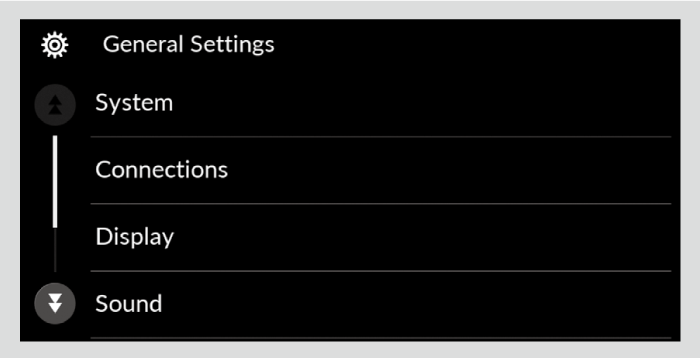
System
|
Customizable Features
|
Description
|
Selectable Settings
|
||
|---|---|---|---|---|
|
Date & Time
|
Time Format
|
Changes the digital clock display from 12H to 24H.
|
12H*1/24H
|
|
|
Set Date & Time
|
Automatic Date & Time
|
Select ON to have the GPS automatically adjust the clock. Select OFF to cancel this function.
|
On*1/Off
|
|
|
Auto Daylight Saving Time
|
Select ON to have the GPS automatically adjust the clock to daylight savings time. Select OFF to cancel this function.
|
On*1/Off
|
||
|
Set Date
|
Adjusts date.
|
-
|
||
|
Set Time
|
Adjusts clock.
|
-
|
||
|
Time Zone
|
(Select time zone)
|
Changes the time zone manually.
|
-
|
|
|
Date Format
|
Sets the date format.
|
MM/DD/YYYY*1/YYYY/MM/DD
|
||
- Default Setting
|
Customizable Features
|
Description
|
Selectable Settings
|
|---|---|---|
|
Language
|
Changes the display language.
|
English*1/Español/Français
|
|
Factory Data Reset
|
Resets all the settings to their factory default.
|
Cancel/Continue
|
|
Touch Panel Sensitivity
|
Sets the sensitivity of the touch panel screen.
|
Low*1/High
|
|
Legal Information
|
Displays the legal information.
|
-
|
- Default Setting
Connections
|
Customizable Features
|
Description
|
Selectable Settings
|
||
|---|---|---|---|---|
|
Options
|
Priority Device
|
Sets a device as the priority device.
|
-
|
|
|
Name
|
Changes vehicle name for Bluetooth® connection setting.
|
-
|
||
|
MAC Address
|
Displays the MAC address.
|
-
|
||
|
Wi-Fi Settings
|
Displays the password for Wi-Fi connection. You can also change this at random.
|
-
|
||
|
+ Connect New Device
|
Pairs a new phone to HFL.
|
-
|
||
|
(Saved Devices)
|
Connects, disconnects, or deletes a paired phone.
|
-
|
||
- Default Setting
Display
|
Customizable Features
|
Description
|
Selectable Settings
|
|---|---|---|
|
Brightness
|
Changes the brightness of the audio/information screen.
|
-
|
|
Contrast
|
Changes the contrast of the audio/information screen.
|
-
|
|
Black Level
|
Changes the black level of the audio/information screen.
|
-
|
|
Day Mode*1
|
Changes between the daytime mode and night mode.
|
-
|
|
Night Mode*1
|
||
|
Display Off
|
Turns the audio/information screen brightness off.
|
-
|
- When the AID sensor is disabled.
Sound
|
Customizable Features
|
Description
|
Selectable Settings
|
||
|---|---|---|---|---|
|
Bass/Mid/Treble
|
Treble
|
Adjusts the settings of the audio speakers’ sound.
|
-
|
|
|
Midrange
|
||||
|
Bass
|
||||
|
Balance / Fader
|
||||
|
Speed Volume Compensation
|
||||
Sound Volume
|
Customizable Features
|
Description
|
Selectable Settings
|
||
|---|---|---|---|---|
|
System Sounds
|
Adjusts the sounds' volume settings.
|
0~2*1~3
|
||
|
Voice Recognition
|
0~6*1~11
|
|||
|
Navigation Guidance
|
0~6*1~11
|
|||
|
Ringtone
|
0~20*1~40
|
|||
|
Phone Calls
|
0~20*1~40
|
|||
- Default Setting
Rear Camera
|
Customizable Features
|
Description
|
Selectable Settings
|
||
|---|---|---|---|---|
|
Fixed Guideline
|
Shows the guideline that does not move with the steering wheel.
|
On*1/Off
|
||
|
Dynamic Guideline
|
Shows the guideline that moves with the steering wheel.
|
On*1/Off
|
||
|
Cross Traffic Monitor*
|
Shows arrows on the rear camera image to indicate vehicles approaching from the sides.
|
On*1/Off
|
||
- Default Setting
* Not available on all models
- Recommended topic(s)