


Gauges
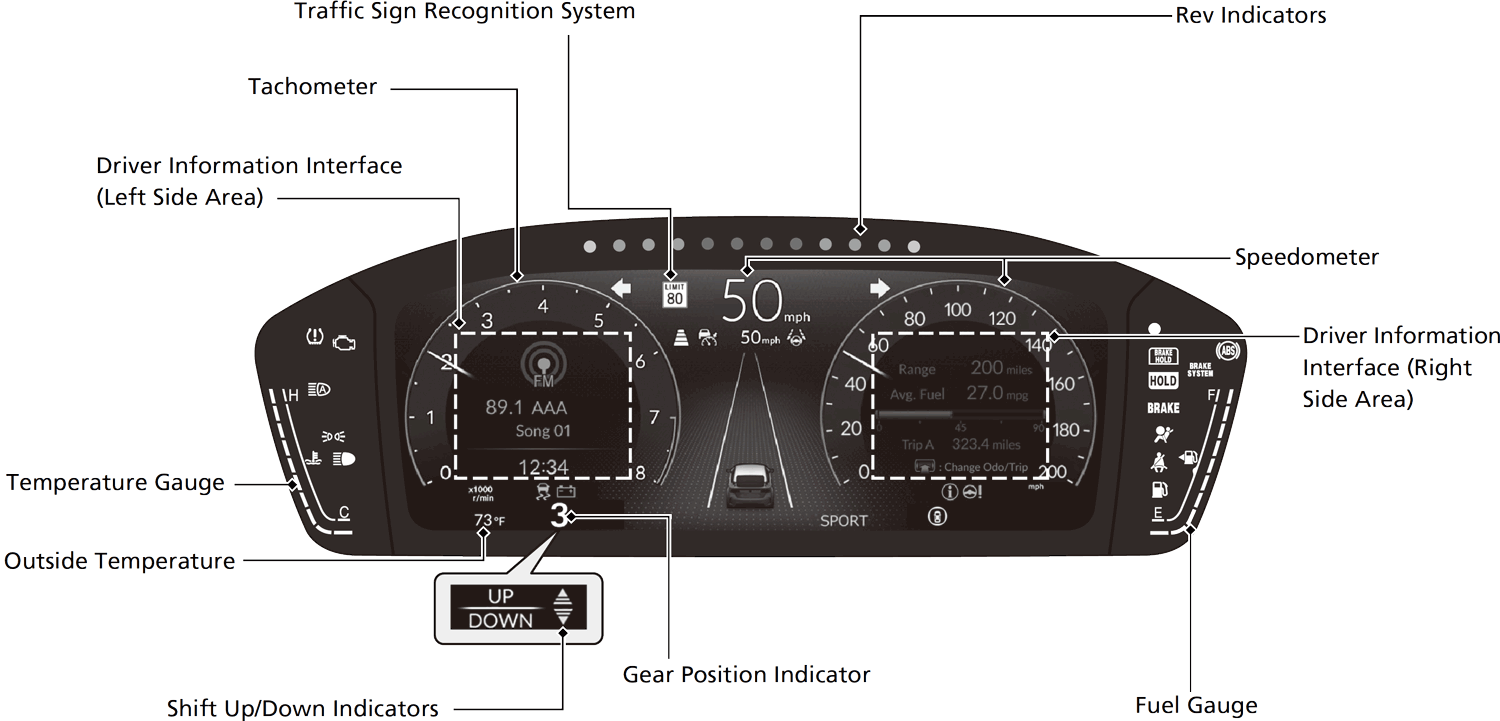
Gauges include the speedometer, fuel gauge, and other related indicators.
They are displayed when the power mode is in ON.
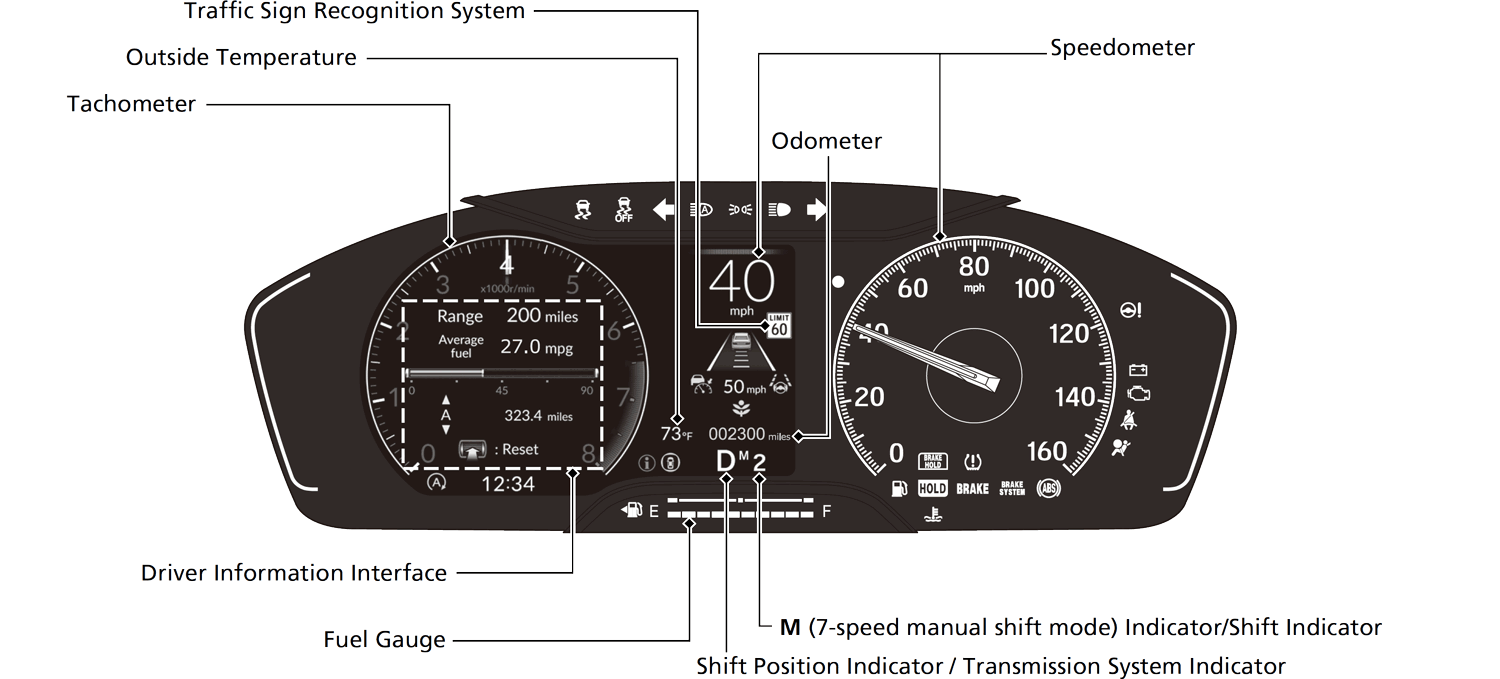
● You can change the gauge design.
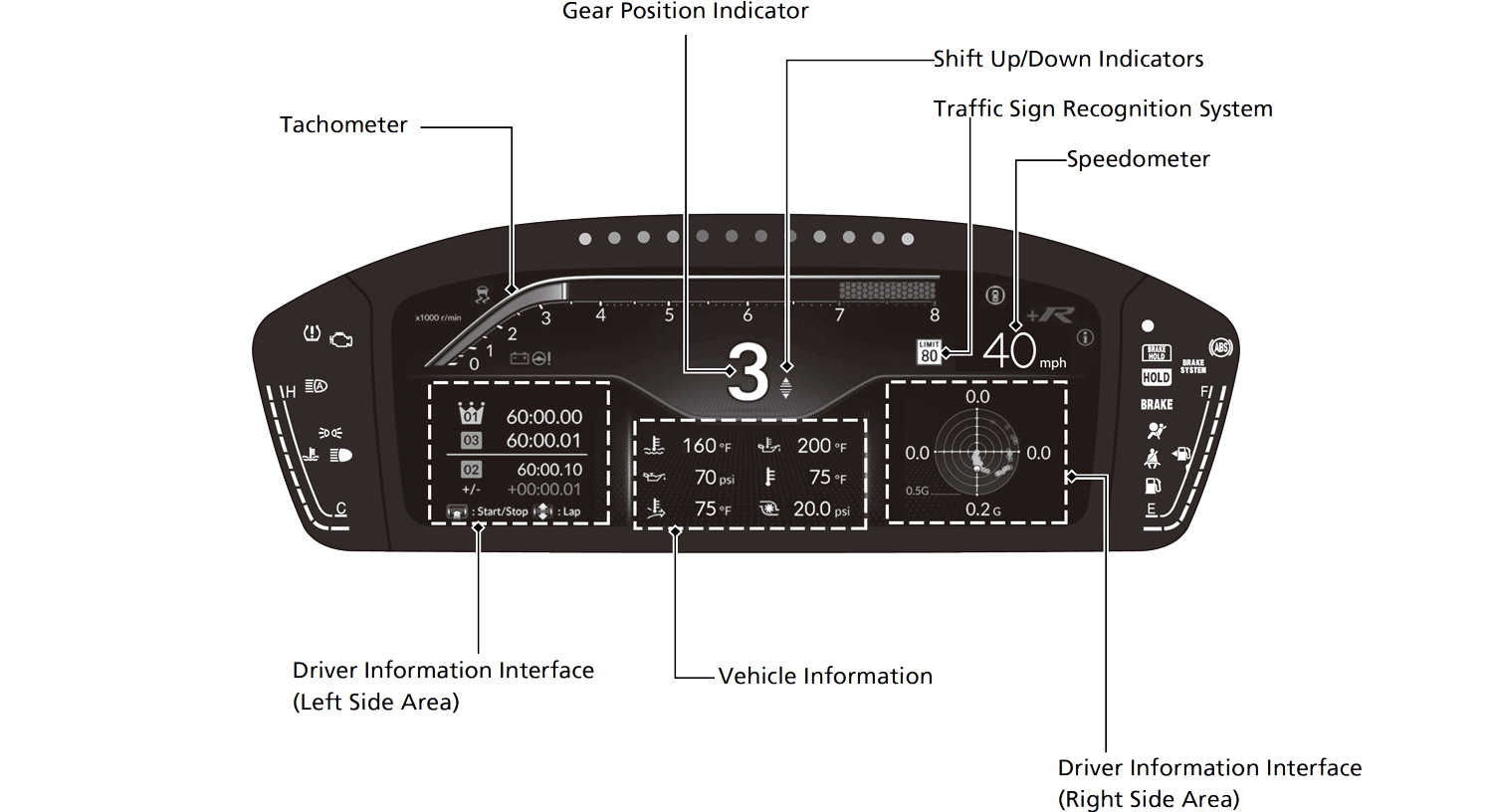
● When using the +R gauge
Speedometer
Displays your driving speed in mph or km/h.
- Detail
-
You can change the Speed/Distance units.
Customized FeaturesDefaulting All the Settings
U.S. models with B-type meterIf you change the unit from miles and mph to km and km/h while the gauge design is set to Round or Bar, the current vehicle speed in mph appears next to the digital speedometer.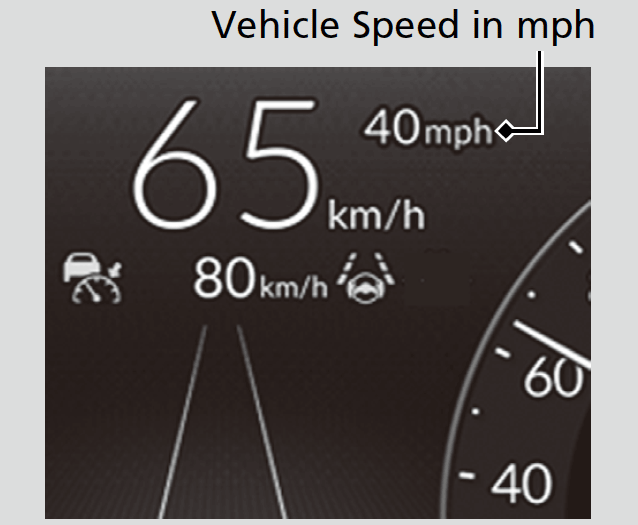
Tachometer
Shows the number of engine revolutions per minute.
- Detail
-
Models with B-type meterThe shift up alarm sounds when the tachometer reading approaches the red zone.
You can turn the shift up alarm feature on and off.
Fuel Gauge
Displays the amount of fuel left in the fuel tank.
- Detail
-
NOTICE
You should refuel when the reading approaches E.
Running out of fuel can cause the engine to misfire, damaging the catalytic converter.
After lightly refueling, or depending on your vehicle’s condition, the actual amount of remaining fuel may differ from the fuel gauge reading.
Temperature Gauge
Displays the temperature of the engine coolant.
- Detail
-
NOTICE
Driving with the temperature gauge pointer in the upper zone can cause serious engine damage. Pull safely to the side of the road and allow engine temperature to return to normal.
Odometer
Shows the total number of miles or kilometers that your vehicle has accumulated.
Outside Temperature
Shows the outside temperature in Fahrenheit (U.S.) or Celsius (Canada).
- Detail
-
The temperature sensor is in the front bumper.
Road heat and exhaust from another vehicle can affect the temperature reading when your vehicle speed is less than 19 mph (30 km/h).It may take several minutes for the display to be updated after the temperature reading has stabilized.
Adjusting the outside temperature display
Adjust the temperature reading by up to ±5°F or ±3°C if the temperature reading seems incorrect.
- Detail
-
You can adjust the temperature reading.
Traffic Sign Recognition System
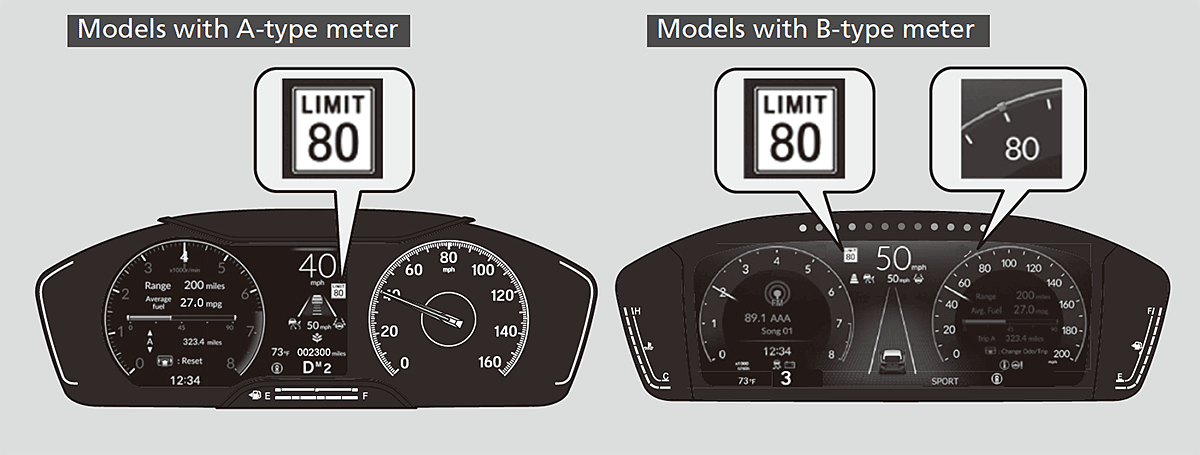
Shows certain detected traffic signs while driving.
If speed limit warning is activated, the sign icon blinks when the maximum speed of the traffic sign detected is exceeded by a threshold, when compared with the vehicle speed.
Traffic Sign Recognition System
- Detail
-
The default speed limit warning threshold is the maximum speed of the traffic sign detected.
You can adjust the threshold for speed limit warning.
Current Mode for ACC with Low Speed Follow*, the LKAS, and Traffic Jam Assist*
Shows the current mode for ACC with Low Speed Follow*, LKAS, and Traffic Jam Assist*.
Adaptive Cruise Control (ACC) with Low Speed Follow*
Adaptive Cruise Control (ACC)*
Lane Keeping Assist System (LKAS)
- Detail
-
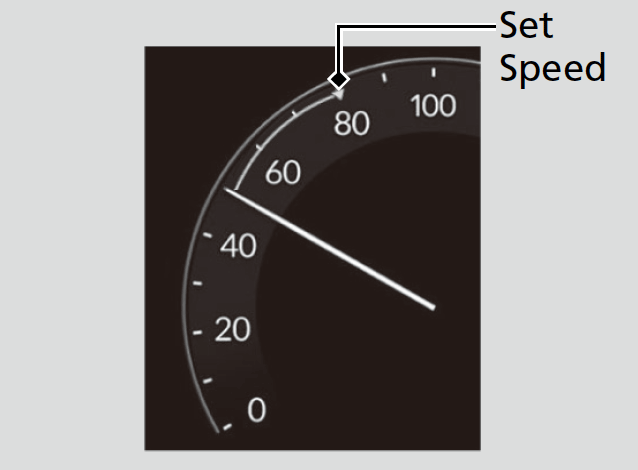
Models with B-type meterIf the gauge design is set to Round or Bar, when you set speed for ACC or cruise control, a set speed mark will be displayed on the speedometer.
Clock
Shows the clock.
- Detail
-
You can adjust the time manually and change the clock display to show the 12 hour clock or 24 hour clock.
Rev Indicators
Light up from outside to center according to engine speed.
- Detail
-
You can turn the rev indicators on and off.
Vehicle Information
When using the +R gauge, the following vehicle information can be displayed.
About Honda LogRInitial SettingsPerformance MonitorAuto Score ModeData Log ModeCustomize
- Water Temp.
- Oil Temp.
- Oil Pressure
- Ext. Air Temp.
- Intake Air Temp.
- Boost Pressure
- Steering Angle
- Accel. Ped. Pos.
- Brake Pressure
- Clutch Ped. Pos.
- Yaw Rate
- Atmos. Pressure
- Detail
-
Up to 6 items can be selected and displayed at once.
About Honda LogRInitial SettingsPerformance MonitorAuto Score ModeData Log ModeCustomize
You can set a limit for Water Temp. and Oil Temp. . When the limit is reached, the display will turn amber.About Honda LogRInitial SettingsPerformance MonitorAuto Score ModeData Log ModeCustomize
When the ACC or LKAS are turned on, vehicle information is not displayed.
* Not available on all models